Most on-page SEO mistakes are made in the last five minutes before a page goes live. The title is left as a draft, an image has no alt text, or nothing on the site links to the new page. None of these are hard to fix. They just get missed.
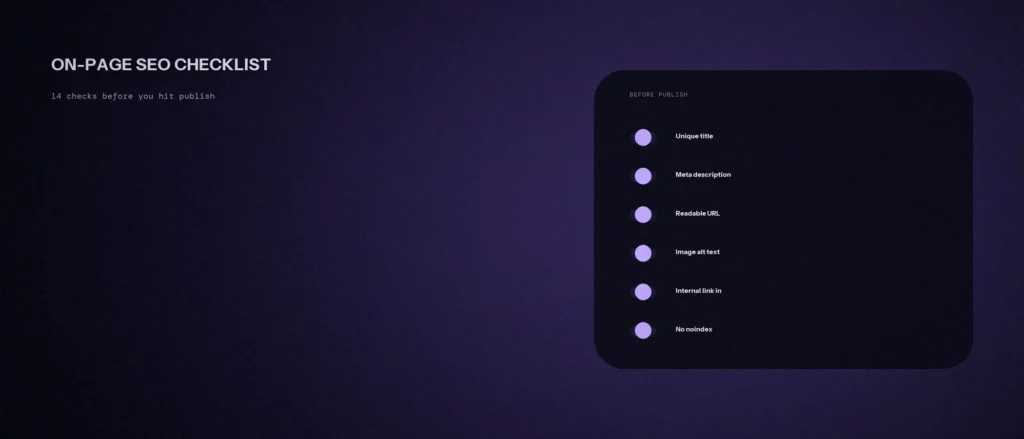
This on-page SEO checklist for beginners is the one we run before we hit publish on any page, for us or for a client. It has 14 checks, plus one bonus. Each one comes from Google’s own Search Central guidance, not from guesswork, and each one comes with an example you can copy. We checked every step against Google’s documentation in September 2026. The goal is a page that works for search engines and users, and earns its ranking.
Quick summary, if you’re short on time:
- Start with the search. Know what the page is for, then check the title, meta description and URL people see in search results.
- Then check the page: headings, natural use of your main phrase, helpful content with a named author, and images.
- Then check links and launch: a link in from another page, clear link text, links out to sources, no noindex block, and a page that works fast on a phone.
- Skip the old myths. Google does not use the meta keywords tag, and there is no magic word count.
Jump to a section:
- The whole on-page SEO checklist on one page
- Checks 1 to 5: the search and what people see in Google
- Checks 6 to 9: the page itself
- Checks 10 to 12: internal linking and links out
- Checks 13 and 14: indexing, page speed and phone
- Free tools that make these checks easier
- Common on-page SEO mistakes beginners make
- Bonus: structured data
- Things on old checklists you can skip
- A prompt to run this checklist on your own page
- Questions beginners ask about on-page SEO
The whole on-page SEO checklist on one page
On-page SEO means the changes you make on the web page itself to help Google and other search engines understand it, and to help people click on it. That covers the title, the text, the images and the links. It does not cover things that happen on other websites, like backlinks (that is off-page SEO), or how your whole site runs behind the scenes (that is technical SEO). A good checklist helps a page rank higher for the right searches without any tricks. Here is the full list at a glance. Copy it into Google Sheets or Excel, add a “Done” column, and tick each row as you go.
| # | Check | You pass if |
|---|---|---|
| 1 | Match the search | You can name the search in plain words, and the page type matches what Google already shows |
| 2 | Page title | The page has its own title that says what it is about |
| 3 | Title wording | Your main phrase appears once, and the title reads like a person wrote it |
| 4 | Meta description | One or two plain sentences, unique to this page |
| 5 | URL | Short, readable words with hyphens, no ID numbers |
| 6 | Headings | One main heading, then smaller headings that tell the story on their own |
| 7 | Main phrase in the text | Used early and naturally, never forced |
| 8 | Helpful content | Written for people, sources shown, and the author is named |
| 9 | Images | Descriptive file names, useful alt text and a sensible file size |
| 10 | A link in | At least one other page on your site links to this page |
| 11 | Link text | Links say where they go, not “click here” |
| 12 | Links out | You link to the sources behind your claims |
| 13 | Indexing | No noindex setting, and the canonical points to this page |
| 14 | Phone and speed | Easy to read and use on a phone, and loads fast |
Checks 1 to 5: the search and what people see in Google
These five decide whether the right person finds your page and clicks on it. You can rank on page one and still get no visits if these are weak. You can optimize each one in a few minutes.
1. Match the search
Every other check is easier if you know one thing first. Which search term is this page for? Write it down in plain words, like “dentist for kids in Jayanagar” or “how much does a website cost”. If you can’t name the search, the page probably tries to do too many jobs. Every SEO element on the page, from the title to the alt text, should point back to that one search.
Then look at what Google already shows for that search. If the top results are guides, a sales page will struggle. If the top results are service pages, a long guide will struggle. Match the kind of page Google already shows. Our post on search intent explains how to read this, and our keyword-to-URL map keeps you from using the same search on two pages.
It also helps to know how many people search for the phrase. Google Ads Keyword Planner is free to use with a Google Ads account and shows search volume ranges. Google Search Console shows the searches your site already appears for. Search volume tells you whether a topic is worth a page. It does not tell you how hard the page will be to rank.
2. The page has its own title
Google says every page should have a title in the title element, and that the text should be descriptive and concise. Avoid vague titles like “Home” or “Services”. Each page needs a different title, so people can tell your pages apart in search results. See Google’s advice on title links.
There is no hard character limit. Google cuts the title to fit the screen. To optimize a title, put the most useful words first and aim for about 60 characters or fewer. A clear title is also a strong signal to search engines about what the page covers.
3. The title reads like a person wrote it
Using your main phrase once in the title is fine. Repeating it is not. Google’s example of a bad title is a list of the same word in different forms, and Google says this kind of keyword stuffing can make a result look spammy.
- Weak: “Dentist Bangalore | Best Dentist | Top Dentist | Cheap Dentist”
- Better: “Kids Dentist in Jayanagar, Bangalore | Example Dental Clinic”
Read the title out loud. If it sounds odd, rewrite it. Our post on title tags that earn clicks goes deeper.
4. The meta description is written for this page
The meta description is the short summary under your title in search results. Google does not always show it. It often builds the snippet from the page text instead. But when it does use your description, it should be short, unique to the page and cover the main points.
Google says identical descriptions on every page are not helpful. To optimize a description, write one or two plain sentences that tell a searcher what they will get. Google’s snippet guide has the details, and our post on meta descriptions that get read shows examples.
5. The URL uses real words
Google recommends readable words in URLs instead of long ID numbers. It also recommends hyphens between words, not underscores. Read Google’s URL structure advice for the full list.
- Weak: /page?id=4821 or /seo_checklist_final/
- Better: /seo-checklist/
Keep it short. Leave the year out of the URL, so you can update the page later without changing its address.
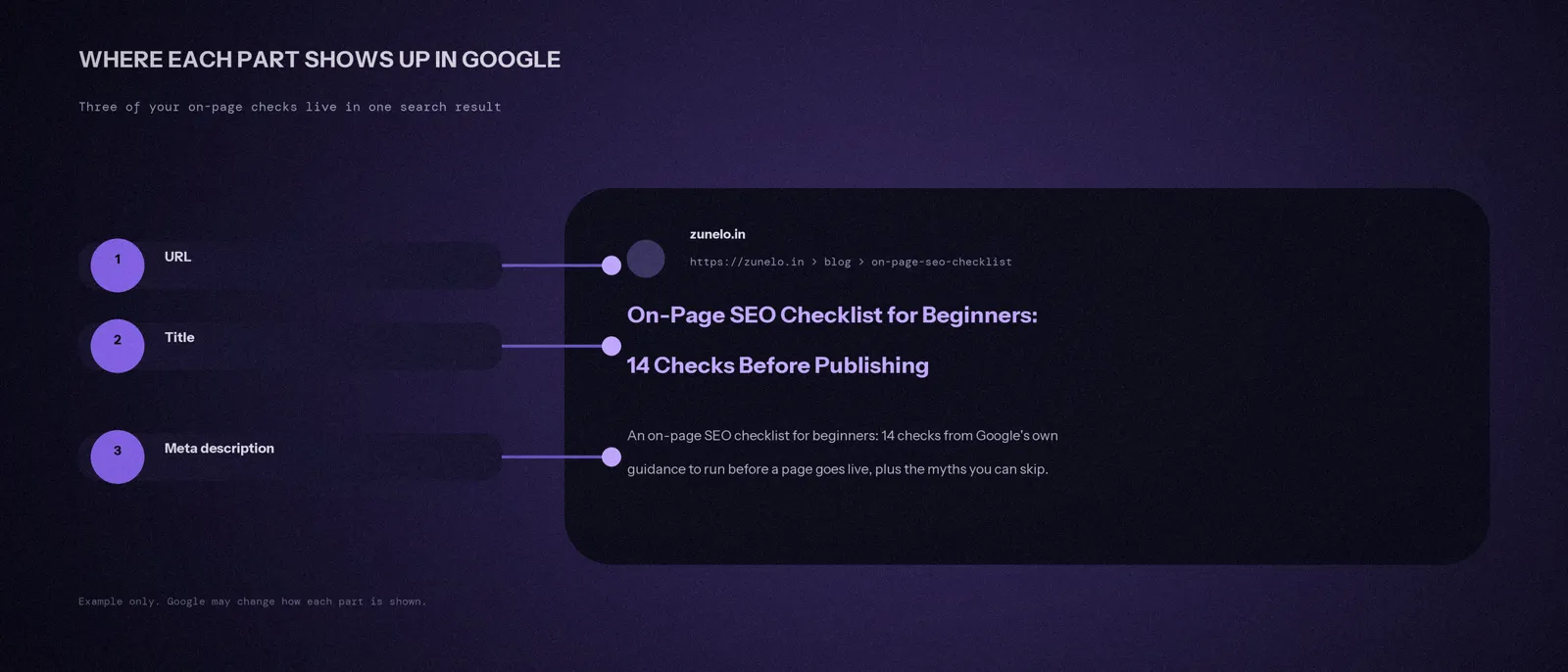
The picture below shows one result on a search engine results page, often called a SERP. The URL, the title and the description are the three parts you control.
Checks 6 to 9: the page itself
6. Headings break the page into clear sections
Google’s starter guide says to break long content into paragraphs and sections, with headings that help people find their way around. Use one main heading at the top that says what the page is about. Then use smaller headings for each section. Headings help readers, and they give search engines a clear outline of the page.
Scroll through the page reading only the headings. They should tell the whole story on their own.
7. Your main phrase appears naturally, not over and over
Use the words your customers use. If they search “AC repair”, don’t only say “HVAC servicing solutions”. Put the phrase early in the page and in a heading if it fits.
Then stop. Google’s guide says excessive repetition, even in variations, is tiring for readers and is against its spam policies. Writing naturally helps you more, because you end up using related words people also search for. Forcing a phrase in will not improve your search ranking. Our post on how much keyword repetition is too much gives a practical answer.
8. The content is helpful, sourced and has a named author
Google says its ranking systems are designed to prioritize helpful, reliable information made to benefit people, not content made to rank. Its guide to helpful content gives three easy questions to ask about any page:
- Who wrote it? Google strongly encourages a byline, and a link to more about the author, where readers would expect one.
- How was it made? Show sources and the evidence behind your claims.
- Why does it exist? The answer should be to help people. Getting visits from search is a side effect, not the goal.
Google also says E-E-A-T, which stands for experience, expertise, authoritativeness and trust, is not a ranking factor by itself. It is a set of ideas that its systems use to find good content, and trust matters most. In plain words: show that a real person with real knowledge wrote this page.
9. Images have good file names, alt text and a sensible size
Alt text is a short description of an image, added in the image settings. Google says it is the most important piece of information you can give about an image. It helps search engines understand what the image shows, and screen readers read it out for people who can’t see the image. To optimize an image, fix three things.
- File name: short but descriptive. Google’s own example is my-new-black-kitten.jpg, not IMG00023.JPG.
- Alt text: describe what is in the picture. “Dentist checking a child’s teeth” is useful. “image1”, or a stuffed list of keywords, is not. On a product page, “Blue cotton kurta, front view” works well.
- Size: Google says images can slow a page down, so compress them before you upload. WebP, JPEG and PNG are all supported formats.
Place each image near the text it relates to. Good file names and alt text also help your images show up in image search. Google’s image guidance covers all of this.
Checks 10 to 12: internal linking and links out
10. At least one other page links to this one
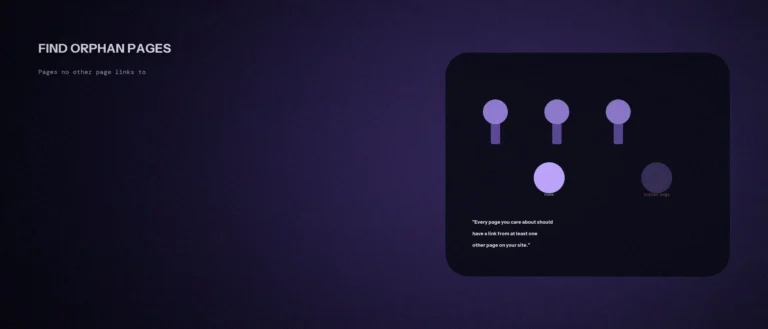
Google says every page you care about should have a link from at least one other page on your site. A new page with no links pointing to it is hard for search engines to find, and hard for visitors to find too. This is called internal linking, and it is one of the simplest best practices in SEO. It also helps visitors move from one useful page to the next.
Before you publish, pick one or two older pages on the same topic and add a link from them to the new page. If your pages sit many clicks from the homepage, read our post on website structure and click depth.
11. Link text says where the link goes
Link text is the clickable words in a link. Google calls “click here” and “read more” too generic, because they say nothing about the page on the other end. Use a few words that describe it.
- Weak: “To learn about pricing, click here.”
- Better: “See our website pricing.”
Also check that links are normal links. Google can generally only follow a link when it is an a element with an href attribute. Most website builders do this for you, but some custom buttons don’t. Google explains this in its guide to crawlable links.
12. You link out to the sources behind your claims
Google says links can also connect readers, and Google, to another resource that backs up what you are writing about. So when you state a fact, link to where it came from. This is also part of the “how” in check 8.
You don’t need to add nofollow to every outside link. Google says to use it when you don’t trust the source, not on all external links.
Checks 13 and 14: indexing, page speed and phone
These two sit between on-page and technical SEO. A full technical SEO checklist goes further, with things like crawl errors and redirects, but these two cover what matters most for a single page.
13. Nothing is blocking Google from indexing the page
This is the check that causes the most damage when it’s missed. Many website tools let you hide a page from search engines while you build it. If that setting stays on, the page never shows up in Google or other search engines, however good it is.
Check the page’s SEO settings for a “noindex” option and make sure it’s off. If you use a canonical tag, make sure it points to this page and not to another one by mistake. Our post on canonical tags shows the common mistakes.
It also helps if the page is in your sitemap, which is a file that contains the URLs on your site that you care about. Google says submitting a sitemap isn’t required, and many website tools create one for you. If yours does, check that the new page is in it and that the sitemap is submitted in Search Console.
14. The page works on a phone and loads fast
Open the page on your own phone. Read the first screen. Tap the buttons. Fill in the form. If anything is hard to use on a small screen, fix it before you announce the page. Google judges your site mainly by its phone version, which we cover in mobile-first indexing.
Then check speed. Google highly recommends good Core Web Vitals for success in Search. It says this fits with what its core ranking systems seek to reward. It says good means the biggest item loads within 2.5 seconds, the page reacts to a tap in under 200 milliseconds, and the layout doesn’t jump around (a layout shift score under 0.1). The Core Web Vitals report in Search Console shows how your pages do. If the numbers look strange, our post on reading a Core Web Vitals report and our post on page speed and page weight help you find the cause. For a quick page load test, paste the page into PageSpeed Insights, a free tool from Google.
After you publish
Paste the page’s URL into the URL Inspection tool in Google Search Console. It shows whether Google can find and index the page, and lets you ask Google to crawl it. Check back in a few days. If the page is still missing, go back to checks 10 and 13 first.
On-page optimization is not a one-time job. After a few weeks, open the Performance report in Search Console and look at the search queries your page appears for. If it shows up for searches you did not plan for, add a section that answers them.
Free tools that make these checks easier
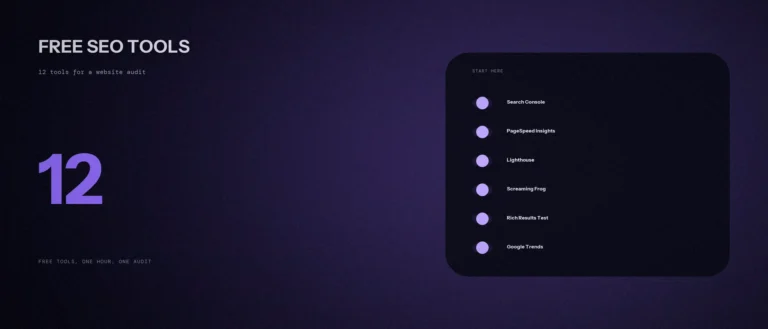
You don’t need paid software to run this on-page SEO checklist. These free SEO tools cover most of it, and they are enough for most small SEO efforts.
- Google Search Console: URL Inspection for check 13, the Performance report for the searches you already appear for (check 1), and the Core Web Vitals report for check 14.
- PageSpeed Insights: a free Google tool for page load and speed (check 14).
- Google Ads Keyword Planner: search volume ranges for a phrase (check 1). It needs a free Google Ads account.
- Rich Results Test: checks structured data (the bonus check).
- An SEO plugin such as Rank Math for WordPress, which flags a missing title, description or focus keyword as you write (checks 2 to 5). We use it on this site.
Common on-page SEO mistakes beginners make
These slips are common, and each one maps back to a check above.
- The same title or description on many pages (checks 2 and 4).
- Images with no alt text, or a stuffed list of keywords as alt text (check 9).
- A page that no other page links to (check 10).
- A noindex setting left on after the site was built (check 13).
- Writing to hit a word count instead of answering the search (check 8).
- Copying another site’s page. Google’s starter guide says to write your own content and not copy others’ (check 8).
Bonus: structured data
Structured data is code that gives Google clear clues about what a page is, like a recipe, a product or an FAQ. Google says it uses structured data to understand the content of a page, and some types can make your result look richer. It isn’t needed for a page to rank, which is why it is a bonus and not a numbered check.
Many SEO plugins add the basics for you. If you add more, test it with Google’s Rich Results Test and follow Google’s structured data guide. Our post on schema markup for AI visibility covers which types help most.
Things on old checklists you can skip
Many free checklists online still include steps that Google has said don’t matter. You can drop these four.
- The meta keywords tag. Google’s starter guide says plainly that Google Search does not use it.
- A target word count. Google’s helpful content guide asks whether you are writing to a particular word count because you heard Google prefers one, and answers: no, we don’t. Write as much as the topic needs.
- Perfect heading order. Google says heading order is great for screen readers, but out-of-order headings don’t matter for Google Search. Keep them tidy for readers, but don’t lose sleep over it.
- Chasing an E-E-A-T score. There isn’t one. Name the author, show your sources and be useful.
Your time is better spent on checks 1, 10 and 13. Those are the ones that stop a good page from being found at all.
A prompt to run this checklist on your own page
An AI tool can speed up the review, as long as you give it your real page content and check its suggestions yourself.
Act as an on-page SEO reviewer. Check the page below against a 14-point checklist before I publish it.
The search this page is for: [write the search in plain words]
Page title: [paste title]
Meta description: [paste description]
URL: [paste URL]
Page content, including headings, image alt text and links: [paste content]
Author shown on the page: [name, or “none”]
Pages on my site that link to this page: [list them, or write “none yet”]Please do the following:
1. For each check (search match, title, title wording, meta description, URL, headings, main phrase use, helpful content and author, images, internal links in, link text, links out to sources, indexing settings, phone and speed), say pass, fail, or can’t tell.
2. For each fail, give one specific fix using my real content.
3. List the three fixes to do first.Rules:
– Only use the information I gave you. Do not invent facts about my business, services or prices.
– If something can’t be checked from what I pasted, such as noindex settings or page speed, say so instead of guessing.
– Write any suggested title or description in plain, simple English, with the main phrase used once.
Questions beginners ask about on-page SEO
What is on-page SEO in simple words?
On-page SEO is everything you change on the page itself to help Google understand it and help people click on it. That includes the title, meta description, URL, headings, text, images and the links on the page. Backlinks from other websites are off-page SEO, which is a separate job.
Is on-page SEO a ranking factor?
On-page SEO is not one single factor. It is a group of things you control on a page, like the title, the content, the links and the page experience, that help search engines understand the page and decide whether it is helpful. Google says its systems use many different factors to rank content, so no single on-page change can promise a ranking.
What is the difference between on-page, off-page and technical SEO?
On-page SEO covers what is on a single page. Off-page SEO covers signals from other places, like links from other websites. Technical SEO covers how the whole site works behind the scenes, like speed, crawling and indexing. This checklist is on-page, with a few technical checks (13 and 14) that decide whether a page can be found at all. If your customers search by area, local SEO adds another layer, like your Google Business Profile.
Does Google still use the meta keywords tag?
No. Google’s own SEO starter guide says Google Search doesn’t use the keywords meta tag. You can leave it out completely. Your time is better spent on the title, the description and the page content.
How many words should a page have to rank?
There is no fixed number. Google says content length alone doesn’t matter for ranking, and it has no preferred word count. A page should be as long as it needs to be to answer the search well. A short service page can rank, and so can a long guide, if each one fits what searchers want.
Does on-page SEO still matter for AI search?
Yes. Google says the best practices for SEO remain relevant for its AI features, like AI Overviews and AI Mode, and that no extra requirements or special optimizations are needed. A page must be indexed and eligible to show in Google Search with a snippet to appear as a supporting link, which is why checks 10 and 13 matter so much.
What is the 80/20 rule in SEO?
It is a rule of thumb, not something Google publishes. The idea is that a small share of your work gives most of the results. For this checklist, the fixes that stop a page from being found at all (checks 1, 10 and 13), plus a clear title (check 2), usually matter first. That is a sensible order for a simple SEO strategy.
Why is my new page not showing up on Google?
The three most common reasons are a noindex setting left on, no other page on your site linking to it, or Google simply not having crawled it yet. Check the page settings first. Then use the URL Inspection tool in Search Console to see what Google knows about the page and request a crawl.
Is there a printable or PDF version of this checklist?
Yes, you can make one in a minute. Copy the table near the top of this page into Google Sheets or Excel and add a “Done” column. Or open this page in your browser and choose Print, then save as PDF.
Where this matters
A checklist won’t make a weak page rank. What it does is stop a good page from losing out because of a missing title, a hidden noindex setting or zero internal links. Those are small mistakes with big costs, and they take minutes to catch. A page that works well for both users and search engines is the goal. Run it on your most important pages first, like your homepage and main service pages, then on every new page before it goes live, so you optimize as you publish.
If you only fix one thing today, start with your titles. Our guide to writing title tags that earn clicks shows how to turn a plain title into one people want to click.