You do not need a paid tool to run a proper SEO audit on your own website. Google and a handful of other companies give away the tools that find the most common problems: pages that are not indexed, slow pages, broken structured data, crawl errors and weak spots in your content.
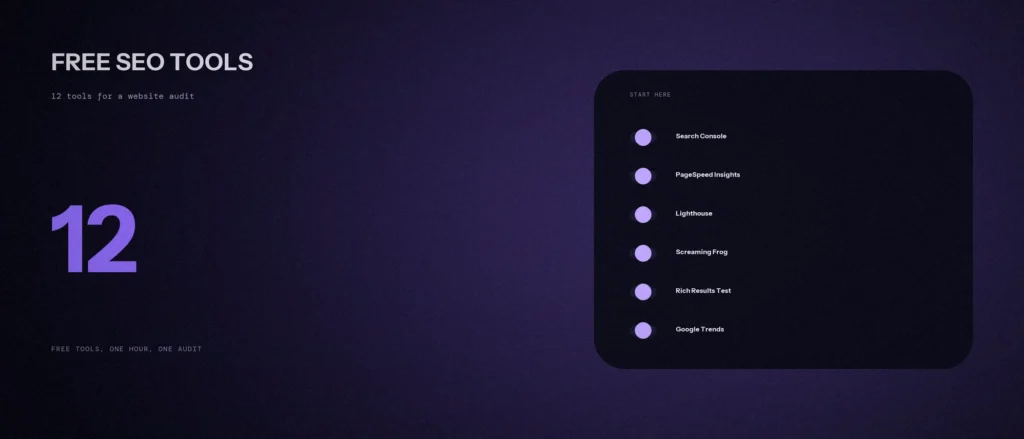
This post lists 12 free SEO tools for a website audit, what each one is good for, and the limits to know before you rely on it. It is not a ranking of the best free SEO tools in the world, and it does not cover paid tools like Ahrefs’ full plans or Semrush. It is a working set. We use six of them in our own work, and we mark which. We checked the other six on their own pages on 7 October 2026. Prices and limits change, so confirm them on each tool’s site before you sign up. After your audit, our post on how to read a Core Web Vitals report helps you make sense of the speed results.
Quick summary, if you’re short on time:
- Start with Google Search Console. It is free and shows how Google sees your site, including which pages are indexed.
- For speed, use PageSpeed Insights and Lighthouse. For a full crawl, use Screaming Frog (free up to 500 URLs) or Ahrefs Free.
- For structured data, use Google’s Rich Results Test and the Schema Markup Validator.
- For visitor behaviour, use Google Analytics 4 and Microsoft Clarity. For topic and keyword demand, use Google Trends and Keyword Planner.
- Free tools find problems. They do not decide what to fix first, and some, like Keyword Planner, give only ranges and not exact numbers.
Jump to a section:
- All 12 tools on one page
- Tools 1 to 5: Google’s own tools
- Tools 6 and 7: crawl and technical audit
- Tools 8 and 9: structured data
- Tools 10 to 12: behaviour and demand
- A 60-minute audit order
- What free tools cannot do
- A prompt to turn your findings into a fix list
- Questions about free SEO tools
All 12 tools on one page
| # | Tool | Best for | We use it |
|---|---|---|---|
| 1 | Google Search Console | Indexing, search queries and clicks | Yes |
| 2 | URL Inspection (in Search Console) | Checking one page’s index status | Part of Search Console |
| 3 | Google Analytics 4 | What visitors do after they arrive | Yes |
| 4 | PageSpeed Insights | Page speed and Core Web Vitals | Yes |
| 5 | Lighthouse | Speed, accessibility and SEO checks | Yes |
| 6 | Screaming Frog SEO Spider (free version) | Crawling a small site for technical issues | No |
| 7 | Ahrefs Free (formerly Webmaster Tools) | Site audit and backlinks for your own site | No |
| 8 | Rich Results Test | Checking structured data for search features | No |
| 9 | Schema Markup Validator | Checking schema.org markup | No |
| 10 | Microsoft Clarity | Heatmaps and session recordings | No |
| 11 | Google Trends | Whether interest in a topic is rising or falling | Yes |
| 12 | Google Keyword Planner | Rough search volume ranges | Yes |
Tools 1 to 5: Google’s own tools
1. Google Search Console
Google describes Search Console as a free service that helps you monitor, maintain and troubleshoot your site’s presence in Google Search results. It is the first tool to set up, because it shows you what Google itself sees. Check these three reports first:
- Page indexing. Which pages are indexed and which are not, with a reason for each. On one client site we found 36 pages marked “discovered, currently not indexed”, which told us where to look.
- Performance. Which searches show your site, how many clicks you get and your average position.
- Sitemaps. Whether Google has read your sitemap.
- AI features. Google’s guide to generative AI features points site owners to the Generative AI performance report in Search Console, which shows how your content performs in generative AI features on Google Search. It is the nearest thing to an AI search report in a free tool.
Limit: it only shows data for a site you can verify you own, and only from the time you add it. We use it every week.
2. URL Inspection (inside Search Console)
This checks one page at a time. Google’s help page says the overall status tells you whether the page can appear in Google Search: “URL is on Google” means it is eligible to appear, though not guaranteed, and “URL is not on Google” means it cannot appear. Open the details to see how Google discovered the page and whether it could crawl it.
Limit: it is one URL at a time, so use the Page indexing report for the big picture and this for a specific page.
3. Google Analytics 4
Google says Google Analytics gives you its tools free of charge to understand the customer journey. For an SEO audit, look at which pages get organic visits, how long people stay and whether they take the action you want, such as a form or a call. Use it with Search Console, because Search Console tells you how people found you and Analytics tells you what they did next.
Limit: it only collects data from the day it is set up correctly. We use it for client sites, and a wrong tag setup means no data, so check it is receiving traffic.
4. PageSpeed Insights
Google’s documentation says PageSpeed Insights reports on the performance of a page on both mobile and desktop and suggests how to improve it. It gives two kinds of data: lab data, generated by Lighthouse in a controlled test, and field data from real users. It reports Core Web Vitals, which are Largest Contentful Paint, Cumulative Layout Shift and Interaction to Next Paint.
Limit: a new or low-traffic site may have no field data, so you will only see the lab result at first. Our other post on website speed optimization lists 12 fixes.
5. Lighthouse
Chrome’s documentation says Lighthouse audits a page for performance, accessibility, SEO and more. You can run it in Chrome DevTools, from the command line or as a Node module, and it works on public pages and pages that need a login. For most owners, the DevTools tab is the easiest way.
Limit: it tests one page at a time, and a good score does not prove a site is accessible. Our post on website accessibility basics covers what it misses.
Tools 6 and 7: crawl and technical audit
6. Screaming Frog SEO Spider (free version)
The company describes it as a website crawler that audits a site for over 300 SEO issues. Its page says you can download it and crawl 500 URLs for free, or buy a licence to remove the limit and use advanced features. It runs on Windows, Mac and Linux. A crawl lists broken links, redirects, missing titles, missing meta descriptions and duplicate content in one table, which you can save as an audit report.
Limit: 500 URLs is enough for most small business sites, but not for a large shop. We have not made this part of our routine, so we are describing it from the company’s page.
7. Ahrefs Free (formerly Ahrefs Webmaster Tools)
Ahrefs says its free plan gives you website analytics, a technical audit and SEO metrics for your verified websites. Its page lists three tools: Web Analytics, Site Audit, which it says scans for 170+ common technical and on-page SEO issues, and Site Explorer, which shows which pages and keywords bring organic traffic and who links to you, which gives you a basic backlink analysis for your own site. The product was called Ahrefs Webmaster Tools until recently, so older guides use that name.
Limit: it works only for sites you verify as yours, so you cannot use it to study a competitor. We have not used it on client work, so this is from Ahrefs’ own page.
Tools 8 and 9: structured data
8. Rich Results Test
Google’s help page says to put structured data on your page to enable special features in Google Search results, then test it with the Rich Results Test. You can test a live URL or a code snippet. It supports JSON-LD, RDFa and Microdata. One catch from the page: for a URL test, all page resources must be reachable by an anonymous visitor, so a page behind a firewall or password will not test properly.
Limit: it tells you whether your markup is eligible for Google’s rich result features. Our post on schema markup for AI visibility explains which types are worth adding.
9. Schema Markup Validator
This is a free validator for schema.org markup, hosted at validator.schema.org. Our suggestion is to run it alongside the Rich Results Test. The Rich Results Test answers “can Google use this for a search feature”, while a general validator checks that the markup is well-formed. We have not used it in our routine, so we are describing it from its own page.
Tools 10 to 12: behaviour and demand
10. Microsoft Clarity
Clarity’s site says it offers free heatmaps and session recordings, free forever, with no limits on traffic. A heatmap shows where visitors click and how far they scroll, and a recording replays a visit. For an audit, it shows whether people can find your phone number, your form or your main button.
Limit: it shows behaviour, not search rankings, and it records real visitors, so check your privacy policy covers it. We have not used it on client work.
11. Google Trends
Google says Trends gives access to a largely unfiltered sample of actual search requests made to Google, anonymized and categorized. Use it to see whether interest in a topic is rising or falling, to compare two phrases, and to see which cities or states search for it most.
Limit: it shows relative interest, not search counts. We use it when we have no paid keyword data.
12. Google Keyword Planner
Keyword Planner sits inside a Google Ads account. In our own use on 29 September 2026, an account with no active ad spend showed search volume only as ranges, such as 10-100, 100-1K and 1K-10K. That is enough to compare topics against each other, not to forecast traffic.
Limit: ranges are coarse, so a “100-1K” keyword could be 120 or 950 searches a month. We use it for ranking topics, never for exact numbers.
A 60-minute audit order
- Search Console, 15 minutes. Check Page indexing, Sitemaps and the top queries.
- PageSpeed Insights, 10 minutes. Test your homepage and your main service page on mobile.
- A crawl, 15 minutes. Run Screaming Frog or Ahrefs Site Audit and sort by broken links, missing titles and duplicates.
- Structured data, 5 minutes. Test your homepage and one service page in the Rich Results Test.
- Analytics and Clarity, 10 minutes. See which pages get organic visits and where people leave.
- Write the list, 5 minutes. Note each issue, the page it is on and how many pages are affected.
What free tools cannot do
- They do not rank your problems. A crawl may list 300 warnings and only five matter. Deciding which five takes judgment.
- They cannot see your competitors’ sites in full. Ahrefs Free, for example, works only on sites you verify.
- They give ranges and samples, not exact numbers. Keyword Planner shows ranges and Trends shows relative interest.
- They do not fix anything. An audit is a list, and the work comes after it.
If you would rather have a person read the results and tell you what to fix first, send us your website address and we will tell you what we see.
A prompt to turn your findings into a fix list
After an audit you may have long lists of warnings. An AI tool can sort them into an order, as long as you give it your real numbers. It cannot see your site, so treat its ranking as a starting point.
Act as a careful technical SEO adviser for a small business owner who is not a developer. I ran a free audit and need a fix list in a sensible order.
My audit results:
– What my site does and how many pages it has: [describe]
– Search Console Page indexing: [counts for indexed and each “not indexed” reason]
– Crawl issues, each with the number of pages affected: [for example, 12 pages missing a title, 5 broken links]
– PageSpeed Insights, mobile, for my homepage: [LCP, CLS, INP, or “no data”]
– Structured data errors from the Rich Results Test: [list, or none]Please do the following:
1. Put the issues in a table with these columns: issue, pages affected, why it matters in plain words, effort (low, medium or high), and a suggested order.
2. Tell me which three to fix first and why.
3. Mark any item that needs a developer or my host.
4. List anything you cannot judge from my numbers.Rules:
– Use only the numbers I gave you. Do not invent traffic, rankings or results.
– Say clearly when something is your judgment and not a fact.
– Write in plain, simple English.
Check every item against the tool that reported it before you change anything, and fix one thing at a time so you can see what worked.
Questions about free SEO tools
Are free SEO tools enough for a website audit?
For a small business site, yes, for finding problems. Search Console, PageSpeed Insights and a crawler cover indexing, speed and technical issues. What they do not do is decide what matters most or fix anything.
Which free SEO tool should I use first?
Google Search Console. It is free, it shows how Google sees your site, and its Page indexing report tells you which pages are not indexed and why. Everything else is easier once you have that.
Is Screaming Frog really free?
The company says you can download it and crawl 500 URLs for free, or buy a licence to remove the limit. For a small business site that is often enough. Check its page for the current limit and price before you start.
Can free tools show exact keyword search volume?
Not reliably. In our own use, Keyword Planner on an account with no ad spend showed ranges like 100-1K, and Google Trends shows relative interest, not counts. Treat both as directional.
Do I need Ahrefs or Semrush to audit my site?
Not to start. Ahrefs offers a free plan for sites you verify as yours, and Search Console plus a crawler cover the basics. Paid tools mainly add competitor data and larger limits.
How often should I run a website audit?
Check Search Console every week or two, and run a fuller audit every few months and after any big change, such as a redesign or a move. Our habit is to recheck after every major site update.
Where this matters
A free audit takes about an hour and tells you where your site is losing visitors: pages Google has not indexed, slow pages, broken links and broken markup. Start with Search Console, work through the list above, and fix one issue at a time.
If you would like us to run the audit and tell you what to fix first, send us your website address for a free look.