Title tags decide which of two identically ranked pages gets the click. Two pages rank in the exact same position for the exact same keyword, and one gets nearly twice the clicks. Same content quality, same position, same snippet length below it. The only real difference sitting above the fold is the title. Most businesses treat the title tag as a formality once the page is written. It’s actually one of the few things you can change today that moves clicks tomorrow, without touching rankings at all.
Here’s what actually changes click-through rate, backed by real data, not a guess about what sounds catchy.
Quick summary, if you’re short on time:
- Backlinko’s analysis of 4 million Google search results found titles between 40 and 60 characters get a 33.3% higher click-through rate than titles outside that range.
- Titles between 6 and 9 words also outperform shorter or longer ones in the same study.
- Question-based titles barely move the number, 15.5% versus 16.3% CTR, functionally the same.
- Titles with positive sentiment saw about a 4% CTR lift over negative or neutral wording.
- Google doesn’t always show the title you wrote. Its own documentation says it may generate a different one “from anchors, on-page text, or other sources” if it detects an issue with yours.
Jump to a section:
- What length actually earns more clicks
- What tone and phrasing change
- Why Google sometimes ignores your title entirely
- How to actually write one that earns the click
- A prompt to draft title tag options
- Questions worth answering directly
What length actually earns more clicks
Backlinko’s study, built from Semrush Google Search Console data across 1,312,881 pages and 12,166,560 search queries, found a clear sweet spot: “title tags between 40 to 60 characters have the highest CTR,” beating titles outside that range by 33.3%. The same data found titles between 6 and 9 words performed best by word count too.
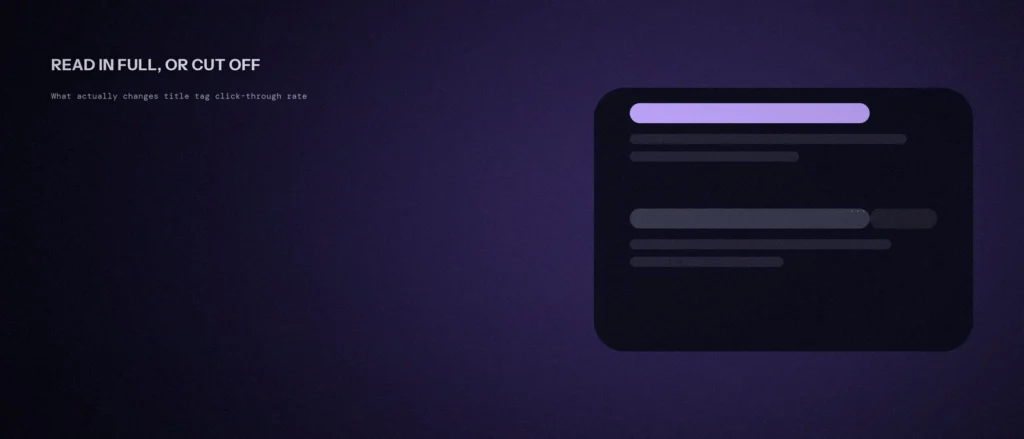
The reason isn’t mysterious. Google truncates long titles with an ellipsis rather than enforcing a hard character limit, so a title that runs long doesn’t get rejected, it gets cut off mid-thought, usually right before the part that would have earned the click. A title short enough to land in that 40-60 character window is a title a searcher actually gets to read in full.
What tone and phrasing change
Two common assumptions turned out weaker than expected in the same dataset. Question-based titles, the kind that promise to answer exactly what someone typed, performed almost identically to plain statement titles: 15.5% versus 16.3% CTR, a difference too small to chase on its own.
Sentiment mattered more, if modestly. Titles with positive framing saw roughly a 4% CTR lift over negative or neutral wording. Not a dramatic swing, but a free one: between two equally accurate titles, the one that sounds like good news usually wins the click.
Why Google sometimes ignores your title entirely
Writing the perfect title assumes Google will actually show it. It doesn’t always. Google’s own documentation is direct about this: “if we’ve detected an issue on the page, we may try to generate an improved title link from anchors, on-page text, or other sources,” pulling from your headings, on-page text, or even link text pointing to the page, not just your `<title>` tag.
This usually happens when a title is vague, stuffed with repeated keywords, or badly mismatched to what’s actually on the page. Google is explicit that it wants titles that are “informative, relevant, and compact,” and warns against keyword stuffing directly: “there’s no reason to have the same words or phrases appear multiple times.” A title engineered to cram in every target keyword is often the exact title Google decides to replace.
How to actually write one that earns the click
Start with the real difference this specific page offers, not a repeat of the H1. A title that just restates the heading wastes the one extra chance to say something the page body doesn’t already promise below it. Keep it inside that 40-60 character window, front-load the part a searcher actually needs to see before any truncation risk kicks in.
This only works if the title matches what the page actually delivers once someone clicks. A title promising more than the content answers just trades a click today for a fast bounce and a worse signal tomorrow, the same alignment problem covered in more depth in our post on search intent and page type.
A prompt to draft title tag options
A title tag decides whether people click. The prompt below asks an AI tool for options and to explain them, so you can choose with reasons. Fill in your details and pick the wording that is honest and clear.
Act as an SEO copywriter. I need title tags for one page.
The page:
– What it is about: [one sentence]
– The search someone would type: [main keyword]
– Who it is for: [describe]
– One reason to click: [for example a fixed price, free audit, or clear answer]Write 5 different title tags and tell me which one you would use and why.
Rules:
– Keep each one under 60 characters.
– Put the main keyword near the start, only if it reads naturally.
– Use plain words. No clickbait and no promises the page cannot keep.
– Do not add my business name unless it fits in the length.
Check each option against the page. If the title promises something the page does not deliver, drop it. Then compare clicks in Search Console after a few weeks.
Questions worth answering directly
What’s the ideal title tag length for click-through rate?
Backlinko’s analysis of 4 million search results found titles between 40 and 60 characters, or 6 to 9 words, get a 33.3% higher CTR than titles outside that range. Google truncates longer titles rather than rejecting them, so staying inside that window means the full title actually gets read.
Do question-based titles get more clicks than statement titles?
Barely. The same Backlinko study found question titles at 15.5% CTR versus 16.3% for statement titles, a difference small enough that it isn’t worth optimizing for on its own.
Why does Google sometimes show a different title than what I wrote?
Google’s own documentation says it may generate an improved title from anchors, on-page text, or other sources if it detects an issue with the page’s own title, usually because the original is vague, keyword-stuffed, or mismatched to the page’s actual content.
How big was the Backlinko title-tag study?
It used Semrush Google Search Console data across 1,312,881 pages and 12,166,560 search queries. It found titles of 40 to 60 characters had the highest click-through rate, beating titles outside that range by 33.3%, and that titles of 6 to 9 words also performed best.
Do positive titles really get more clicks?
Modestly. Titles with positive framing saw roughly a 4% lift in click-through rate over negative or neutral wording. It is not a dramatic swing, but between two equally accurate titles, the one that sounds like good news usually wins the click.
Why should my title not just repeat my H1?
A title that restates the heading wastes the one extra chance to say something the page body does not already promise. Lead with the real difference this page offers, and front-load what a searcher needs to see before any truncation.
Where this actually matters
A page can rank well and still lose the click to whatever sits next to it in the results. Title tags are one of the only ranking-adjacent factors you can rewrite this afternoon and measure the effect within days, not months.
Not sure if your own titles are earning the clicks your rankings deserve? We check this as part of every SEO engagement we run.