If you are asking how to set up multiple locations on Google Maps, the first question is always the same. A second branch brings an immediate Google Business Profile question: should one profile cover both locations, or should each have its own? Get it wrong and business owners lose local search visibility, or you confuse customers about where to go, or you tie two real places to one address that only one of them occupies.
This post explains how Google structures multi-location profiles, when you should have one profile and when you should have several, how clinics, service businesses and chains are treated differently, how bulk verification works for 10 or more locations, and the mistakes to avoid. We re-read Google’s Business Profile guidelines and its bulk location management page on 11 October 2026. Where something is our own advice, we say so. For the problems that come from creating profiles you should not have, see our post on duplicate Google Business Profiles.
Quick summary, if you’re short on time:
- Google’s guidelines say not to create more than one page for each location of your business, in a single account or multiple accounts.
- So a business with two physical locations should have two profiles, each with its own accurate address, phone number and hours. A single combined listing cannot represent both.
- A service-area business should have one profile for its central office or location with a designated service area. If it has different locations with separate service areas and separate staff, it is allowed one profile for each location.
- Google says that if your business has 10 or more locations, you can add, verify and manage them in bulk.
- For chains, Google says all locations in the same country must have the same name, and the same category if they provide the same service.
Jump to a section:
- One profile or many?
- A decision table
- Clinics, departments and practitioners
- How to add another location
- Naming and categories across locations
- Bulk verification and business groups
- Common mistakes
- A prompt to plan your structure
- Questions about multiple locations
One profile or many?
Google’s guidelines for representing your business on Google are clear on the main rule. A profile represents a real-world location, and the guidelines say not to create more than one page for each location of your business, whether in a single account or in multiple accounts.
That has two practical consequences:
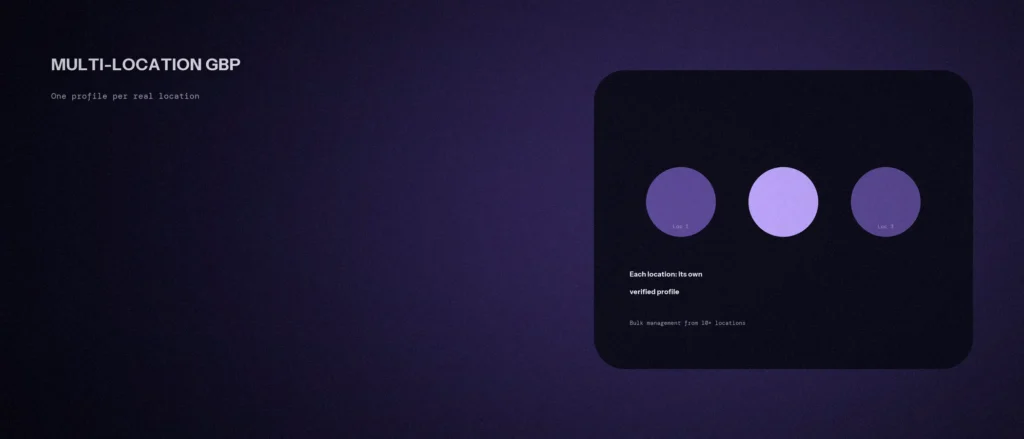
- Each place customers can visit gets its own profile. Two branches mean two profiles, each with its own address, phone number and opening hours.
- One place gets one profile. You should not create extra profiles for the same address, for example one per service or one per keyword.
It also affects how you show up in search. Our post on Google’s local ranking factors explains that distance is one of the three factors. A profile sits at one address, so a combined listing can only be close to people near that one address.
A decision table
| Your situation | What Google’s guidelines say |
|---|---|
| Two or more premises where customers visit you | One profile for each location, each with its own accurate address |
| One office, you travel to customers across a wide area | One profile for the central office or location with a designated service area |
| Several locations, each with its own service area and staff | You are allowed one profile for each location |
| A storefront where you also go out to customers (a hybrid business) | You can show your storefront address and designate a service area |
| One address, several services | One profile. List the services on it and do not create a profile for each |
| A department inside a larger business, such as a hospital department | May have its own profile if it is a distinct, public-facing entity with a different name |
| A virtual office or a mailing address | Not eligible for a profile unless it is staffed during business hours |
The service-area rows are worth reading closely. Google says service-area businesses can’t list a “virtual” office unless that office is staffed during business hours. Our post on service area businesses vs storefronts goes through the setup.
Clinics, departments and practitioners
This is where many Indian small businesses get confused, especially clinics and professional firms. Google’s guidelines separate three cases:
- Multiple practitioners at one location. If a practitioner is one of several public-facing practitioners at a location, the organisation should create a profile for the location, separate from that of the practitioner. The title of the practitioner’s profile should include only the practitioner’s name, and not the organisation’s name.
- A solo practitioner in a branded organisation. If one practitioner is the only public-facing practitioner at a location and represents a branded organisation, Google says it is best to share a single profile named in the format “brand: practitioner name”.
- Departments. Departments within businesses, universities, hospitals and government institutions may have their own profiles when they operate as distinct entities. The exact name must differ from the main business and from other departments, and Google says the category should differ too.
The caution is the usual one: do not create extra profiles to chase more map listings. Google is checking that each profile is a real, separate entity. If the setup is wrong, the risk is that profiles are treated as duplicates or suspended. Our post on suspended profiles covers that problem.
How to add a second or third location
Adding a location is done the same way as adding your first business listing, using Google’s page on adding or claiming a Business Profile. Google says you can add or claim your business at no charge. The steps are:
- Check that a profile does not already exist. Search for the new address and name in Google Maps. If an unverified profile exists, Google says you can claim it. If a verified profile exists and you are authorised to manage the business, you can request ownership from the current owner.
- If none exists, add your business. Go to business.google.com/add, choose to add your business to Google, and follow the on-screen instructions to enter the details.
- Enter the right details for that place. Its own address, phone number, hours and the same business name and category as your other locations. Google says to make sure the address is correct and meets its guidelines.
- Choose a verification option and follow the steps. A business listing is not eligible to appear until it is verified.
- Add the location to your business group, so more than one person can manage it.
Multiple Google accounts and multiple addresses are fine. What matters is that every profile is a real location that you operate, and that no location has more than one page.
Naming and categories across locations
For businesses with several locations, Google’s chain guidance asks for consistency:
- Same name. All locations within the same country must have the same name. Google’s example is that all Home Depot locations should use “The Home Depot” and not add the town. The two exceptions are sub-brands or distinct types of operation, as long as the name is applied consistently.
- Same category. All locations must have the same category if they provide the same service.
- Do not add the location to the name. A town name or keyword in the business name is the sort of change that can cause trouble. Put location details in the address and service area sections.
The guidelines also say to choose the fewest number of categories it takes to describe your overall core business, and that there should be one profile per business at an address.
Bulk verification and business groups
Google’s page on bulk location management says that if your business has 10 or more locations, you can add, verify and manage them in bulk. It lists the steps:
- Use an email address on your business domain. Google says an address not affiliated with your domain will take longer to verify.
- Create a business group (previously called a business account). Google says it lets you safely share management of your locations with multiple users and run location-based ad campaigns.
- Create a spreadsheet with all of your locations so you can verify them all at once, and upload it.
- Review your locations and fix errors. You will be prompted to fix any errors before your locations can be published.
- Request bulk verification. Google says your locations won’t be eligible to appear on Search, Maps and other Google properties until they are verified.
Even below 10 locations, a business group helps. It keeps ownership with the business, and not with one person’s personal login, which becomes a problem when that person leaves. That point is our own advice, not Google’s.
Common mistakes
Most problems with a business listing across several locations come from copying one profile and editing it. The search results for each branch should reflect what is true about that branch, and the business information must match your website and signage.
- One profile for two branches. It can only sit at one address.
- A profile for every suburb you serve. If you do not have a staffed location there, it is not a location.
- Town names in the business name, such as “Example Clinic Whitefield”. Google asks for a consistent name across locations.
- A different category at each branch when they offer the same service.
- The same description copied to every profile with only the address changed. This is our advice: describe what is actually true of each place.
- Hours not updated per branch. Each location has its own opening times.
- One person’s personal account owning every profile.
A prompt to plan your structure
An AI tool can lay out the options for your set of locations, but it does not know your premises. Give it your real details, and check each decision against Google’s guidelines.
Act as a careful local SEO adviser. Help me plan how to structure Google Business Profiles for my business, using only my facts and Google’s published guidelines.
My details:
– My business and what it does: [one line]
– My locations, one per line, as “address, whether customers visit, how many staff, opening hours”: [list]
– Any location that is only a mailing address, a shared desk or a home office: [list, or say none]
– Whether I travel to customers, and the areas I cover from each location: [details]
– Whether any location has individual practitioners or distinct departments: [details]
– Who owns the existing profiles today: [details]Please do the following:
1. For each location, say whether it should have its own profile, a service area, or no profile, and why, in one or two lines.
2. List the name and category each profile should use so that they are consistent.
3. Tell me which profiles may need a practitioner or department profile, if any.
4. Say whether I qualify for bulk management, and what I should set up for shared access.
5. List anything you cannot decide without more information.Rules:
– Use only my facts. Do not invent locations, staff or services.
– Do not suggest creating profiles for places I do not staff.
– Do not put a town or keyword in the business name.
– Say when something is your judgment and not Google’s rule.
– Write in plain, simple English.
Check the output against Google’s guidelines page before you create or change a profile, and keep the old names in a note in case you need to undo anything.
Questions about multiple locations
Should each location have its own Google Business Profile?
Yes, if it is a real location that customers can visit. Google’s guidelines say not to create more than one page for each location of your business, which means one profile per location, with its own address, phone and hours.
Can I use one profile for two branches?
A single profile sits at one address, so it cannot properly represent two branches. Each branch that customers visit should have its own profile.
How many locations do I need for bulk verification?
Google says that if your business has 10 or more locations, you can add, verify and manage them in bulk, using a spreadsheet and a business group.
Can I create a profile for each city I serve?
Not unless you have a real, staffed location there. Google says a service-area business should have one profile for its central office or location with a designated service area.
Should all my locations have the same name?
Yes, for chains. Google says all locations within the same country must have the same name, unless the business’s real-world representation consistently varies, with limited exceptions for sub-brands.
Can individual doctors have their own profile at a clinic?
Google’s guidelines allow a separate practitioner profile when several public-facing practitioners work at one location, with the practitioner’s name only as the title, and a separate profile for the organisation. A solo practitioner in a branded organisation should share one profile.
Who should own the profiles?
The business, through a business group, with named managers. Avoid tying profiles to one person’s personal account. This is our advice rather than a Google rule.
Where this matters
Treat each real place as one profile, keep names and categories consistent, and put ownership with the business. If you have 10 or more locations, use bulk verification, and if you have fewer, a business group still keeps things safe.
If you would like your profile structure reviewed, see our local SEO service or our local SEO services in Bangalore, or send us your business name and area and we will tell you what we see.