Open your Google Business Profile editor and you will find a section of yes-or-no questions: Wi-Fi, parking, wheelchair-accessible entrance, online appointments, and more. Most owners skip it or tick a few at random. These small details are the part of your profile that tells a customer whether the place suits them before they ever call.
This post explains what attributes are, what Google says about them, which ones you can and cannot control, and how to decide which to fill in. We read Google’s help page on managing business attributes and its tips for improving local ranking on 11 October 2026. Where a point is our own advice, we say so. If you want to see what your competitors have filled in, our post on analysing competitor Business Profiles shows how to compare.
Quick summary, if you’re short on time:
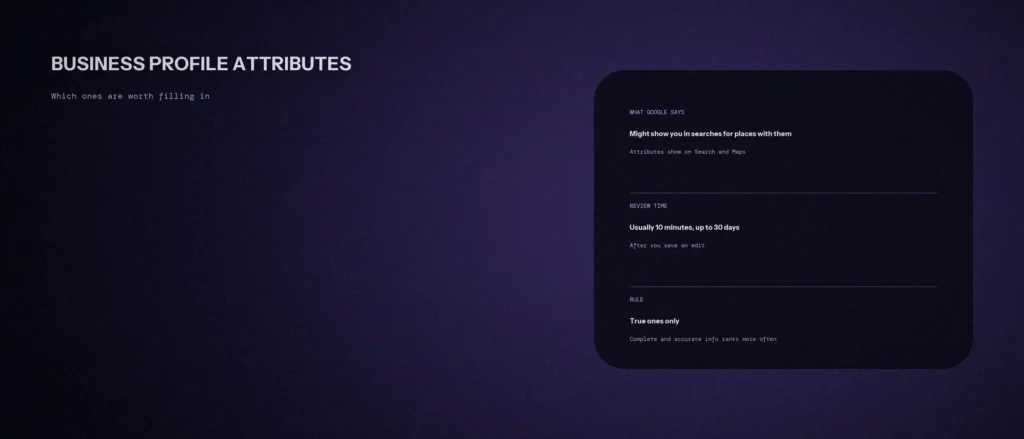
- Google says attributes show on your profile on Search, Maps and other Google platforms, and that if you add certain attributes, your business might show up in searches for places with those attributes.
- You can edit factual attributes directly. Some attributes may be filled in from inputs by customers who visit your business.
- Some attributes only exist for certain locations, countries or business categories, and attribute names can change over time.
- Google says a review of your edits usually takes about 10 minutes, but sometimes up to 30 days.
- Fill in every attribute that is true for your business, and none that is not. Google says businesses with complete and accurate information are more likely to show up in local search results.
Jump to a section:
- What attributes are
- What Google says they do
- The groups, and how to answer each
- How to decide which are worth filling in
- Mistakes to avoid
- How to add or change them
- A prompt to check your attribute list
- Questions about Business Profile attributes
What attributes are
An attribute is a short fact about your business that you mark yes or no. Google’s help page on managing your business attributes gives the example of whether your business offers outdoor seats or Wi-Fi. The attributes you see depend on your business category, so a dental clinic and a café are shown different questions.
Two kinds exist. The page says you can directly edit some attributes, but there are also attributes that may be populated based on inputs from customers who visit your business. A fact such as “wheelchair-accessible entrance” is yours to set. Something subjective, such as whether your business is popular with locals, is not something you answer yourself.
What Google says they do
Two statements are worth knowing. First, Google says attributes show up on your Business Profile on Search, Maps and other Google platforms. Second, it says that if you add certain attributes, your business might show up in searches for places with those attributes. That is a reason to fill them in, though it says “might”, and it does not promise a ranking.
Google’s page on tips to improve your local ranking adds the general rule. Businesses with complete and accurate information are more likely to show up in local search results, and the page lists “other details such as parking or Wi-Fi availability” among the things to provide. Local results are mainly based on relevance, distance and popularity, so attributes are one small piece of relevance. They do not replace a good category, real reviews and real photos.
The groups, and how to answer each
Google’s page describes several groups. Which ones you see depends on your category.
| Group | What Google says | How to answer |
|---|---|---|
| Accessibility | Covers hearing assistance, and whether the entrance, restrooms, seating, parking and elevators are wheelchair-accessible | Use Google’s own test. For the entrance, Google says select Yes if it is three feet or one meter wide with no steps, or has a permanent or movable ramp. Do not tick it from memory. Measure it. |
| Amenities and payments | Examples include Wi-Fi and outdoor seating, and payment types | Tick what a customer can use today. If you accept UPI and cards, say so. If you take cash only, say that too. |
| Business identity | Includes options such as women-owned, veteran-owned and small business. You can opt in or out at any time. Franchises cannot be considered small businesses | Only if it is true and you are happy to say it publicly. |
| Recycling | Available based on business category. Adding one shows a recycling icon in search results | Only for businesses that really offer drop-off. |
Google’s page does not list every attribute for every category. Open your own profile editor to see exactly which ones apply to you.
How to decide which are worth filling in
This is our own method, and it is simple: ask whether a customer’s decision depends on it.
- Remove doubt about getting in. Wheelchair access, parking and an entrance on the ground floor decide whether some people can visit at all. Fill these carefully, and check them.
- Remove doubt about paying. A customer who does not know whether you accept cards or UPI may not come. Fill in payments.
- Remove doubt about how to book. If your category offers a way to show that you take appointments or online bookings, fill it in. It saves a phone call.
- Add what makes you different, if it is true. A quiet waiting area or free Wi-Fi is not a ranking factor. It is a reason to choose you.
- Leave out anything you cannot prove. A wrong attribute sends a customer to a place that does not match what you promised.
For a quick check, open two or three competitors that rank above you and compare which attributes they show. Do not copy any attribute that is not true for your business.
Mistakes to avoid
- Ticking attributes you do not meet. It risks complaints, and Google’s guidelines ask you to represent your business accurately.
- Setting and forgetting. Google says attribute names can change over time to match how people search. Check the section again every few months.
- Ignoring customer-supplied attributes. Google says some may be populated from customer input. If one is wrong, check what you can edit.
- Using identity attributes to look different. They state who owns the business. Only add one if it is true.
- Expecting a ranking jump. Google says adding attributes might make you show in searches for places with them. It does not say they raise your position.
How to add or change them
- Go to your Business Profile.
- Select Edit profile, then More.
- Next to the attribute group you want to change, such as “Amenities” or “Payments”, select Edit.
- Next to each attribute, select Yes or No.
- Select Save.
Google says a review of your edits usually takes about 10 minutes, but sometimes it can take up to 30 days. If you manage 10 or more locations, Google says you can bulk upload attributes, and agencies can update locations through the Business Profile APIs. Our post on managing multiple locations covers when that applies.
A prompt to check your attribute list
An AI tool can organise your list. It cannot see your profile, and it cannot confirm the facts about your premises, so you supply those.
Act as a careful Google Business Profile editor. Help me decide which attributes to answer, using only the facts I give you.
My details:
– My business type and primary category: [for example “dental clinic, Dentist”]
– The attributes my profile editor shows, in each group: [paste the list exactly as shown]
– True facts about my premises and services: [for example “ground floor entrance with a ramp, entrance 1.2 m wide, paid parking nearby, UPI and cards, appointments by phone and WhatsApp”]Please do the following:
1. For each attribute, answer: Yes, No, or Unknown, using only my facts.
2. For every Unknown, tell me exactly what I need to check or measure.
3. List any attribute where my fact does not meet the exact wording of Google’s definition, and say what is missing.
4. List the three attributes that would most reduce doubt for a new customer, with one reason each.
5. Say what you cannot know without seeing my profile.Rules:
– Use only my facts. Do not assume I have an attribute.
– Never suggest ticking an attribute that is not true.
– Say clearly when something is your opinion.
– Write in plain, simple English.
Check any answer marked Unknown in person before you save it.
Questions about Business Profile attributes
What are Google Business Profile attributes?
Short yes-or-no facts about your business, such as Wi-Fi, outdoor seating, wheelchair-accessible entrance or payment types. Google says they show on your profile on Search, Maps and other platforms.
Do attributes help local ranking?
Google says adding certain attributes might make your business show up in searches for places with those attributes, and that complete and accurate information makes you more likely to show in local results. It does not say attributes raise your position.
Can I choose any attribute I like?
No. Google says some attributes can only be changed in certain locations, countries or business categories, and that some are filled in from customer input.
How long do attribute changes take to show?
Google says a review usually takes about 10 minutes, but sometimes up to 30 days.
Should I add the small business identity attribute?
Only if it is true. Google says a small business makes less than $10 million a year, that franchises cannot be considered small businesses, and that your business may be marked automatically from the information Google has.
What if a customer-supplied attribute is wrong?
Google says you can directly edit some attributes, while others may be populated from customer inputs. Check the attribute in your editor, and if it is not editable, look at Google’s help page for reporting and correcting information.
How often should I review my attributes?
Every few months, and after any change to your premises or services. Google says attribute names may change over time to match how people search.
Where this matters
Attributes cost nothing and take a few minutes. Answer every one that is true, measure the ones that depend on your premises, leave out the rest, and review them again after any change.
If you would like us to check your profile’s attributes against your competitors’, send us your business name and area and we will tell you what we see.