Setting up a service area business on Google Business Profile the wrong way is a common mistake. A plumber sets up their Google Business Profile the same way a retail shop would: full address showing, storefront photos, “walk-ins welcome” in the description. Except nobody walks in. The plumber works out of a van and a home office, and the address on the profile is where they eat breakfast, not where they meet customers.
Getting this one setting wrong doesn’t just look odd. It affects what Google is willing to show for your business. Here’s how the two setups actually differ, according to Google’s own Business Profile documentation.
Quick summary, if you’re short on time:
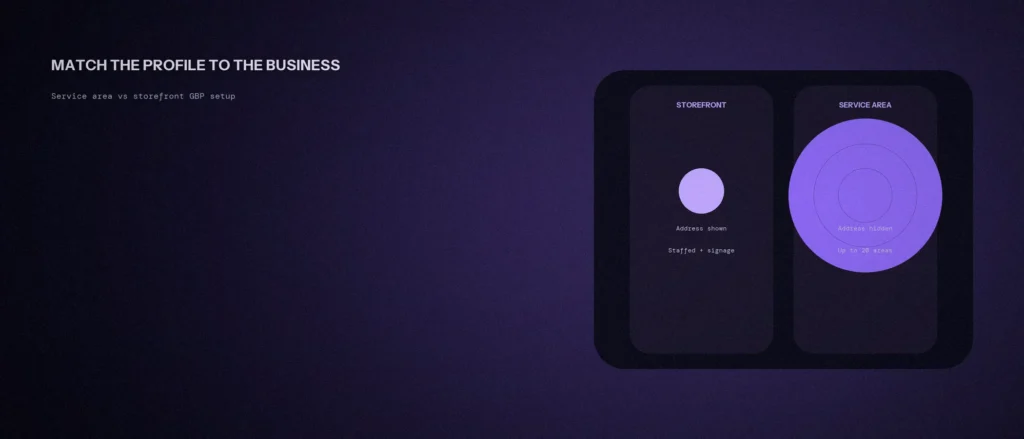
- Google defines three profile types: storefront, service-area business (SAB), and hybrid, each with different rules.
- A storefront needs “permanent on-site signage” and a location that’s staffed and able to receive customers during its stated hours.
- A service-area business, like a plumber or cleaner, should hide its address: “clear the address from your Business Profile.”
- You can set up to 20 service areas, and Google says the boundary “shouldn’t be more than about 2 hours of driving time” from your base.
- A hybrid business, like a repair shop that also offers roadside service, can show its address and set a service area at the same time.
Jump to a section:
- The three profile types Google recognises
- Setting up a storefront correctly
- Setting up a service-area business correctly
- Where hybrid businesses fit
- A prompt to set up your business type correctly
- Questions worth answering directly
The three profile types Google recognises
Google’s Business eligibility and ownership guidelines split businesses into three categories, and each one is set up differently. A storefront business “interacts with customers in-person during business hours at a physical location.” A service-area business “visits or delivers to customers directly, but doesn’t serve customers at its business address,” Google’s own examples being a plumber or a pet walker. A hybrid business does both, like an auto shop with a garage that also runs roadside assistance.
Picking the wrong one isn’t a small detail. It changes whether your address shows, whether you can set a service radius, and whether Google trusts the location you’ve listed. This connects to the wider setup question covered in our post on choosing the right primary category: both settings shape how Google understands what kind of business you actually run.
Setting up a storefront correctly
A storefront listing should show the real address, because customers are meant to find and walk into it. Google is specific about what qualifies: the location needs “permanent on-site signage,” and if a hybrid business wants to show its address alongside a service area, that location “should be staffed by your team and able to receive customers during its stated hours.”
A business without permanent signage at a fixed location isn’t eligible to be listed as a storefront, even if it has an office. That’s a common mistake: a consultant or agency with a private office, no walk-in signage, and no real foot traffic often shouldn’t be showing a public address at all.
Setting up a service-area business correctly
If customers never come to your location, your address shouldn’t be visible. Google’s own guidance is direct: for a service-area business, “you should hide your business address from customers,” giving the example of “a plumber who runs your business from your residential address.”
To do this, go to your profile, open Business Profile settings, select Location, then Edit next to “Business location,” and turn off “Show business address to customers.” Your service area then takes over as the setting that tells Google where you actually operate.
Google’s rules for that service area: “You can set up to 20 service areas based on the cities, postal codes, or other areas you serve,” and “the boundaries of your overall area shouldn’t be more than about 2 hours of driving time from where your business is based.” Listing service areas by city or postal code, not a vague radius, is what Google’s system expects.
One caveat worth knowing: Google restricts certain categories from operating as a pure service-area business without a storefront, including products or services with a minimum age requirement, like alcohol, cannabis or weapons.
Where hybrid businesses fit
A hybrid business gets both settings at once: a visible, staffed address and a defined service area. This fits a repair shop, a salon that also does home visits, or a clinic that also runs a mobile service. The address has to meet the same storefront bar, staffed and able to receive customers, and the service area follows the same 20-area, roughly-2-hour rule as a pure SAB.
Getting this pairing right matters more once you’re managing multiple locations or areas, which is where the planning in our post on local landing pages versus a single service-area page becomes relevant, matching your Business Profile setup to how your website actually presents each area you serve.
A prompt to set up your business type correctly
Choosing between a service area and a storefront affects what Google shows. The prompt below helps you think it through. Fill in your details, and check Google’s current rules before you change your profile.
Act as a local SEO advisor. Help me decide how to set up my Google Business Profile.
My business:
– What I do: [describe]
– Whether customers visit me at a fixed address: [yes or no]
– Whether I travel to customers: [yes or no]
– Where I work from: [office, shop, home]
– Areas I serve: [list]Please do the following:
1. Say whether I look like a storefront, a service-area business, or a mix, and why.
2. List what I should show or hide on my profile.
3. Tell me the risks of getting it wrong.Rules:
– Do not state Google’s rules as exact fact. Tell me to confirm in Google’s own guidelines.
– Do not suggest a fake address.
– Keep it simple.
Check Google’s business guidelines for your case, then set up the profile to match how you really work.
Questions worth answering directly
Should a plumber or cleaner show their home address on Google Business Profile?
No. Google’s guidance for service-area businesses is to hide the address entirely, since customers are never served at that location. The service area setting, not the address, is what should tell Google and customers where the business operates.
How many service areas can I set on my Business Profile?
Up to 20, based on cities, postal codes or similar areas, according to Google’s own documentation. The overall boundary shouldn’t extend more than about 2 hours of driving time from where the business is based.
Can a business show its address and still set a service area?
Yes, if it qualifies as a hybrid business, like a repair shop with a garage that also offers roadside service. The address location still needs to be staffed and able to receive customers during its stated hours, the same requirement as a storefront.
Can I list my home address if I run a business from home?
If customers never come to your home, Google’s guidance for service-area businesses is to hide the address. It gives the example of a plumber who runs the business from a residential address.
What if I have an office but no permanent signage?
A storefront listing needs permanent on-site signage at a location that’s staffed and open to customers. A business without that isn’t eligible as a storefront and should be set up as a service-area business.
Can I set a radius instead of naming cities?
Google’s service area setup uses cities, postal codes or other areas you serve, up to 20 of them, and not a radius distance. The overall area shouldn’t extend more than about 2 hours of driving time from your base.
Where this actually matters
A mismatched profile, an address nobody visits, or a service area nobody defined, doesn’t just look unpolished. It works against how Google actually tries to match local searches to real businesses. Setting this up to match how your business genuinely operates is one of the few local SEO steps that’s entirely within your control.
Not sure whether your own profile is set up as the right type? We check this as part of every Local SEO engagement we run.