
Local SEO has a lot of advice and not much order. Most lists give everything at once, so it is easy to spend a week on directories while your opening hours are still wrong. The result is effort in the wrong sequence, and a profile that still does not show up when a customer nearby searches.
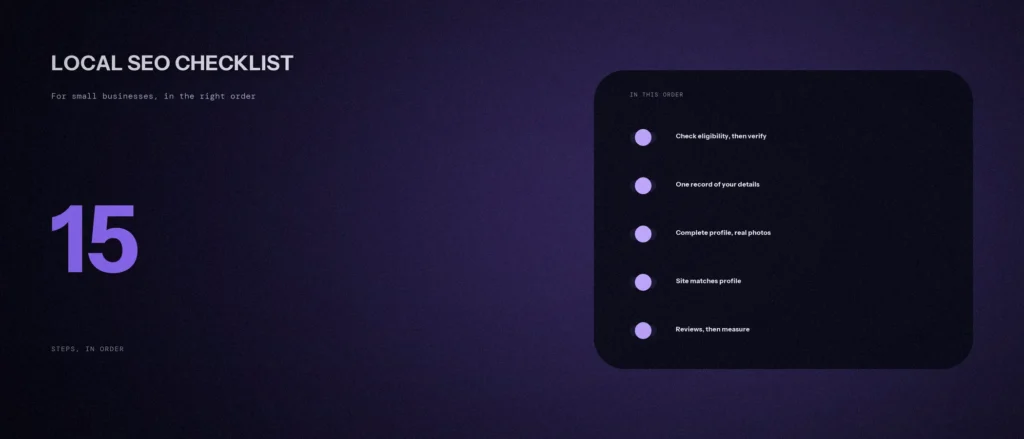
This local SEO checklist puts 15 steps in order, in five groups: eligibility and basics, a complete profile, your website, reputation, and measurement. Every step that depends on what Google says is tied to Google’s own help pages, which we re-read on 11 October 2026. Where a step is our own working method, we say so. If you want the theory behind the ranking, read our post on relevance, distance and prominence first.
Quick summary, if you’re short on time:
- Google says local results are mainly based on relevance, distance and popularity, and that there is no way to request or pay for a better local ranking.
- Verify your Business Profile and keep it complete and accurate. Google says businesses with complete and accurate info are more likely to show up in local search results.
- Use your real-world business name and the fewest categories that describe your core business.
- Ask customers for reviews, and never offer an incentive for them. Google prohibits it.
- Check the numbers monthly: Business Profile performance, Search Console and your own enquiries.
Two notes before you start. A Business Profile audit is easier in this order, because each step builds on the one before it. And the work that gets the most attention, such as citations in directories and link building, comes after the basics. Google Maps and the main results both use the same profile, so a wrong detail in your business information shows up in both. Google Search Console is how you check the website side later.
Jump to a section:
- Steps 1 to 4: eligibility and basics
- Steps 5 to 8: a complete profile
- Steps 9 to 11: your website
- Steps 12 to 14: reputation and prominence
- Step 15: measure
- Why the order matters
- A prompt to find your next step
- Questions about local SEO
Steps 1 to 4: eligibility and basics
1. Check you are eligible for a Business Profile
Google’s guidelines for representing your business say you can create a profile if your business has a physical location customers can visit, or travels to customers where they are. A pure online business with no location does not qualify. Read the guidelines once before you start, because a profile that breaks them can be suspended.
2. Write one record of your business details
Write your name, address, phone number, website, hours and a short description in one document. This is our own method, and it prevents the small differences between sites that confuse customers. Google’s guidelines ask you to represent your business as it is consistently represented in the real world, across signage, stationery and other branding. Use the name on your signboard, not a name with keywords added.
3. Create or claim your profile, and verify it
Search for your business on Google first. A profile may already exist. Google’s verification page says you need to verify to edit your business info and interact with customers, and that verifying gives you ownership of the profile. Google also says there should be only one profile per business, so check for duplicates before you create a new one.
4. Choose your categories
Google’s guidelines say to choose the fewest number of categories it takes to describe your overall core business. Pick the primary category that best matches the main thing customers buy from you, and add others only if they are truly separate parts of the business.
Steps 5 to 8: a complete profile
Google’s tips to improve your local ranking says businesses with complete and accurate info are more likely to show up in local search results. These four steps are that page’s advice, in order.
5. Fill in address or service area, and hours
If customers visit you, give the full address. If you go to customers and do not serve them at your address, Google’s service area page says to remove your address and set a service area. A service-area business can have only one profile for the whole area it serves. Add your hours, including special hours for holidays.
6. Add attributes and services
Google lists details such as parking or Wi-Fi availability under attributes. Add every one that is true. Add your services too, in plain words, the way customers say them.
7. Write a description that follows the rules
Google’s guidelines say the description should give useful information on what you offer and your mission and history, and should be upfront and honest. They also say it must not focus on promotions, prices or offers, and must not contain links of any kind. Write two or three plain sentences about what you do and who you serve.
8. Add real photos and videos
Google says photos and videos let you show customers what you offer and tell the story of your business. Use photos of your actual premises, team and work. Avoid stock images for anything a customer will judge, such as the shop front.
Steps 9 to 11: your website
9. Make sure your website matches your profile
Link your profile to a page that fits it: your homepage if you have one location, or the page for that location. Put your name, address, phone number and hours in text on that page, written the same way as your record. This is our method, and it keeps your profile and website saying the same thing.
10. Add LocalBusiness structured data
Google’s local business structured data page, last updated 8 September 2026, lists name and address among the required properties and includes telephone and opening hours in its examples. Add it, keep it identical to what is on the page, and test it with Google’s Rich Results Test. It helps Google read the page. It does not guarantee a ranking.
11. Check speed and mobile use
Most local searches happen on a phone, and a slow page loses people before they read anything. Google’s Web Vitals guidance gives three targets: Largest Contentful Paint within 2.5 seconds, Interaction to Next Paint of 200 milliseconds or less, and Cumulative Layout Shift of 0.1 or less. Test your page on a real phone, and fix the largest images first.
Steps 12 to 14: reputation and prominence
12. Ask for reviews, and reply to all of them
Google’s tips to get more reviews says you can ask customers to visit a Google link or scan a QR code, and that you should reply to reviews. It also says that offering incentives, such as free or discounted goods or services, in exchange for reviews is prohibited. Ask every happy customer, at the moment they are happy. For ready wording, see our review reply templates.
13. List on a few directories that fit
Choose a small number of listing sites that your customers use, and copy your record exactly. Google’s ranking page does not name directories, so treat them as extra places to be found and not as a ranking trick. Our list of free business listing sites in India shows which ones we could confirm are free.
14. Earn a few real local mentions
Google says prominence is based on information like how many websites link to your business and how many reviews you have. Real local mentions come from things you already do: a supplier that lists you as a stockist, a local association, a sponsorship or a news item. Do not buy links.
Step 15: measure
15. Check the numbers every month
Look at three sources: Business Profile performance, which Google says shows how people find your profile, with calls, directions, website clicks and views; Search Console for how you appear in search; and your own count of enquiries. Write them down against a baseline from this month. Our SEO report template shows how to lay them out.
Why the order matters
- Verification comes before almost everything, because you cannot edit or reply until you own the profile.
- Your record comes before your listings, so every listing says the same thing.
- The profile comes before the website work, because the website should match what customers will see on Google.
- Reviews and mentions come after the basics, because they send people to a profile that has to be ready for them.
- Measurement starts now, so you have a baseline to compare with.
You can do steps 1 to 8 in an afternoon. Steps 9 to 11 depend on your site. Steps 12 to 15 continue every month.
A prompt to find your next step
An AI tool can sort this checklist against your situation. It cannot see your profile, so tell it what is done.
Act as a careful local SEO adviser. Using the 15-step checklist below, tell me my next three steps. Use only what I tell you.
My details:
– My business, city and what customers come for: [for example “a physiotherapy clinic in Whitefield, Bangalore”]
– Whether customers visit me, I visit them, or both: [answer]
– For each step number, whether it is done, partly done or not started: [list the steps 1 to 15]
– My review count and rating, if I have a profile: [numbers or “no profile yet”]The checklist: 1 eligibility; 2 one record of details; 3 claim and verify; 4 categories; 5 address or service area and hours; 6 attributes and services; 7 description; 8 photos; 9 website matches profile; 10 LocalBusiness structured data; 11 speed and mobile; 12 reviews and replies; 13 directories; 14 local mentions; 15 monthly measurement.
Please do the following:
1. Name my next three steps, in order, with one reason each tied to my answers.
2. For each, say what “done” looks like in one sentence.
3. Flag any step where my answer suggests a risk, such as a duplicate profile or an address I should hide.
4. Tell me what you cannot know without looking at my profile.Rules:
– Use only my answers. Do not invent rankings or review benchmarks.
– Do not suggest anything that breaks Google’s Business Profile guidelines, such as incentives for reviews.
– Say clearly when something is your opinion.
– Write in plain, simple English.
Check each step against Google’s help page before you change your profile.
Questions about local SEO
What is the first step in local SEO?
Check you are eligible, then claim and verify your Google Business Profile. Until it is verified, you cannot edit your info or reply to customers.
How long does local SEO take to work?
It depends on your competition, your starting point and the work you do, so we cannot give you a number. Measure monthly against a baseline and judge the trend.
Can I pay Google for a better local ranking?
No. Google says there is no way to request or pay for a better local ranking.
Do I need a website for local SEO?
You can have a Business Profile without one, but a website that matches your profile gives customers and Google more to check, and it is where structured data and service pages live.
How many reviews do I need?
Google’s tips page gives no number. It says more reviews and positive ratings can help your local ranking. Look at the businesses that rank above you and ask for reviews steadily, from real customers.
Is it okay to put keywords in my business name?
No. Google says your name should reflect your business’s real-world name, and that including unnecessary information could lead to suspension. Put keywords in your description, services and website instead.
Should I hide my address?
Only if you do not serve customers at it. Google says that if you do not serve customers at your business address, you should remove it and use a service area.
Where this matters
Local SEO is a sequence, not a bag of tricks. Verify the profile, make it complete and true, make your website say the same thing, earn real reviews and mentions, and measure every month. Do steps 1 to 8 this week.
If you would like us to check where you are on this list, send us your business name and area and we will tell you what we see.