Search for free business listing sites in India and you will find lists of 50, 100 or 200 business directories. Most of them are not worth your time. Some are dead, some want money before they show you anything, and many have almost no visitors. Spending a week on the long list is a poor use of a small business owner’s time.
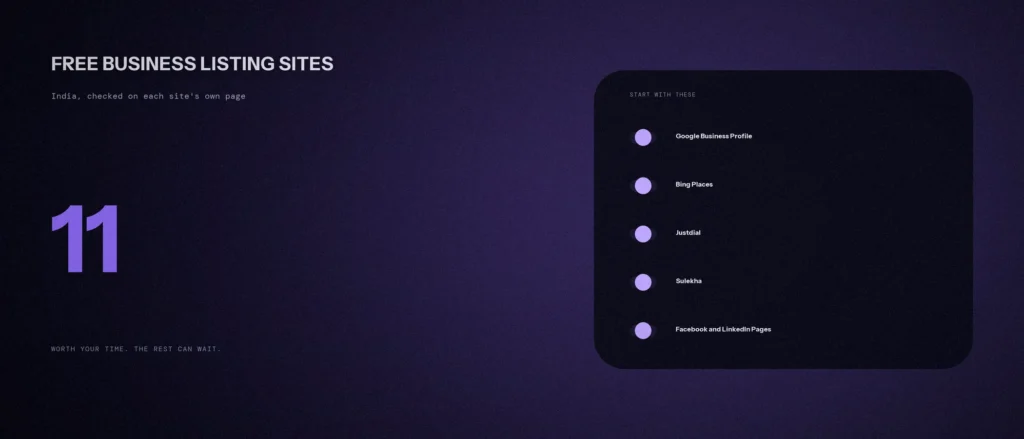
This post is the short list. We opened each site’s own listing page on 11 October 2026 and kept only the ones where the page itself says you can list for free, and where the site still looks alive. That gave 11. For each, we say what is free, what the page tries to sell you next, and who it suits. We also name the ones we left out, and why. For the idea behind all this, see our post on what a citation is and whether local businesses still need them.
Quick summary, if you’re short on time:
- Start with Google Business Profile and Bing Places. Both are free, and both are run by search engines.
- For India-specific local directories, the two we could confirm as free to list are Justdial and Sulekha.
- Pick the rest by who your customers are: IndiaMART for sellers to businesses, Clutch and GoodFirms for agencies, Trustpilot for reviews, Facebook and LinkedIn for a basic presence.
- Google’s local ranking page says prominence is based on information like how many websites link to your business and how many reviews you have. It does not list directories as a ranking factor.
- Use one exact set of business details on every site, and do not pay for anything until you know what it gives you.
Jump to a section:
- What listing sites can and cannot do
- Write one record first
- Search engines and maps (3)
- India local directories (2)
- Marketplace, social and review sites (6)
- All 11 in one table
- What we left out, and why
- What to avoid
- A prompt to choose where to start
- Questions about business listing sites
What listing sites can and cannot do
A listing is a page about your business on someone else’s website, with your name, address, phone number and category. A business listing site, or listing platform, gives people a place to find you and gives your business visibility in search results beyond your own website. People call these citations, and a search for “local citation sites India” is the same idea.
It helps to be exact about the benefit, because most advice treats listings as an SEO trick. They help your online presence and your digital marketing basics, and customer reviews on some of these sites matter to buyers. Google’s page on tips to improve your local ranking says local results are based mainly on relevance, distance and prominence. It says prominence is also based on information like how many websites link to your business and how many reviews you have. The page does not name directories or citations. So we cannot tell you that a listing on any one site raises your Google ranking.
What a good listing can do is simpler. It can bring people who search on that site, it can give you another page that links to your website, and it can give a customer one more place to check that you are real. That is the case for the short list below. It is not a promise of rankings.
Write one record first
Before you create any listing, write one record and copy it every time. This is our own advice, and it is the step most people skip.
- Business name, exactly as it appears on your signboard and website
- Full address, written the same way every time
- One phone number, and the email you will check
- Website address
- Opening hours
- Primary category, and a short description of what you do
Keep it in a document. If a listing needs a change later, you will know what every other site says. Our post on choosing your primary category helps with the category line.
Search engines and maps (3)
1. Google Business Profile
Free part: Google’s own page calls it a free Business Profile, which you control on Search and Maps, including photos, reviews and what makes your business unique.
Suits: every business with customers who search locally. This is the first listing to make, and the only one on this list that Google itself runs.
2. Bing Places for Business
Free part: Bing’s page says you can list your business on Bing for free, and the site offers its Microsoft Clarity and Bing Webmaster Tools alongside.
What it sells: it also mentions ad experiences.
Suits: every business. It takes minutes once your record is written, and it reaches a different search engine from Google.
3. Mappls (MapmyIndia)
Free part: the Mappls home page has an “Add a Business” option, and separate options to add a place and to fix map errors. The page we read did not state a price, so check the terms when you add yours.
Suits: businesses whose customers navigate to them, such as shops, clinics and restaurants. It is an Indian maps service with its own app.
India local directories (2)
4. Justdial
Free part: Justdial’s free listing page says you can list for free, in three steps: create an account with your mobile number, enter your business details, and choose categories. It says you can respond to reviews and questions, and upload photos and videos.
What it sells: the same page has a separate “Justdial Ads” section, which is paid and promises prominent display and customer details by SMS and email.
Suits: local service businesses in Indian cities. Claim the free listing, and decide on ads only after you have looked at the free one for a while.
5. Sulekha
Free part: Sulekha’s home page has a “List Your Business” button marked as free, and the listing page says to create your online profile, display your services and respond to enquiries and reviews.
What it sells: the same page also talks about subscribing to get verified leads. Read the terms before you pay for leads.
Suits: home services, education and repair businesses, which are among the categories the site lists as popular.
Marketplace, social and review sites (6)
6. IndiaMART
Free part: the seller page is titled “Free Registration” and is aimed at businesses that sell to other businesses.
Suits: manufacturers, wholesalers and suppliers who want to sell through a marketplace. In our reading it is a marketplace and not a local directory, so it is a poor fit for a clinic or a salon. The page did not list what the free account includes, so read what is free before relying on it.
7. Facebook Page
Free part: Meta’s help page says a Facebook Page gives you access to a suite of free professional tools.
Suits: any business whose customers use Facebook. Keep it simple: the same details, your hours and a few real photos.
8. LinkedIn Page
Free part: LinkedIn’s help page says you can create a LinkedIn Page for free to represent and build your organisation’s brand. You need a LinkedIn account first.
Suits: B2B businesses, agencies, and anyone who hires or sells to companies.
9. Trustpilot
Free part: Trustpilot’s sign-up page is titled “Create Your Free Account”.
What it sells: its pricing page lists paid plans from $99 per month, billed annually.
Suits: businesses that sell online or to people who research before buying. It is a review site, so it only helps if you will ask real customers for reviews.
10. Clutch
Free part: Clutch’s “Get listed” page offers a free Basic profile.
What it sells: a Verified tier at $499 a year, and an advertiser tier. The Basic tier, per the page, does not link to your website from directory pages.
Suits: agencies and service providers that sell to businesses. For a local shop, skip it.
11. GoodFirms
Free part: GoodFirms’ “Get listed” page has a “List your company for free” button.
Suits: software, web and marketing companies, the same group as Clutch. We did not see what the free tier leaves out, so check before you invest time in it.
All 11 in one table
| Site | Free to list, per its own page | Paid upsell we saw | Best for |
|---|---|---|---|
| Google Business Profile | Yes | None on the page we read | Every local business |
| Bing Places | Yes | Ad experiences | Every business |
| Mappls | Add a Business option, price not stated | None seen | Shops, clinics, restaurants |
| Justdial | Yes | Justdial Ads | Local service businesses |
| Sulekha | Yes | Subscription for leads | Home services, education, repairs |
| IndiaMART | Free registration | Not detailed on the page | Sellers to businesses |
| Facebook Page | Yes | Ads | Consumer businesses |
| LinkedIn Page | Yes | Premium pages | B2B and agencies |
| Trustpilot | Free account | Plans from $99 a month | Online sellers |
| Clutch | Free Basic profile | Verified at $499 a year | Agencies |
| GoodFirms | Yes | Not detailed on the page | Software and marketing firms |
What we left out, and why
We would rather tell you what we could not confirm than pad the list to reach a round number.
- Yellow Pages India and Cylex India: neither site loaded when we tried on the day, so we could not check them.
- Hotfrog India: the site loads, but the add-business page we tried asked us to pass a human check, and we do not bypass those. We could not confirm what is free.
- TradeIndia: the home page showed no free-listing statement that we could find.
- Apple Business Connect: Apple’s support page now says Business Connect is part of Apple Business. We could not confirm from Apple’s pages whether you can add a business in India, so we did not list it.
- Foursquare: its add-place page sent us to a login, so we could not read the terms.
If you use one of these, check the terms yourself. We are not saying they are bad.
What to avoid
- Different details on different sites. A different phone number or spelling of your name makes the web disagree with itself.
- Paying to be “verified” or “top ranked” without asking what it includes. Ask for the specific change in what customers see.
- Listing in the wrong category. Use the category that matches your real business, and keep it the same where you can.
- Creating a listing and never looking at it again. Reviews and questions appear there. Check each one every few weeks.
- Buying a bulk submission package. Listing yourself on the 11 sites above takes an afternoon, and you control the details.
A prompt to choose where to start
An AI tool can sort this list for your business. It cannot visit the sites, so give it the 11 and your details, and tell it to choose only from them.
Act as a careful local marketing adviser. Help me decide which free business listing sites to set up first.
My details:
– What my business does and who the customers are: [for example “a dental clinic in Indiranagar, Bangalore, patients are individuals”]
– Whether I sell to people, to businesses, or both: [answer]
– Listings I already have: [list]
– Time I can spend this week: [for example 3 hours]The only sites you may choose from: Google Business Profile, Bing Places, Mappls, Justdial, Sulekha, IndiaMART, Facebook Page, LinkedIn Page, Trustpilot, Clutch, GoodFirms.
Please do the following:
1. Put the sites in the order I should set them up, and give one reason for each, tied to who my customers are.
2. Say which sites I should skip, and why.
3. Write the one-record sheet I should prepare first, with a line for each detail I need.
4. List the questions I should ask before paying for anything on any of these sites.Rules:
– Choose only from the sites I listed. Do not add other sites.
– Do not invent prices, traffic numbers or ranking claims.
– Say clearly when something is your opinion.
– Write in plain, simple English.
Check each site’s own terms before you sign up, since offers change.
Questions about business listing sites
Which free business listing sites are best in India?
Start with Google Business Profile and Bing Places, then add Justdial and Sulekha if your customers are local. Choose marketplace and review sites by who buys from you.
Do listing sites help my Google ranking?
Google’s local ranking page says prominence is based on information like links to your business and your reviews, and it does not name directories. A listing can still bring visitors and give customers another place to check you.
Are citation sites in India still worth it?
A small number of well-chosen ones are. A long list of low-traffic directories is not. Use the sites your customers really search and keep your details the same on all of them.
Is Justdial really free?
Justdial’s own page says you can list your business for free, and it sells advertising separately. Claiming the free listing does not commit you to ads.
How many listings do I need?
Fewer than most lists suggest. Three to six that suit your customers, set up carefully, are better than 40 that you cannot keep current.
What if a listing site already has my business with wrong details?
Claim or correct it using the site’s own process, and use your written record to fix each detail. Many sites create pages from public data before you arrive.
Should I pay for a premium listing?
Not at the start. Use the free listing for a month, look at what it brings, and ask exactly what the paid option changes before you decide.
Where this matters
Eleven free listings, set up once from one written record, will do more for you than a hundred you cannot maintain. Start with Google and Bing, add the local and industry sites that match your customers, and check each listing every few weeks.
Whichever sites you choose, open each listing’s own terms before you enter payment details.