Here’s a question worth asking about your own website: if someone asks ChatGPT or Perplexity about your industry right now, could those tools even read your site to answer? A lot of businesses assume yes, without ever checking. For a surprising number of sites, the honest answer is no, and they don’t find out until a competitor gets mentioned and they don’t.
Quick summary, if you’re short on time:
- AI crawlers are separate bots from Googlebot, like GPTBot, ClaudeBot and PerplexityBot, each with its own name and its own rules.
- Since July 2025, Cloudflare blocks the main AI crawlers by default on new domains, before your robots.txt is even read. Most site owners never chose this, it just happened.
- Most AI crawlers don’t run JavaScript the way a browser does. If your content only appears after JavaScript runs, some of them see a blank page.
- Checking this takes minutes: your robots.txt file, your Cloudflare bot settings if you use Cloudflare, and a look at whether your content exists in the raw HTML.
- Being blocked isn’t always wrong. But it should be a decision you made, not something that happened by default.
Jump to a section:
- Why this actually matters for your business
- What an AI crawler actually is
- The block almost nobody knows they turned on
- The JavaScript problem
- How to check if AI crawlers can access your site
- What this looks like in practice
- Questions worth answering directly
Why this actually matters for your business
When someone asks an AI tool a question and it answers with a specific business mentioned or linked, that AI had to read a website to know that business exists and what it does. If your site is invisible to these crawlers, you’re not in the running at all, regardless of how good your business actually is.
This isn’t a future concern. People are already asking ChatGPT and Perplexity questions that used to go straight to Google, things like “who’s a good dentist near me” or “which SEO agency should I use.” If the crawler behind that answer can’t read your site, it simply moves on to a competitor’s.
Treat this the same way you’d treat Google visibility. Being unreachable by AI crawlers is a technical SEO problem sitting right next to crawlability and indexing, not a separate, optional AI experiment.
What an AI crawler actually is
An AI crawler is a bot, just like Googlebot, except it’s owned by an AI company and it feeds a language model instead of a search index. Each one identifies itself with its own name in your server logs and in your robots.txt file. The main ones worth knowing are GPTBot and OAI-SearchBot from OpenAI, ClaudeBot and Claude-SearchBot from Anthropic, and PerplexityBot from Perplexity.
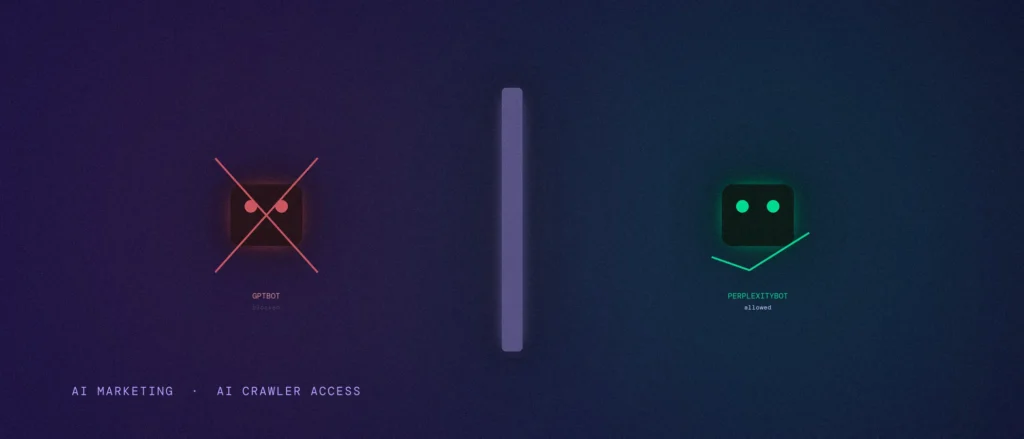
There’s a useful split here. Some of these bots, like GPTBot and ClaudeBot, crawl your site to train the underlying model, a slow, background process. Others, like OAI-SearchBot and PerplexityBot, crawl in real time to answer a specific question someone just asked. You might be comfortable blocking the training bots but want the real-time answer bots to reach you, since those are the ones that can actually send you a mention or a click today.
The block almost nobody knows they turned on
Here’s the part that catches most site owners off guard. Since July 2025, Cloudflare’s own policy change blocks the major AI crawlers by default on every new domain on its network, as a standard setting, not something you have to switch on. This happens at Cloudflare’s infrastructure level, before your site’s robots.txt file is even read, so a perfectly written robots.txt won’t undo it.
If your site sits behind Cloudflare and you never went looking for this setting, there’s a real chance GPTBot, ClaudeBot and PerplexityBot are all being turned away automatically, and you never made that call. That’s the whole problem with a default: it makes a real decision for you, silently.
The JavaScript problem
Googlebot has gotten reasonably good at rendering JavaScript before it reads a page. Most AI crawlers are not there yet. Many of them read the raw HTML your server sends back and stop there, without running any of the JavaScript that might build the actual content afterward.
If your site relies heavily on JavaScript to display text, like a single-page app that builds everything client-side, an AI crawler may load your page and effectively see an empty shell. The words are there for a human with a browser. They may not be there for the bot deciding whether to mention you.
This is the same underlying idea as mobile-first indexing: what a crawler actually receives can be very different from what a person sees in a browser, and it’s the crawler’s version that decides whether you show up at all.
How to check if AI crawlers can access your site
Start with your robots.txt file. Open yoursite.com/robots.txt in a browser and read it line by line. Look for user-agent entries named GPTBot, ClaudeBot, Google-Extended, PerplexityBot and similar, and check whether they’re disallowed. If you don’t recognise any of these names in the file, that usually means nothing has been deliberately blocked there, which is a good sign, but it’s not the whole picture because of the Cloudflare issue above.
If your site uses Cloudflare, log into your Cloudflare dashboard and check the AI Scrapers and Crawlers or Bot Fight Mode settings. This is where the default block usually lives, completely separate from your robots.txt file. Turn it off, or set it deliberately, rather than leaving whatever Cloudflare picked for you.
Last, check whether your key content actually exists without JavaScript. Right-click your homepage, choose “View Page Source”, and search for a sentence you know is on the page. If you can’t find it in that raw source, a JavaScript-dependent AI crawler probably can’t either.
If you’d rather have this checked properly instead of guessing, request a free AI and SEO technical audit and we’ll go through your robots.txt, your Cloudflare settings and your raw HTML together.
What this looks like in practice
Say a Bengaluru accounting firm moved their site behind Cloudflare last year for basic security, with no one specifically thinking about AI crawlers at the time. Six months later, someone at the firm asks ChatGPT to recommend a good accountant in their area and their own firm doesn’t come up, despite having a solid website and years of local reputation.
Nobody there made a decision to be excluded. Cloudflare’s default setting made it for them, quietly, the day the domain was set up. The fix took five minutes once someone actually went looking: opening the bot settings and deliberately allowing the retrieval crawlers that can send them a mention, while still blocking whichever training bots they didn’t want.
Questions worth answering directly
Should I block or allow AI crawlers?
That’s a real business decision, not a technical default. Blocking training bots like GPTBot keeps your content out of future model training. Allowing retrieval bots like OAI-SearchBot and PerplexityBot lets AI tools cite and mention you in real answers today. Many businesses choose to block the first group and allow the second.
How do I know if Cloudflare is blocking AI crawlers on my site?
Log into your Cloudflare dashboard and check the AI Scrapers and Crawlers section, or Bot Fight Mode, under Security. If your domain was created after July 2025, assume the default block is active until you check.
Does my robots.txt file cover this on its own?
No. Robots.txt only matters if a crawler actually reaches your site to read it. Cloudflare’s block happens before that point, at the network level, so both need to be checked separately.
My site is built with JavaScript. Does that mean AI crawlers definitely can’t read it?
Not definitely, but it’s a real risk worth checking. View your page’s raw HTML source and see if your key content is actually there without JavaScript running. If it’s missing, some AI crawlers will see a blank page even though a human visitor sees a normal one.
Is this the same thing as an llms.txt file?
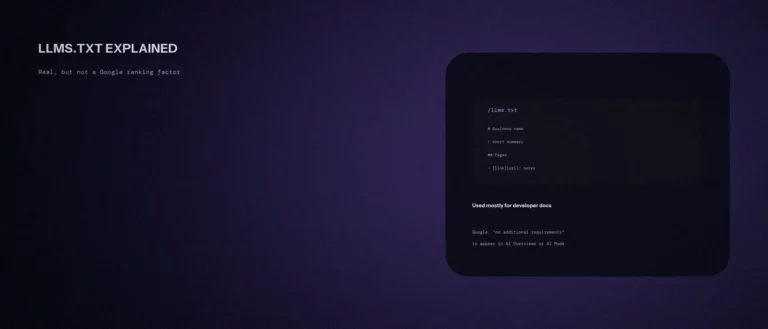
No, and it’s an easy mix-up. An llms.txt file is a separate, optional file some sites add to summarise their content for AI tools. It doesn’t control crawler access, and Google has said it doesn’t use it for Search at all. Robots.txt and your Cloudflare settings are what actually control access.
Being reachable is only the first requirement. Once AI crawlers can actually access your site, entity clarity decides whether they can confidently cite what they find there.
Where this actually pays off
This isn’t a glamorous fix. It’s five or ten minutes of checking settings that were probably chosen for you, not by you. But if AI tools are already sending some of your industry’s searches away from Google and into a chat window, being invisible to the crawlers behind those answers is a real cost, not a hypothetical one.
Not sure whether your site is quietly blocking the AI crawlers that could be citing you? Share your site and we’ll check your robots.txt, your Cloudflare settings if you have them, and whether your content survives without JavaScript, as part of every AI SEO and GEO engagement we run.