There is a lot of noise about optimizing for AI search. New acronyms, special files and “secret” tactics appear every month. Google has now published a guide that sorts the useful from the useless, and the useful part is shorter than most people expect: it is mostly good SEO, done properly, plus a few checks that are specific to AI features.
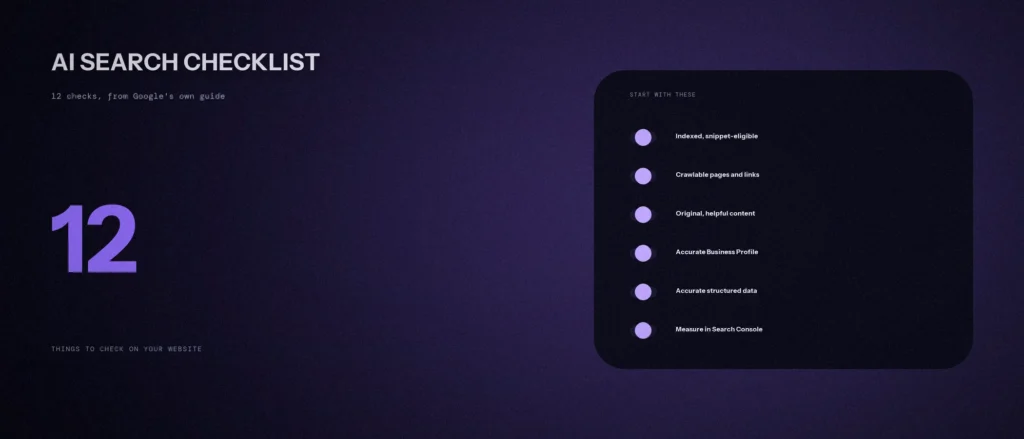
You will also see this called generative engine optimization, or GEO, or AI SEO. The names differ, but the goal is the same: to improve your AI visibility, so that your pages can be cited as a source in AI answers on Google AI Overviews and on other AI platforms and engines, alongside traditional search. This is an AI search optimization checklist of 12 things to check on your website, in order. Each item says what to check, how to check it, and what Google says. We re-read Google’s guide to optimizing for generative AI features on Google Search, last updated on 10 July 2026, and its page on AI features and your website, on 11 October 2026. Every Google statement below comes from those pages. Where something is our own advice, we say so. For the crawler side of this, including AI companies other than Google, see our post on whether AI crawlers can access your website.
Quick summary, if you’re short on time:
- Google says there are no additional technical requirements to appear in AI Overviews or AI Mode beyond being indexed and eligible to be shown in Search with a snippet.
- Google says to prioritize effective SEO strategies over “AEO/GEO hacks”, and lists things to ignore for Google Search, including llms.txt files, “chunking” content and seeking inauthentic mentions.
- Structured data is not required for generative AI search, and there is no special schema.org markup you need to add. Google still says to keep using it for rich results.
- Google Business Profile and Merchant Center details can help local businesses and products be visible in AI responses.
- Measure with the Generative AI performance report in Search Console, and be wary of third-party tools that claim to use Google’s internal metrics.
Jump to a section:
- How to use this checklist
- All 12 checks on one page
- Checks 1 to 4: can Google reach and use your pages?
- Checks 5 to 7: is the content worth citing?
- Checks 8 and 9: business details and markup
- Check 10: other AI crawlers
- Check 11: what to leave alone
- Check 12: measure it
- A prompt to turn your answers into a fix list
- Questions about AI search optimization
How to use this checklist
Go through it once, in order, and write a yes, no or not sure next to each item. Fix the no answers from the top, because the first four are the ones that decide whether a page can appear at all. Do not skip to the later items. A page that is not indexed cannot be cited, however well it is written.
It also helps to keep one idea in mind. Google’s guide says AI is built into Search and that its systems connect people with content they find helpful. So the checklist is less about “AI tricks” and more about making your pages easy to find, easy to read and worth quoting. We would add one point of our own: clear structured content, such as descriptive headings, short paragraphs and lists where a list fits, makes a page easier for people to scan, and that is a sensible way to optimize for AI answers too. That is our judgment, not a Google rule.
All 12 checks on one page
| # | Check | Where to check |
|---|---|---|
| 1 | Key pages are indexed and can show a snippet | Search Console, URL Inspection |
| 2 | Googlebot can crawl your pages and your links | robots.txt and page source |
| 3 | Your site is included in Search generative AI features | Search Console settings |
| 4 | JavaScript and layout do not hide your content | URL Inspection, live test |
| 5 | Content is original and goes beyond common knowledge | Your own pages, read aloud |
| 6 | You are not publishing pages at scale for their own sake | Your content plan |
| 7 | Duplicate pages and page experience are under control | Search Console, PageSpeed Insights |
| 8 | Business details are accurate in Google’s own tools | Business Profile, Merchant Center |
| 9 | Structured data is accurate and matches the page | Rich Results Test |
| 10 | You have decided how other AI crawlers may use your site | robots.txt |
| 11 | You have not spent effort on things Google says to ignore | Your to-do list |
| 12 | You can see how your pages appear in AI features | Generative AI performance report |
Checks 1 to 4: can Google reach and use your pages?
1. Key pages are indexed and can show a snippet
Google says that to be eligible to be shown as a supporting link in AI Overviews or AI Mode, a page must be indexed and eligible to be shown in Google Search with a snippet, and that there are no additional technical requirements. It also says that meeting every requirement does not guarantee that Google will crawl, index or serve a page.
How to check: Open each key page in the URL Inspection tool in Search Console and read the status. Look for a noindex tag or a snippet control, such as nosnippet, that you added and forgot. Google lists nosnippet, data-nosnippet, max-snippet and noindex as the controls that limit what is shown from your pages.
2. Googlebot can crawl your pages and your links
Google says that to maximise visibility in generative AI search features, you should make sure your content is crawlable, because its generative AI models use publicly accessible, crawlable content. It says robots.txt directives for Googlebot are the control for site owners.
How to check: Open yourwebsite.com/robots.txt and look for rules that block important folders. Then check that your internal links are real links. Google says it can generally crawl a link only if it is an <a> element with an href attribute. Our post on orphan pages shows how to find pages with no links to them.
3. Your site is included in Search generative AI features
Google says that in addition to the Search technical requirements, a site must be included in Search generative AI features in Search Console to be eligible for display in generative AI features. Its report help page notes that if you have excluded your site, it will not be eligible.
How to check: Open the Search generative AI setting in Google Search Console and confirm your site is included. If you did not choose to exclude it, it is worth a look, because a past change made by someone else could still apply.
4. JavaScript and layout do not hide your content
Google says it can process content within JavaScript as long as it is not blocked, but that SEO on a site built with JavaScript frameworks is generally more complex. It also says that while perfect semantic HTML is not required, using it helps screen readers and other users parse the page.
How to check: Use the live test in URL Inspection and look at the rendered page. If your main text, headings or links are missing from it, a script is hiding them from Google.
Checks 5 to 7: is the content worth citing?
5. Content is original and goes beyond common knowledge
Google’s first recommendation is to create non-commodity content that is helpful, reliable and people-first: unique, expert-led content that provides value beyond common knowledge. Its test is a single question: is this content that my visitors would find satisfying?
How to check: Pick your three most important pages and ask whether a competitor’s page could swap in without anyone noticing. If yes, add what only you know: real examples, your own numbers, the details from your actual work. Our post on fact checking AI generated content covers keeping that content accurate.
6. You are not publishing pages at scale for their own sake
Google says using generative AI tools to produce many pages without adding value for users violates its scaled content abuse spam policy, and that a high quantity of pages does not make a site higher quality or more relevant. If you use AI tools to help with content, the work must still meet Search Essentials and its spam policies.
How to check: Look at pages published in the last three months. For each, can you say what it adds that is not elsewhere on the web? Merge or remove the ones where you cannot.
7. Duplicate pages and page experience are under control
Google says duplicate content can be a bad user experience and that search engines may waste crawling resources on URLs you do not care about. It also lists page experience: your site should display well across all devices, reduce latency, and make it easy to tell main content from other elements on the page.
How to check: Look for duplicate pages in the Page indexing report in Google Search Console, and run your key pages through PageSpeed Insights. Our post on website speed optimization lists fixes.
Checks 8 and 9: business details and markup
8. Business details are accurate in Google’s own tools
Google says generative AI responses can include product listings, product information and information about local businesses, and that using products like Merchant Center feeds and Google Business Profiles can help products and services be visible in AI responses and other Search results.
How to check: Open your Business Profile and check your name, address, phone number, hours, categories and services against your website. If you sell products, check your Merchant Center feed. This is the check with the most direct value for a local business. Our post on how to rank on Google Maps goes through the profile in detail.
9. Structured data is accurate and matches the page
Google says structured data is not required for generative AI search, and that there is no special schema.org markup you need to add. It adds that it is a good idea to keep using it as part of your overall SEO strategy, because it helps with eligibility for rich results.
How to check: If you have markup, run the page through the Rich Results Test and make sure every value matches what is on the page. Remove anything that is wrong. Do not add markup only because someone said AI needs it.
Check 10: other AI crawlers
Google’s guide is about Google Search. Other AI products use their own crawlers, and they follow their own rules. Google’s AI features page notes that Google-Extended is the control that limits AI training and grounding in some of Google’s other systems.
How to check: Read your robots.txt and decide, on purpose, which crawlers may access which parts of your site. We have not checked other companies’ crawler documentation for this post, so confirm each company’s rules on its own pages.
Check 11: what to leave alone
Google’s guide has a list of things it says you can ignore for Google Search. Check that none of them is on your to-do list:
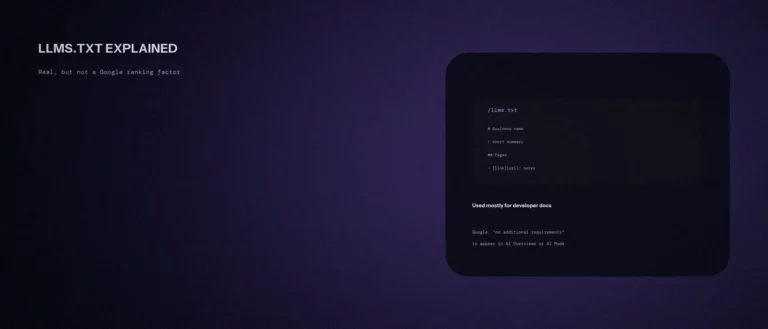
- llms.txt files and other “special” markup. Google says Google Search ignores them, and that having one will neither harm nor help your visibility or rankings.
- “Chunking” content. There is no requirement to break content into tiny pieces. Google says there is no ideal page length.
- Rewriting content just for AI systems. Google says you do not need to write in a special way, because AI systems can understand synonyms and general meanings.
- Seeking inauthentic mentions. Google says it is not as helpful as it might seem, because its systems focus on high-quality content while other systems block spam.
- Overfocusing on structured data. As above, it is not required for generative AI search.
Check 12: measure it
Content optimization for AI is hard to judge by feel, so measure what you can. Google gives you a report for its own features, and for visits that arrive from other AI tools you can look at referral sources in your analytics, though the numbers will be partial.
Google says to use the Generative AI performance report in Search Console to measure how your content performs in generative AI features on Google Search. The help page says it was rolled out to all websites worldwide as of 31 August 2026. It shows impressions for AI Overviews and AI Mode, which you can group by page, country, date and device. If you do not see the report, Google says it usually means your site has not yet received enough impressions in those features.
The guide also warns to be wary of third-party tools that promise ranking success or claim to use “internal” Google metrics, saying that no third-party tool has access to Google’s internal ranking or AI systems. You can use such tools if they help your workflow, but weigh their advice against Google’s official guidance. For other assistants, our post on how to check if ChatGPT mentions your brand gives a manual method.
A prompt to turn your answers into a fix list
Once you have a yes, no or not sure for each of the 12 checks, an AI tool can put your answers in order. It cannot see your site, so it only sorts what you tell it.
Act as a careful technical SEO adviser for a small business owner who is not a developer. I have run an AI search optimization checklist on my website and need a fix list in a sensible order.
My details:
– What my business does and where: [one line]
– My platform and who manages the site: [for example WordPress, managed by me]
– My answers to each check, as “number: yes, no or not sure, plus a one-line note”: [paste all 12]Please do the following:
1. Put every “no” and “not sure” in a table with these columns: check, what it means in plain words, effort (low, medium or high), who should do it (me, my developer or my agency), and a suggested order.
2. Tell me which three to do first and why.
3. List what I would need to find out for each “not sure”.
4. Say clearly if any item is not worth my time.Rules:
– Use only my answers. Do not invent problems or traffic numbers.
– Do not recommend llms.txt, content chunking or special AI markup as a priority.
– Say when something is your judgment and not a fact.
– Write in plain, simple English.
Check each suggestion against Google’s guide before you act, and fix one item at a time.
Questions about AI search optimization
How do you optimize for AI search?
Per Google’s guide, apply SEO best practices: make sure pages are indexed, crawlable and eligible for a snippet, create original, helpful content, and keep your Business Profile and product details accurate. Google says there are no additional requirements beyond that.
Is AI search optimization different from SEO?
For Google, the foundation is the same. Google says foundational SEO best practices are the foundation for visibility in generative AI search experiences. It also says to prioritize effective SEO strategies over AEO or GEO hacks.
Do I need an llms.txt file?
Not for Google Search. Google says it ignores llms.txt files and that creating one will neither harm nor help your visibility or rankings. Other services may use the file, so check them separately.
Do I need schema markup to appear in AI Overviews?
No. Google says structured data is not required for generative AI search and that there is no special schema.org markup to add. It still recommends keeping accurate structured data as part of your SEO for rich results.
How can I see if my site appears in AI Overviews?
Use the Generative AI performance report in Search Console. It shows impressions in AI Overviews and AI Mode by page, country, date and device. It does not show what other assistants such as ChatGPT say about you.
Do I need an AI SEO tool?
Not to follow Google’s guidance. Google says no third-party tool has access to its internal ranking or AI systems, so weigh any tool’s advice against the official guidance. A tool can help your workflow, but it cannot change what Google requires.
Will AI search optimization bring me traffic?
We cannot promise that, and neither can Google. Google says indexing and serving are not guaranteed even when you meet every requirement. Doing the checks makes your pages eligible and easy to use. It does not guarantee a mention or a click.
Where this matters
AI search optimization is mostly the same work as good SEO: pages that are indexed, crawlable, original and accurate, with a Business Profile that is right. Run the 12 checks this week, fix the first “no”, and ignore the tactics Google says to leave alone.
If you would like these checks run on your site, send us your website address and we will tell you what we see.