Ad assets are the extra pieces Google can add to a search ad: extra links, a call button, an address, a short list of services, a price list or a picture. You may know them as ad extensions. Google’s help pages now use the word assets, and its page on location assets still says “Formerly Location Extensions”. Most small accounts we see set up two or three of them and stop, which leaves free space on the results page unused.
This post is a checklist of the ten Google Ads asset types, written for any advertiser running Search campaigns, what Google says about each one, and the limits to know before you set them up. We re-read Google’s own help pages on 9 October 2026, and every Google statement below comes from them. Where something is our own advice, we say so. If you are still writing the headlines and descriptions themselves, start with our post on responsive search ads, because those are assets too.
Quick summary, if you’re short on time:
- Google says there is no cost to add assets. You are charged as usual for clicks on your ad, and for some asset clicks such as the call button or the directions icon.
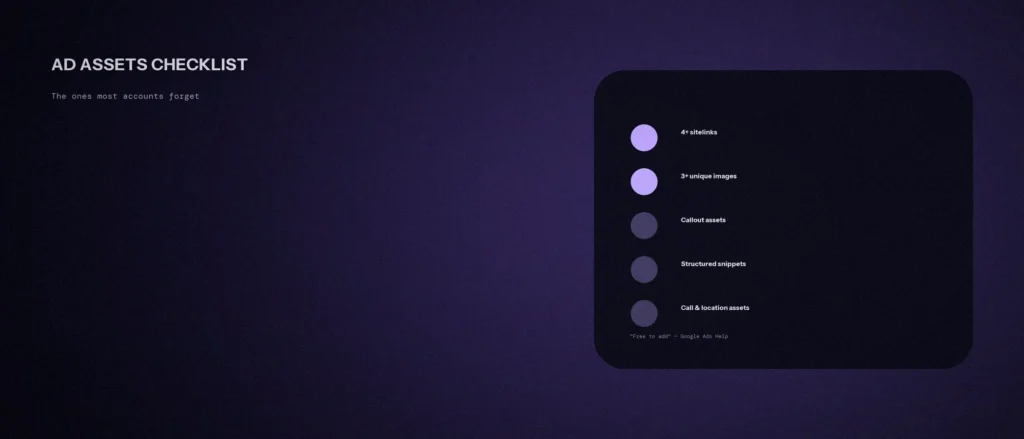
- Google’s advice is to use every asset relevant to your business, and to consider adding 4 or more asset types, for example sitelinks, callouts, images and one more.
- Sitelinks need at least 2 to appear. Google’s tip is to create at least 4 at the account level, and a desktop ad can show up to 6.
- Assets only show when Google predicts they will improve results, and your ad needs a high enough Ad Rank for extra assets to appear.
- Image assets have conditions: the account must be at least 60 days old and have recent Search spend.
Jump to a section:
- What ad assets are and how they work
- The checklist: 10 asset types
- The assets most accounts forget, in detail
- Why your assets don’t always show
- How to audit your account
- Common mistakes
- A prompt to write your asset copy
- Questions about ad assets
What ad assets are and how they work
Google’s help page on assets describes them as content pieces that make up your ad with useful business information, giving people more reasons to choose your business. They include the headlines, descriptions, links to parts of your website, call buttons and location details that together form the ad a person sees.
Three points from that page matter most:
- Google picks per search. Google Ads selects which additional assets to show in response to each individual search, so it is a good idea to use all the assets relevant to your business goals.
- Adding them costs nothing. Clicks on the headline, a sitelink, an image and similar parts are charged as usual, and Google says it charges no more than two clicks per impression for each ad and its assets. Clicks on reviews and seller ratings are not charged.
- More assets can be cheaper than a higher position. Google says the incremental cost of adding assets is often lower than the cost of moving up a position, so you can often get more clicks for less money with assets than by raising your position.
The checklist: 10 asset types
| # | Asset | What it does | Key rule from Google |
|---|---|---|---|
| 1 | Sitelinks | Link to specific pages on your site | At least 2 to show; up to 6 on desktop |
| 2 | Callouts | Extra text such as “free delivery” or “24/7 customer support” | Short extra text next to your ad |
| 3 | Structured snippets | A header with a list of values, such as services | Not clickable; a more specific level blocks higher levels |
| 4 | Image assets | A picture next to your text ad | Account open 60+ days and recent Search spend |
| 5 | Call assets | A phone number or call button | Don’t put the number in the ad text |
| 6 | Location assets | Address, map or distance | Link a Business Profile |
| 7 | Price assets | Services or products with prices | Minimum 3 items, 5 or more recommended |
| 8 | Promotion assets | Sales and special offers | Tied to occasions and dates |
| 9 | Lead form assets | Let people sign up from the ad | Available globally on mobile and tablets |
| 10 | Text disclaimer assets | Required terms and disclosures | Guaranteed to appear in the description line of responsive search ads |
Google’s best-practice advice is to consider adding 4 or more asset types and, where it makes sense, to create assets at higher levels such as the account or campaign. Each asset type has its own rules, so choose by goal. A business that wants phone calls needs call assets. One that wants visits needs location assets. One that wants website actions can use sitelinks, callouts, structured snippets and price assets.
The assets most accounts forget, in detail
Sitelinks
Google’s page says you need at least 2 sitelinks for them to appear on desktop or mobile, and a desktop ad can show up to 6. Its tip is to create at least 4 sitelinks at the account level, relevant to all your campaigns. Sitelink text is limited to 25 characters in most languages. Google also says descriptions make the ad more helpful and are required to unlock ad formats shown to increase performance, and that keeping dynamic sitelinks on gives the system more chances to show assets. Link to real, different pages, such as services, pricing and contact, and not four routes to the same page. Each one should point to a landing page that delivers what the link text promises.
Callouts and structured snippets
Callouts add short text, with Google’s examples being “free delivery” and “24/7 customer support”. Structured snippets show a header you pick from a preset list, such as a product or service category, with a list of items under it. Google notes that structured snippets are not clickable, and that if you create one at a more specific level, such as an ad group, it stops higher-level snippets from serving. Create them at the level that suits everything below it.
Image assets
Google says image assets can enhance the message of text ads, and that they can show a 6% average increase in click-through rate when they show with Search ads. That figure is Google’s own internal data from April 2023, so treat it as a guide. The requirements are the part small accounts miss: the account must have been open for at least 60 days, have a good history of policy compliance, have active campaigns and text ads, and have Search spend in the last 30 days that is greater than zero. Sensitive verticals are not eligible. Our view is that a real photo of your own work or premises will serve you better than stock images, though Google’s page does not say that.
Call assets
Google says call assets add phone numbers to your ads and can significantly increase click-through rates. It adds a warning that matters: if you put a phone number in your ad text, it may lead to the ad being disapproved, so use a call asset instead. If you create call assets at different levels, the most specific one is used. You can schedule assets, for example call assets so that they only show during the hours your business can take calls. Our post on call tracking for Google Ads covers measuring those calls.
Location assets
Location assets show your store address, a map or an approximate travel distance, and can enable store visit conversions when an account meets Google’s eligibility criteria. They work through a linked Business Profile. If customers come to you, link your profile. If you travel to customers, check Google’s rules on service-area profiles before relying on them.
Price, promotion, lead form and text disclaimer assets
- Price assets show services with their prices. Google says you must enter a minimum of 3 items and recommends 5 or more, with headers and descriptions up to 25 characters each. They only suit businesses that can state prices openly.
- Promotion assets highlight sales and offers, with pre-set occasions and flexible scheduling.
- Lead form assets let people submit their details from the ad, and are available globally for mobile devices and tablets.
- Text disclaimer assets display required terms and disclosures, and Google says they are guaranteed to appear in the description line of responsive search ads. They matter for businesses that must show specific wording for regulatory reasons.
Why your assets don’t always show
Google says an asset not showing does not mean something is wrong. It lists what decides whether assets appear:
- Ad Rank. Google Ads requires a minimum Ad Rank, counting your assets, before it shows additional assets. You may need a higher bid or better ad quality, or both.
- Position. There is limited space above the results, so ads in higher positions get the first chance to show more assets, and lower positions generally get fewer.
- Your other assets. In each auction Google generally shows the highest-performing combination of eligible assets and formats.
- Approval and association. An asset must be linked to an active ad group, campaign or account, and disapproved assets do not show until they are fixed and re-reviewed.
So the answer to “why is my sitelink missing?” is rarely a bug. It is usually Ad Rank, position or an asset that was never attached to an active campaign.
How to audit your account
- Open Assets in the Campaigns menu and choose the Association table view to see every asset and where it is attached.
- Count your asset types. Google suggests 4 or more, and our minimum is sitelinks, callouts, a call asset if you take calls, and a structured snippet.
- Check each asset’s status. Fix anything disapproved, and make sure each is linked to an active campaign or ad group.
- Check the levels. A more specific asset can stop a higher-level one serving, so look for ad group assets that block your account assets.
- Schedule call assets to your real opening hours.
- Search your own service on Google and compare what your ad shows with what a competitor’s shows. This is our habit, and the ads you see vary by search.
Common mistakes
- Only one or two sitelinks. Two is the minimum for sitelinks to appear, and Google’s tip is at least 4 at account level.
- A phone number typed into the ad text. Google says this may get the ad disapproved. Use a call asset.
- Four sitelinks to the same page. Each link should take someone somewhere different and useful.
- Assets that promise what the page does not. A price asset for a service whose page shows no price wastes the click.
- Setting up assets once and never checking. Disapproved or unlinked assets quietly stop showing. Our post on common Google Ads mistakes on a small budget lists more.
If you would like us to look at how your account is set up, see our Google Ads management service.
A prompt to write your asset copy
Writing sitelinks, callouts and snippets from your own pages is a good job for an AI tool, because it works from your real details. It cannot see your account, so check every line against your site and Google Ads’ limits.
Act as a careful Google Ads copywriter. Write ad asset copy for my business using only my details.
My details:
– What I do and where: [one line]
– My real pages, one per line as “page name: address: what a visitor finds there”: [list 5 or more]
– Real reasons customers choose me, each something I can prove: [list 3 or 4]
– My services, and prices if I show them: [list]
– Whether I take calls, and my opening hours: [details]
– Whether I show real prices on my site: [yes or no]Please do the following:
1. Write 6 sitelinks: title of 25 characters or fewer, plus two short description lines each, matched to a real page above.
2. Write 6 callouts, as short as possible.
3. Write one structured snippet: a header from my list of services and 4 to 6 values.
4. If I show real prices, write 5 price items with a header and description each, 25 characters or fewer.
5. Give me a table with each item and its character count, so I can check it against Google Ads.Rules:
– Use only the details I gave you. Do not invent prices, guarantees, awards or claims.
– Do not put my phone number in any text, because I will add it as a call asset.
– Do not link two items to the same page.
– Write in plain, simple English.
Open every page you link to and check the asset’s promise is true there. Then add each one in Google Ads and watch the status for disapprovals.
Questions about ad assets
Are ad extensions and ad assets the same thing?
Yes in practice. Google’s help pages now use the word assets, and its location asset page notes “Formerly Location Extensions”. The features, such as sitelinks and call buttons, work as before under the new name.
How many sitelinks should I add?
Google says you need at least 2 for sitelinks to appear. Its tip is to create at least 4 at the account level so more can show. A desktop ad can show up to 6.
Do ad assets cost extra?
No. Google says there is no cost to add assets. You pay as usual for clicks on your ad, plus some interactions such as the call button or the directions icon. Google says it charges no more than two clicks per impression for an ad and its assets.
Why aren’t my assets showing on my ad?
Google says this does not mean something is wrong. Assets need a minimum Ad Rank, higher positions get more of them, and an asset must be approved and linked to an active campaign. Check those three things first.
Can I put my phone number in the ad text?
Google warns that doing so may lead to the ad being disapproved. It says call assets are the easiest way to add a phone number to existing ads, so use one instead.
Why can’t I use image assets yet?
Google lists requirements: the account must be open for at least 60 days with a good policy history, with active campaigns and text ads and Search spend in the last 30 days. Sensitive verticals are not eligible.
What is the difference between callouts and structured snippets?
A callout is a short phrase such as “free delivery”. A structured snippet is a header you pick from a preset list, with a list of values under it, such as service types. Google says structured snippets are not clickable.
Where this matters
Ad assets are free to add, and Google says to use every one relevant to your business. Open the Assets view this week, count your types, fix anything disapproved, and add the ones you have been missing.
If you want a second pair of eyes on your account, send us your details and we will tell you what we see.