When your Google Ads budget is small, every wasted click hurts. A mistake that a big advertiser would barely notice can use up a week of your money, and you may not find out until the month ends.
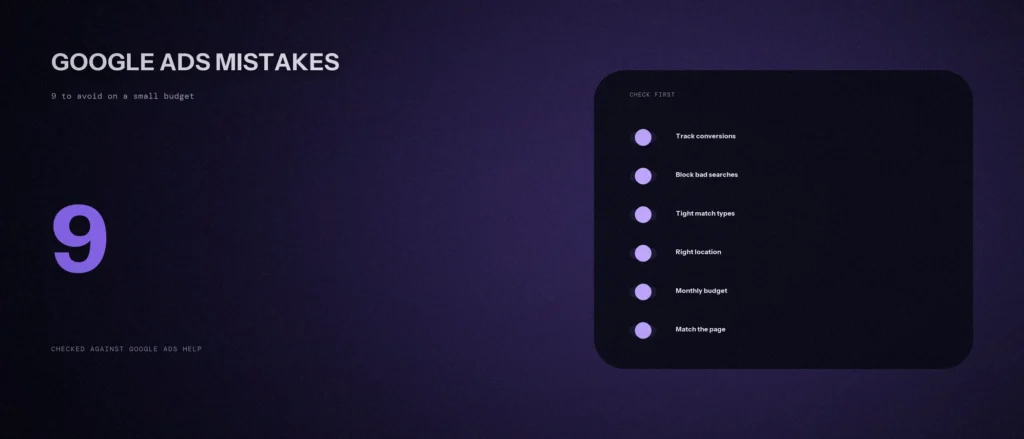
This post lists the 9 common Google Ads mistakes to avoid when you are working with a small budget, in the order most accounts run into them. Each common mistake comes with a simple fix. We checked every Google fact below against Google’s own Ads Help pages on 3 October 2026. Where the advice is our own judgment and not something Google says, we tell you.
Quick summary, if you’re short on time:
- Set up conversion tracking before you spend anything. Without it, you see clicks and costs, but not which ones brought you a call or an enquiry.
- Add negative keywords and read your search terms report. Google shows you the exact searches that triggered your ads, so you can stop paying for the wrong ones.
- Be careful with broad match. Google says to use Smart Bidding with it, and Smart Bidding needs conversion data that a new account does not have yet.
- Your daily budget is an average. Google can spend up to two times it on one day for most campaigns, so plan around the monthly total.
- Send each ad to the page that matches it, track phone calls, and leave the campaign alone while it learns.
Jump to a section:
- All 9 mistakes on one page
- Mistakes 1 to 3: before you spend
- Mistakes 4 to 6: setting up the campaign
- Mistakes 7 to 9: after you launch
- A prompt to check your own account
- Questions about Google Ads on a small budget
All 9 mistakes on one page
| # | Mistake | The fix |
|---|---|---|
| 1 | Launching without conversion tracking | Track calls, forms and sales before the first click |
| 2 | No negative keywords | Block wrong searches, then read the search terms report |
| 3 | Broad match with no conversion data | Start with phrase and exact match |
| 4 | Not checking your location setting | Pick the option that fits who you serve |
| 5 | Misreading your daily budget | Plan around the monthly total, and run fewer campaigns |
| 6 | Sending every click to the homepage | Send each ad to the page that matches it |
| 7 | Changing settings too often | Make one change, then wait |
| 8 | Ads that do not match the search | Write for what the person typed |
| 9 | Ignoring phone calls | Track calls like any other result |
You do not need to fix all nine in one sitting. Start with mistakes 1 and 2, because they decide whether you can see what you are paying for.
Mistakes 1 to 3: before you spend
1. Launching without conversion tracking
A click on your Google ad is not a result. A result is a phone call, a form submission, a booking or a sale. Conversion tracking tells Google Ads which of those actions matter to you. Google’s conversion measurement page gives examples such as a purchase, a sign-up or a phone call.
Without it, your account shows clicks and cost. It cannot show which keyword brought you a customer, and you cannot work out your conversion rate, the share of clicks that turn into results. It also affects bidding: Google’s Smart Bidding page describes strategies that work from your conversions, so they have nothing to optimize for if nothing is tracked.
The fix: set up tracking for every action you care about before the campaign goes live, and test each one.
2. No negative keywords
Negative keywords tell Google which searches you do not want. Google’s own example is an optometrist who sells eyeglasses and adds “wine glasses” and “drinking glasses” as negatives. Your version might be a dentist blocking “dentist salary” or “dental course”. That is our example, not Google’s.
Two details from Google’s help page catch people out. Negative keywords do not match close variants, so blocking “flowers” does not block “red flower”. You need to add singular and plural versions yourself. Casing and misspellings are handled for you.
The second half of this fix is the search terms report. Google says it shows the searches that triggered your ads and how those searches performed. Many beginners never open it, and it is where the money lost to irrelevant searches shows up.
The fix: start with a negative list before launch, then read the search terms report often in the first month and add any search you would not want. Our post on building a negative keyword list has a starter method.
3. Broad match with no conversion data
Broad match is the default match type for every keyword you add. Google describes it as showing your ad on searches related to your keyword, including searches that do not contain its direct meaning. On a small budget, that reach can eat your money fast.
Google also says it is critical to use Smart Bidding with broad match. Smart Bidding, in turn, relies on conversion data for some of its strategies. A brand new account has almost none. Put those two facts together and a new, small Google Ads campaign is often a poor fit for broad match. That conclusion is our reading, not a Google rule.
The fix: begin with phrase match and exact match. Google says exact match gives you the most control over who sees your ad, though it reaches fewer searches. Once you have steady conversions, you can test broad match on one keyword and watch the search terms report closely.
Mistakes 4 to 6: setting up the campaign
4. Not checking your location setting
By default, location targeting reaches people who are in your area, regularly in it, or who have shown interest in it. Google calls the default “Presence or interest” and recommends it for Search campaigns. The help page gives a bakery in Paris as the example: people searching about Paris bakeries can see the ad even when they are not in Paris right now.
That works for businesses where people research a place before they arrive. Google says advertisers in travel, real estate and education who switched to it saw 5% more conversions on Search, based on its own 2022 data. It may not suit a clinic or a plumber who can only serve people who are physically in the city. Google says you should consider “Presence” when you only want to reach users in specific locations and not people who are merely interested in them.
The fix: ask who can actually become your customer. If they must be in your area, look at the advanced location options in the campaign settings and choose the narrower option. Then check the search terms report to see whether people from outside your area still show up.
5. Misreading your daily budget
Many people think a daily budget of ₹500 means exactly ₹500 a day. Google’s average daily budget page says otherwise. The number is an average. On some days you might not reach it, and on others you might exceed it. For most campaigns, Google says your spend on one day can reach two times the daily budget, and your monthly limit is 30.4 times the daily budget.
With a ₹500 daily budget, that means a single day can reach ₹1,000, and the month is capped at ₹15,200 (500 times 30.4). The month is the number to plan around.
Small budgets also get split too thin. Five campaigns with ₹100 each leave every one of them with very little to learn from. That part is our judgment, not Google’s.
The fix: work out your monthly ad spend first, then divide by 30.4 for the daily budget, which is the method Google’s page uses. Run one or two ad campaigns with a few closely related keywords until they produce results.
6. Sending every click to the homepage
A homepage has to serve everyone, and a Google ad that sends people there asks them to do the searching again. Someone who searched for “emergency dentist near me” wants to see exactly that, with a phone number, not a menu of ten services. Google counts this too. Its Quality Score page lists landing page experience as one part of the score, which it describes as how relevant and useful your landing page is to the people who click your ad.
The fix: send each ad group to the page about that exact service, with the main action (call, form or booking) visible without scrolling. A keyword-to-URL map, which lists each keyword and the one page it should send people to, keeps this organised.
Mistakes 7 to 9: after you launch
7. Changing settings too often
When you create a bidding strategy or change its settings, Google Ads shows a “Learning” status while it adjusts. Google lists what triggers it: the strategy was recently created or reactivated, a setting was changed, or campaigns, ad groups or keywords were added or removed. Google’s conversion measurement page adds that Smart Bidding needs a 7 to 14 day learning phase and says to avoid frequent manual changes to budgets and targets during that time, because they reset the window.
The urge to fiddle is strongest on a small budget, because every rupee feels expensive. Each change restarts the clock, though, and then nothing gets a fair test. We prefer small, steady optimization to big, sudden changes, so you can tell what worked.
The fix: make one change at a time, write down what you changed and the date, and wait before you judge it. The exception is clearly wrong searches, which you should block in your negative list right away.
8. Ads that do not match the search
If the person typed “same day crown dentist” and your Google ad says “Quality dental care for the whole family”, they have to guess whether you do what they need. An ad that echoes the words and the need in the search makes it easier for the right person to say yes. That is our judgment, not a Google statistic.
The fix: write headlines around what people actually search, and use the search terms report to learn their wording.
9. Ignoring phone calls
For many local service businesses, the result you want is a phone call, not a form. Google’s conversion measurement page lists three kinds of call you can track: calls directly from your Google ad, calls to a phone number on your website, and clicks on a phone number on your mobile site. It says connecting call data to your campaigns helps you see which ads drive valuable phone leads.
If you skip this, a keyword that brings you five calls a week can look like it brings you nothing, and you may pause the best performer.
The fix: track calls from ads and from your website number, and check them against your own phone records.
A prompt to check your own account
An AI tool cannot see your account, but it can turn your answers into a checklist. Fill in your real details below. Keep the numbers honest, and check anything it tells you against Google’s help pages.
Act as a careful Google Ads reviewer for a small business. Help me find mistakes that waste a small budget.
About my account:
– My business and city: [type of business, city]
– Monthly Google Ads budget: [amount]
– Daily budget per campaign: [amount, number of campaigns]
– What counts as a result for me: [phone call, form, booking, sale]
– Conversion tracking set up and tested: [yes, no, not sure]
– Match types I use: [broad, phrase, exact, not sure]
– Bidding strategy: [manual, maximize clicks, Smart Bidding, not sure]
– Location setting: [presence or interest, presence only, not sure]
– Where my ads send people: [homepage, service pages, other]
– How often I read the search terms report: [never, monthly, weekly]Please do the following:
1. Compare my answers with these 9 mistakes: no conversion tracking, no negative keywords, broad match without data, wrong location setting, misreading the daily budget, sending clicks to the homepage, changing settings too often, ads that do not match searches, ignoring calls.
2. Tell me which three apply to me most, and why, in order of what to fix first.
3. Give me one simple action for each.Rules:
– Use only the details I gave you. Do not invent numbers or promise results.
– If you need a fact from my account that I did not give you, say what it is.
– Write in plain, simple English.
Check each suggestion against Google’s help pages before you change anything in the account.
Questions about Google Ads on a small budget
How much should a small business spend on Google Ads?
Google sets no fixed minimum, because you choose the budget. Decide your monthly amount first, then divide it by 30.4 to get the daily budget, which is the method in Google’s own help page. The right amount depends on what a customer is worth to you and what clicks cost in your area. Start with an amount you can afford to spend while you learn.
Is Google Ads worth it on a small budget?
It can be, if the clicks turn into calls or enquiries and you can see which ones. It is not worth it if you cannot track results, because you will not know what you are paying for. Nobody can promise a result before looking at your market, your page and your costs.
Should I use broad match with a small budget?
Usually not at the start. Google says to use Smart Bidding with broad match, and Smart Bidding needs conversion data a new account does not have. Begin with phrase and exact match, then test broad match on one keyword later and watch the search terms report.
How long should I wait before judging a campaign?
Google’s conversion measurement page describes a 7 to 14 day learning phase for Smart Bidding and says to avoid frequent manual changes during it. We would give a campaign at least that long before making big changes, and judge it on enquiries, not clicks.
What are negative keywords?
They are searches you tell Google not to show your ads for. A dentist might block “dental course”, for example. They do not match close variants, so add singular and plural forms too. Check the search terms report to find new ones to add.
I have already launched. Where do I start?
Check three things in this order. First, confirm conversion tracking works, including calls. Second, open the search terms report and block wrong searches. Third, check your location setting and where each ad sends people. These fixes cost nothing but time, and they show you where the money is going.
Where this matters
A small budget does not stop Google Ads from working. It does mean you pay for each of these Google Ads mistakes sooner, so the order matters: track results, block wrong searches, keep match types tight, and give each campaign time to learn. Most of the nine fixes cost nothing but time and care.
If you would like a second pair of eyes on your account, send us your business name and website for a free audit. We tell you what we see, with no promises about results.