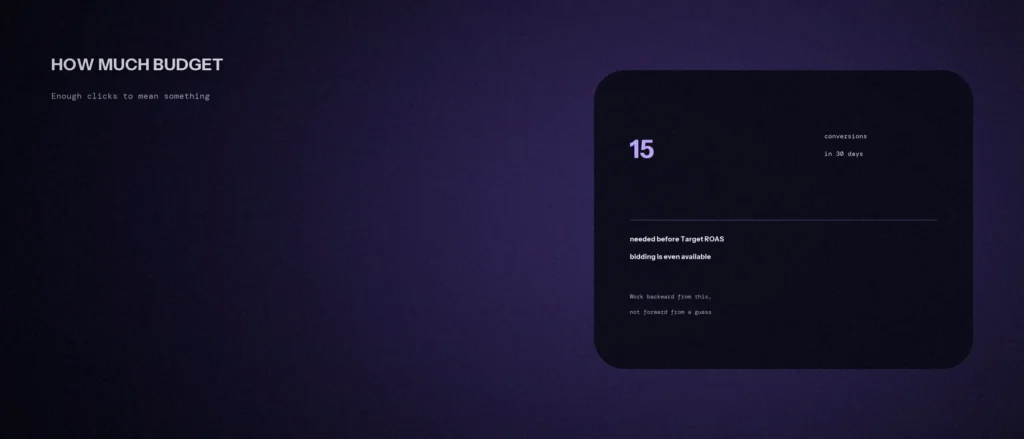
Nobody can give you the right Google Ads budget, or tell you what Google Ads cost will be for you, without knowing your business. A dentist in Indiranagar and a plumber in a small town pay very different amounts per click, so a single number from a guide is a guess. But there is a better question, and it has an answer: how much do you need to spend in a month to get enough conversions to learn something from your results?
This post shows how to work out a starting Google Ads budget, and a sensible advertising budget for your first campaign, from that question. It is written for small businesses deciding how much to spend on Google Ads, and it treats your ad spend as something to plan, not guess. It covers how Google’s budget limits work, what Google says about the conversion volume bidding strategies need, a worked example in rupees, and what to do if your budget is smaller than the answer. We re-read Google’s Ads Help pages on 11 October 2026. Where something is our own method or a made-up example, we say so. For the bidding strategies mentioned here, see our post on Smart Bidding: Target CPA, Target ROAS and Maximize Conversions.
Quick summary, if you’re short on time:
- Google does not publish a minimum Google Ads budget. It publishes rules for how budgets work and conversion requirements for some bidding strategies.
- You set an average daily budget. Google says it can spend up to two times that on any one day for most campaigns, and that you will not be charged more than 30.4 times your average daily budget in a month.
- For Target ROAS on Search and Shopping campaigns, Google’s requirement is at least 15 conversions in the past 30 days at the conversion tracking level.
- Google says advertisers can start using Target CPA with no conversion history, and that it is effective for campaigns of all sizes.
- Our method: pick a conversion target, divide by your conversion rate to get clicks, then multiply by your cost per click. In the example below, 15 conversions at a 3% conversion rate and a ₹40 click costs about ₹20,000 a month.
Jump to a section:
- Why there’s no fixed budget number
- How Google budgets actually work
- What Google requires for each bidding strategy
- Working backward to a budget
- If your budget is smaller than the answer
- When to raise, hold or cut the budget
- A prompt to work out your own starting budget
- Questions about Google Ads budgets
Why there’s no fixed budget number
The price of a click is set in an auction, and it varies by keyword, city, time and competition. We saw this in our own Keyword Planner check on 29 September 2026, for searches in India. Google showed these top-of-page bid ranges, which are estimates of what advertisers bid and not what you will pay:
| Keyword (India) | Top-of-page bid range per click |
|---|---|
| on page seo checklist | ₹7 to ₹65 |
| free seo tools | ₹12 to ₹54 |
| website speed optimization | ₹40 to ₹219 |
| digital marketing course in bangalore | ₹62 to ₹254 |
A range that wide, even inside one account, shows why a “typical” budget does not exist. Your own number depends on your keywords. You can get a first estimate for free in Google Keyword Planner, and it will be a range.
How Google budgets actually work
In a Google Ads account, the budget belongs to a campaign, and you can also create shared budgets that several campaigns draw from. Planning tools show bid ranges, which are estimates. Your own average cost per click is only known once the campaign runs.
Google’s help page on average daily budgets explains the rules, and they matter for planning:
- You set an average daily budget. It is the amount you are happy to spend per day on average.
- Some days it spends more. Google says you will never pay more than a daily limit of two times your average daily budget on any particular day, for most campaigns.
- The month has a cap. Your monthly spend limit is 30.4 times your average daily budget for most campaigns. Google also says its budget report can help you see how much you are projected to pay by the end of the month.
- To go from a monthly figure to a daily one, Google’s example divides the monthly amount by 30.4, the average number of days in a month.
So a monthly plan of ₹20,000 becomes an average daily budget of about ₹658. On a busy day, Google may spend up to about ₹1,316, and the month will not exceed about ₹20,000.
What Google requires for each bidding strategy
Different strategies need different amounts of data. These come from Google’s own pages:
| Strategy | What Google says about data and budget |
|---|---|
| Target CPA | Advertisers can start with no conversion history, and it is effective for campaigns of all sizes. You need conversion tracking set up |
| Target ROAS | For Search and Shopping, at least 15 conversions in the past 30 days at the conversion tracking level. Google also says to wait one or two conversion cycles before adopting |
| Maximize conversions | You must set up conversion tracking. It is designed to spend the full daily budget, so it is “limited by budget” by design |
| Maximize clicks | Google says it can be useful for new campaigns that lack the conversion data for Target CPA or Target ROAS, or when the goal is traffic |
One more change to know about: Google says that starting 17 August 2026, it updated its bidding systems to deliver more consistent performance for campaigns limited by budget, and that campaigns using Target CPA or Target ROAS may see temporary fluctuations. Our post on the August 2026 Smart Bidding change explains it. For Maximize conversions, Google also recommends the budget simulator and impression share metrics to see your budget opportunity, and says not to use the “Lost IS (budget)” column with that strategy.
Working backward to a budget
This is our own method. It turns a data goal into a rupee figure in four steps:
- Choose a conversion target for the month. Fifteen is a sensible minimum to aim at, because it is Google’s own Target ROAS threshold. It is a guide, not a promise that results will be good.
- Estimate your conversion rate. This is the share of clicks that become a lead or sale. If you have no data, use a cautious guess and replace it with real numbers after a few weeks.
- Work out the clicks you need. Divide your conversion target by your conversion rate.
- Multiply by your cost per click. Use a Keyword Planner estimate for your own keywords. That gives a monthly budget. Divide by 30.4 for an average daily budget.
Whatever the answer, treat it as your marketing budget for testing, and keep track of your cost per lead from the first week. Here is the sum worked through, with made-up numbers for illustration. We show 15 conversions a month:
| Cost per click | Conversion rate 2% | Conversion rate 3% | Conversion rate 5% |
|---|---|---|---|
| ₹20 | 750 clicks, ₹15,000 a month | 500 clicks, ₹10,000 a month | 300 clicks, ₹6,000 a month |
| ₹40 | 750 clicks, ₹30,000 a month | 500 clicks, ₹20,000 a month | 300 clicks, ₹12,000 a month |
| ₹80 | 750 clicks, ₹60,000 a month | 500 clicks, ₹40,000 a month | 300 clicks, ₹24,000 a month |
The same business can land anywhere from ₹6,000 to ₹60,000 a month, depending on two numbers you only know after you start. That is the honest answer to “how much should I spend”. It also shows why improving your landing page, which raises your conversion rate, can lower the budget you need.
Two cautions. A conversion should be something worth money to you, such as a call or a form, so check your tracking first. Our post on common Google Ads mistakes on a small budget lists the tracking errors that make this sum meaningless.
If your budget is smaller than the answer
If the sum gives a figure you cannot afford, you still have options. None of them requires you to skip ads.
- Start with a strategy that suits your data. Google says Maximize clicks can suit new campaigns without enough conversion data, and that Target CPA can start with no history. Pick one, and keep conversion tracking on from day one.
- Narrow the campaign. Fewer keywords, a smaller area and a tighter schedule put the budget behind the searches most likely to convert.
- Count an earlier action as a conversion. A phone call or a quote request happens more often than a sale, so it gives you data sooner. It must still be something you value.
- Judge over a longer window. If you only get a handful of conversions a month, look at 60 or 90 days before changing anything. A small sample can mislead.
- Run one campaign, not five. Splitting a small budget across several campaigns starves each of data.
When to raise, hold or cut the budget
- Raise it when your campaign is performing at or better than your goal and is limited by budget, so that it is missing searches you want.
- Hold it while you are still collecting conversions. Google says to wait one or two conversion cycles before adopting Target ROAS, and that principle applies to any big change.
- Cut or fix it when your ad spend is high and conversions are low, which is wasted spend, and you have already checked tracking, keywords and the landing page.
Change one thing at a time, so you know what moved the result.
A prompt to work out your own starting budget
An AI tool is good at arithmetic and at laying out scenarios. It does not know your auction, so give it your own numbers and treat the answer as a range.
Act as a careful Google Ads budget planner for a small business. Work out a starting monthly budget from my numbers, and show every sum.
My details:
– What I sell and where I serve customers: [one line]
– What counts as a conversion for me, and what one is worth: [for example a call worth about Rs 2,000 in business]
– My estimated conversion rate, or “no data yet”: [percentage]
– Estimated cost per click from Keyword Planner, as a range: [low to high, in rupees]
– The most I can spend per month: [amount]Please do the following:
1. Work out the clicks and monthly spend needed for 15 conversions, at the low, middle and high cost per click, showing the sums. Use 30.4 days to give an average daily budget.
2. Say whether my maximum budget is enough for each case.
3. If it is not enough, give me three practical ways to get data on my budget, such as narrowing the campaign or counting an earlier action.
4. Tell me which of my numbers are guesses, and what I should check first.Rules:
– Use only my numbers. Do not invent a conversion rate, cost per click or results.
– Say clearly that the result is an estimate, not a forecast.
– Write in plain, simple English.
Re-run it after your first month with real conversion and click numbers, and replace the guesses.
Questions about Google Ads budgets
What is the minimum budget for Google Ads?
Google does not publish a minimum. What it publishes is how budgets work and conversion requirements for some strategies, such as at least 15 conversions in the past 30 days for Target ROAS on Search and Shopping campaigns. Plan from the conversions you need.
Can Google spend more than my daily budget?
On a given day, yes. Google says it will never charge more than two times your average daily budget on any day for most campaigns, and that your monthly total will not exceed 30.4 times your average daily budget.
How do I turn a monthly budget into a daily budget?
Divide it by 30.4. Google’s help page uses this method, with 30.4 as the average number of days in a month. A ₹20,000 monthly plan becomes about ₹658 a day.
Is ₹10,000 a month enough for Google Ads?
It depends on your cost per click and conversion rate. In our table, ₹10,000 buys about 15 conversions at ₹20 a click and a 3% conversion rate, but only about 4 at ₹80 a click. Check your own estimates first.
Should I use Smart Bidding on a small budget?
Google says advertisers can start Target CPA with no conversion history, and that it works for campaigns of all sizes. Target ROAS needs 15 conversions in 30 days on Search and Shopping. Whatever you choose, make sure conversion tracking is correct.
How long should I wait before judging a campaign?
Give it enough time to collect a meaningful number of conversions. Google advises waiting one or two conversion cycles before adopting Target ROAS. On a small budget, look at 60 or 90 days before making big decisions.
Does a higher budget get me more conversions?
Not automatically. A higher budget lets a campaign enter more auctions, but poor targeting or a weak landing page will still waste it. Fix tracking, relevance and the landing page first, then raise the budget.
Where this matters
The right budget is the one that buys enough conversions to learn from. Work backward from a conversion target, use a Keyword Planner range for your cost per click, and set the daily budget as the monthly figure divided by 30.4.
If you would like help working out a budget for your own business, see our Google Ads management service, or send us your details and we will tell you what we see.