Ask three AI assistants to describe a small business and you can get three slightly different answers. One has the right city, another has an old service, a third mixes the business up with one that has a similar name. That’s an entity gap: the places that describe your business don’t agree, so the systems reading them can’t be sure who you are.
Schema markup is one of the tools people reach for to close that gap. Here’s what Google’s own documentation says it does, what it says it doesn’t do, and how to use it without treating it as a shortcut.
Quick summary, if you’re short on time:
- Search Engine Land’s write-up on schema and entity gaps argues that fixing ambiguous entities is infrastructure work, and reports better conversion quality but only a limited lift in AI search visibility.
- Google says it uses structured data “to understand the content of the page, as well as to gather information about the web and the world in general.”
- Google also says structured data doesn’t guarantee rich results, and that for AI Overviews and AI Mode “there’s also no special schema.org structured data that you need to add.”
- For your business itself, Google’s Organization markup exists to help it “disambiguate your organization in search results.”
- Schema works best as a way to state facts you’ve already made consistent everywhere else, not as a substitute for doing that.
Jump to a section:
- What an entity gap actually is
- What schema does, and what Google says it doesn’t
- Organization markup: the part that fits a small business
- How to close the gap in practice
- A prompt to spot entity and schema gaps
- Questions worth answering directly
What an entity gap actually is
An entity is a specific, identifiable thing: your business, a person, a product. Search and AI systems try to work out which real-world entity a page or mention is about. An entity gap appears when the information available about you is thin, inconsistent or ambiguous, so the system can’t tell your business from another, or can’t fill in basic facts.
Search Engine Land’s article on this topic is a contributed case study by Ray Martinez of Archer Education. It describes fixing ambiguous schema entities, such as vague program durations, start dates and entry requirements, and refreshing supporting pages for two university programs. It reports better conversion quality with a limited lift in AI search visibility, and says plainly that “markup doesn’t guarantee growth.” Two programs is a small sample, so treat it as one example, not a rule. The framing is the useful part: entity clarity is groundwork, not a quick trick.
What schema does, and what Google says it doesn’t
Google’s structured data introduction says it uses the markup “to understand the content of the page, as well as to gather information about the web and the world in general.” That includes details about entities such as people and companies. It’s also clear that marking a page up “does not guarantee rich results.”
On AI features specifically, Google’s AI features documentation is direct: “You don’t need to create new machine readable files, AI text files, or markup to appear in these features. There’s also no special schema.org structured data that you need to add.”
Put together, schema helps Google understand what’s on the page, but there’s no special markup that unlocks AI answers. Anyone selling a schema tweak as an AI shortcut is going further than Google’s own guidance. We cover this in more detail in our post on schema markup for AI visibility.
Organization markup: the part that fits a small business
The most relevant type for entity clarity is Organization. Google’s Organization documentation says it can “help Google better understand your organization’s administrative details and disambiguate your organization in search results.”
Google recommends properties including name, url, logo, sameAs (a link to another page with more information about your organization), contactPoint, address and telephone. It also says “there are no required properties; instead, add the properties that apply to your organization.” Notice what those properties have in common: they’re plain facts about who you are and where else you appear.
How to close the gap in practice
- Make the facts consistent first. Business name, address, phone, services and description should match across your website, Google Business Profile and major profiles. Markup can’t fix facts that disagree.
- Then state them in markup. Add Organization (or LocalBusiness where it fits) with the properties Google recommends, and link your real profiles using
sameAs. - Keep markup matching the page. Only mark up what’s visible and true, and update it when the business changes.
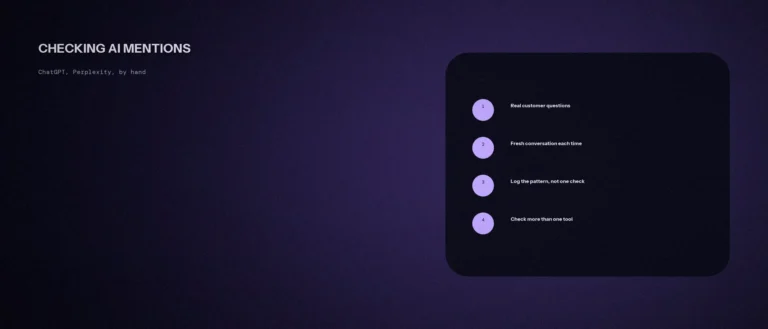
- Check what AI tools say about you. Ask a few assistants to describe your business and note what’s wrong or missing. That’s your gap list.
The consistency work is the bigger job, which is why our post on entity clarity in AI search starts with the facts and treats markup as the last step.
A prompt to spot entity and schema gaps
AI tools and search engines need to know exactly who you are. The prompt below helps you compare how your business is described in different places. Fill in your details, and check each place by hand.
Act as a technical SEO assistant. Help me find gaps in how my business is described online.
My business as it should be described:
– Name: [name]
– What I do: [one sentence]
– Address or service area: [details]
– Website: [URL]
– Other places I am listed: [list]
– Structured data I use on my site: [for example organization, local business, none]Please do the following:
1. Make a checklist of what should match across my site and profiles.
2. Tell me which schema types fit my business and what facts each needs.
3. List the top 3 gaps to fix first.Rules:
– Do not invent fields. If you are unsure about a schema property, tell me to check schema.org.
– Only include facts that are true.
– Keep the steps simple.
Check each place yourself, and test your schema with Google’s Rich Results Test before you publish.
Questions worth answering directly
What is an entity gap in SEO?
It’s a shortfall in clear, consistent information about a specific thing, such as your business, so search and AI systems can’t reliably identify it or fill in basic facts. Inconsistent details across your site and profiles are a common cause.
Do I need special schema to appear in AI Overviews?
No. Google’s documentation says you don’t need new machine readable files, AI text files or markup to appear in these features, and that there’s no special schema.org structured data to add. Structured data still helps Google understand your pages.
Which schema type helps most with business identity?
Organization markup. Google says it can help disambiguate your organization in search results, and recommends properties such as name, url, logo, sameAs, contactPoint, address and telephone. There are no required properties, so add the ones that apply.
Does schema markup guarantee rich results?
No. Google says structured data helps it understand your page, but doesn’t guarantee rich results.
What should I use sameAs for?
Google describes sameAs as the URL of a page on another website with additional information about your organization. Use it to point to your real, matching profiles.
What should I do before adding schema?
Make your business facts consistent first: name, address, phone and services across your site and profiles. Markup can’t fix facts that disagree, it only states them.
Where this actually matters
When the internet agrees about who you are, everything that reads it has an easier job, whether that’s Google, an AI assistant or a customer. Schema is a tidy way to write that agreement down. The agreement itself is the work.
Not sure whether your business details match everywhere they appear? We check this as part of every AI SEO and GEO engagement we run.