Most businesses set up their first Google Ads campaign, launch it, and only look at conversion tracking a few weeks later when they’re checking results. By then, if tracking was broken from day one, that spend already happened blind.
Conversion tracking is the one thing worth getting right before you spend a single rupee, not after. Here’s what that actually involves.
Quick summary, if you’re short on time:
- A conversion action needs a clear definition and a conversion window before it’s useful, Google Ads defaults to a 30-day window if you don’t set one yourself.
- Google Ads shows a real tag status (Inactive, Unverified, Needs Attention) that tells you if tracking is actually broken, check it before launching, not after.
- Google’s own Tag Assistant lets you fire a real test conversion and confirm the tag works, before any ad spend is at risk.
- Enhanced conversions improves measurement accuracy by matching hashed customer data to signed-in Google accounts, and it’s worth turning on from day one.
- Counting the same action twice, like both an app install and a first open, quietly inflates your conversion numbers and any decision built on them.
Jump to a section:
- Why this comes before spend, not after
- What actually counts as a conversion
- How conversion tracking quietly breaks
- How to verify it’s working before you spend
- Enhanced conversions, worth setting up early
- A prompt to plan your conversion tracking
- Questions worth answering directly
Why this comes before spend, not after
Every Google Ads decision after launch, which keywords to keep, which ads to pause, how much to bid, gets made by looking at conversions. If tracking is broken, every one of those decisions is being made on bad information without anyone realising it.
The cost isn’t just wasted spend. It’s wasted spend that looks like it’s working, or looks like it’s failing, for reasons that have nothing to do with your actual campaign. That’s a harder problem to catch than an obviously broken campaign, because nothing looks obviously wrong.
What actually counts as a conversion
A conversion action is something specific you’ve told Google Ads to count, a form submission, a call, a purchase, not just any activity on your site. Each one needs a conversion window, the amount of time after a click that Google Ads will still credit a conversion to that ad.
Google’s own documentation is direct about what happens if you skip this step: “if you don’t customize your conversion window, a 30-day default window will be used.” That default works fine for plenty of businesses, but a 30-day window makes little sense for an impulse purchase, and too little sense for a service with a longer sales cycle. Set it deliberately instead of leaving it on autopilot.
How conversion tracking quietly breaks
Conversion tracking rarely breaks with an obvious error message. It breaks silently, a tag that never got installed correctly, a website update that removed it, a trigger condition that never matches real user behaviour.
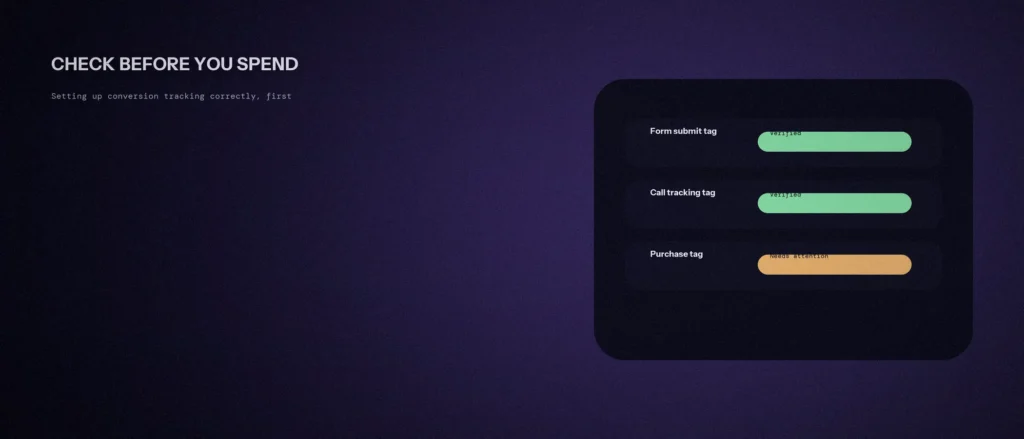
Google Ads actually tells you when this happens, if you look. The tag status column flags issues directly: a tag showing as “Inactive,” “Unverified,” or “Needs Attention” is Google’s own signal that something needs fixing before you trust the numbers underneath it. Most businesses never check this column until results already look wrong.
How to verify it’s working before you spend
Before turning on real spend, complete one real test conversion yourself and confirm Google actually recorded it. Google’s own Tag Assistant tool exists specifically for this, it lets you fire a live test and see whether the tag responds, rather than guessing based on a status label alone.
This takes ten minutes and catches the most expensive kind of mistake, a campaign that runs for weeks looking like it’s underperforming, when the real problem is that nothing was ever being counted. The same pre-launch discipline applies to our guide on negative keyword lists: both are checks that cost nothing to do early and cost real budget to skip.
Enhanced conversions, worth setting up early
Enhanced conversions is a feature most businesses set up months into running ads, when it’s actually worth turning on from the start. Google’s own description is plain: it’s “a feature that can improve the accuracy of your conversion measurement and unlock more powerful bidding.”
The mechanism is specific. It works by applying “a secure one-way hashing algorithm called SHA256 on your first party customer data, such as email addresses, before sending to Google,” then matching that hashed data to signed-in Google accounts. Nobody at Google sees your customer’s actual email address, but the match still improves how accurately conversions get attributed to the right ad.
For a small business, the practical effect is fewer conversions falling through the cracks of browser privacy settings, which means Smart Bidding has better data to work with sooner.
A prompt to plan your conversion tracking
Before you spend on ads, you need to know what counts as a win: a call, a form or a booking. The prompt below helps you write that list and a simple test plan. Fill in your own details, then check each step in Google Tag Manager and Google Ads yourself.
Act as a Google Ads and analytics assistant. Help me plan conversion tracking before I start paying for clicks.
My business:
– What I sell: [describe]
– How a customer contacts me: [phone, WhatsApp, form, booking page]
– Website platform: [for example WordPress]
– Tools I already use: [Google Analytics, Tag Manager, none]Please do the following:
1. List the actions on my site that should count as conversions, in order of value.
2. For each, explain in plain words how I would track it.
3. Give me a checklist to test that every conversion records once, and only once.Rules:
– Do not assume tools I did not mention.
– Tell me where a step needs a developer.
– Do not invent settings names. If you are unsure of the exact menu, say so.
Run every test yourself with a real call or a test form, and confirm the result shows up in your reports. Only then turn on the budget.
Questions worth answering directly
What conversion window should I set for Google Ads?
There’s no universal answer, it depends on your typical sales cycle. Google Ads defaults to a 30-day window if you don’t customise it, which suits many businesses but overcounts impulse purchases and undercounts longer B2B decisions. Set it based on how long your customers actually take to convert.
How do I know if my Google Ads conversion tracking is actually working?
Check the tag status column in Google Ads before launching. A status of “Inactive,” “Unverified,” or “Needs Attention” means Google itself is flagging a problem. Use Google’s Tag Assistant to fire a real test conversion and confirm it’s recorded before you commit real spend.
What are enhanced conversions and are they worth setting up?
Enhanced conversions improve measurement accuracy by matching hashed first-party customer data, like a hashed email address, to signed-in Google accounts. It’s worth setting up from the start rather than months in, since it directly improves how much data Smart Bidding has to work with.
Why does conversion tracking come before spend?
Every decision after launch, which keywords to keep, which ads to pause and how much to bid, is made by looking at conversions. If tracking is broken, those decisions run on bad information, and the wasted spend can look like it is working or failing for reasons unrelated to your campaign.
How can conversion tracking break without an error message?
It tends to break silently: a tag that was never installed correctly, a website update that removed it, or a trigger condition that never matches real user behaviour. That is why checking the tag status column before launch matters.
What is double counting a conversion?
Counting the same action twice, such as both an app install and a first open. It quietly inflates your conversion numbers, and every decision built on them.
Where this actually matters
Ten minutes spent verifying a tag before launch is cheaper than weeks spent second-guessing results that were never being measured correctly in the first place.
Not sure if your own conversion tracking is actually recording what you think it is? We check this as part of every Google Ads engagement we run.