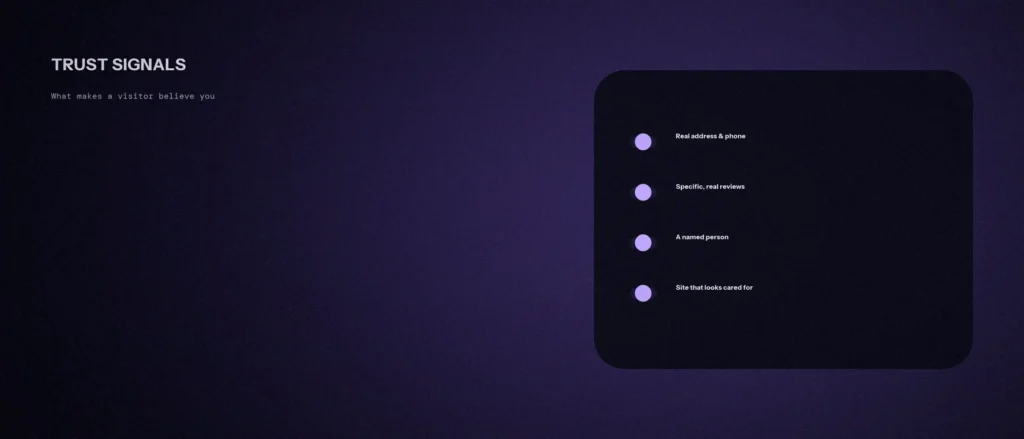
A visitor decides whether to trust a business website quickly, and most of that decision comes from visible, checkable details, not from the quality of the copy. A genuinely good business can look doubtful online if those details are missing. A weaker one can look solid if they are in place. This post is about the ones that matter.
It covers what research and Google say makes a visitor believe a business is real, a checklist of twelve trust signals for a small business site, what undermines trust, and what we found when we checked our own site. We re-read Google’s helpful content page (last updated on 5 October 2026) and the Nielsen Norman Group’s study on trustworthiness in web design on 11 October 2026. Where something is our own advice, we say so. For author information specifically, see our post on author bios and E-E-A-T.
Quick summary, if you’re short on time:
- The Nielsen Norman Group’s study of how people judge trust found four factors: design quality, upfront disclosure, comprehensive, correct and current content, and connection to the rest of the web.
- Upfront disclosure includes prominently displayed contact information, what a base cost includes, extra fees, and links to policies. Users in the study ruled out sites that hid the rate.
- Google says that of the E-E-A-T aspects, trust is most important, and asks whether content has clear sourcing and background about the author or the site, such as through an About page.
- Typos and broken links, according to the same study, quickly degrade credibility.
- Every item must be true. A trust signal that is invented does more harm than none.
Jump to a section:
- What the research says
- Twelve trust signals to check
- Trust signals by type
- What undermines trust
- Where to put them
- What we found on our own site
- A prompt to audit your own site
- Questions about trust signals
What the research says
The Nielsen Norman Group study on trustworthiness in web design (published May 2016) tested how people judge websites of service companies. It names four factors that influence trust, which it says are the same ones Jakob Nielsen listed in 1999:
- Design quality. The site should look legitimate and professional, with a well-organised homepage and clear navigation labels. The study says typos, broken links and other mistakes quickly degrade credibility.
- Upfront disclosure. Be open about information that relates to the customer experience: prominently displayed contact information, what is included in the base cost, additional fees, and links to the return policy and guarantees. The study found that sites that omitted basic information were almost immediately ruled out. One participant said she would not use a cleaning company because it did not state its rate.
- Comprehensive, correct and current content. Thorough information shows expertise. The study found people wanted photos from all stages of a service, including the process and who would do the work, and content that covered the full range of what the company offers.
- Connected to the rest of the web. Customers look for external, unbiased sources. The study says an isolated site that is not found on third-party review sites, social media or news outlets appears to either have something to hide or not be fully established. Every participant said they would read reviews before deciding which company to hire.
On the Google side, its helpful content page says that of the E-E-A-T aspects, trust is most important. It asks whether content has clear sourcing, evidence of expertise and background about the author or site, through an author page or an About page, and whether someone researching the site would find it well-trusted.
Twelve trust signals to check
| # | Signal | What to show |
|---|---|---|
| 1 | Contact details | A real phone number, email and address or service area, easy to find on every page |
| 2 | A named person | The founder or lead, with a real photo and role, on your About page |
| 3 | Prices or ranges | A starting price, a range, or a clear note on what decides the cost |
| 4 | What is included | A plain list of what the fee covers and what costs extra |
| 5 | Policies | Privacy, terms, and refund or cancellation terms, linked from the footer |
| 6 | Real reviews | Reviews from independent places such as your Google Business Profile, with the source named |
| 7 | Real work | Photos of your actual work and process, and who does it |
| 8 | Specific proof | Named, permitted examples with what was done and when. No invented figures |
| 9 | Credentials | Registrations, licences or memberships you really hold, which a visitor can check |
| 10 | A working form | A contact form that confirms and replies |
| 11 | A site that is cared for | No typos, broken links, broken images or out-of-date years |
| 12 | Presence elsewhere | A Google Business Profile and real profiles that match your website |
Trust signals by type
Marketers group trust signals in a few families. These labels are industry habit, not Google terms, but they help when you plan what to add.
- Social proof: customer reviews, ratings, case studies and client logos. Use only ones you have permission to show, and say where a review came from. A case study with real before and after details is worth more than a wall of logos.
- Policies and guarantees: privacy policies, a clear refund or return policy and, if you really offer one, a money-back guarantee. Say exactly what it covers. A guarantee you cannot honour is worse than none.
- Credentials and certification: licences, registrations, memberships and certification you hold. Name the body so a visitor can check.
- Trust badges: security or payment badges at a checkout, or association badges. Show only badges you have earned, and do not decorate the page with badges you cannot explain.
- Transparency: prices, process, who does the work and how to reach them. This is the “upfront disclosure” the research describes.
If you sell online, remember that the checkout is where trust is tested hardest. Make the total cost, delivery and returns clear before anyone enters payment details, which matches what the research found about revealing charges before asking for billing information. Whatever you add, the aim is conversion through confidence and not decoration.
What undermines trust
- Hidden prices. The study found users hate lengthy forms just to get a price. It says that where a detailed quote is not possible, it is fine to give a range, as long as the relevant line items are exposed.
- Gating before value. The study found that asking for personal information before allowing people to explore is the opposite of being upfront and degrades trust.
- Typos and broken links. Small mistakes read as lack of attention to detail.
- Only showing end results. Photos of finished work and nothing of the process make people wonder who they would be dealing with.
- Stock photos used as proof. This is our observation and not a finding from the study. An image that is clearly generic tells a visitor nothing about you.
- Fabricated details. Google’s page calls fabricating creator profiles, such as made-up names or false credentials, a form of deception that makes a page untrustworthy. The same logic applies to invented testimonials and numbers.
Where to put them
- Header and footer: contact details and policy links, on every page.
- Homepage: who you are, where you work, one or two real proof points and a way to contact you.
- Service pages: prices or ranges, what is included, and reviews related to that service.
- About page: the named people, your story, credentials and how you work.
- Contact page: every way to reach you, hours, and what happens after someone sends a message.
What we found on our own site
We checked our own main pages on 11 October 2026 against the list above, using the local copy of zunelo.in.
| Signal | What we found |
|---|---|
| Contact details | Phone link, email and city present on the homepage, About, Contact and Pricing pages |
| Policies | Privacy, terms and refund policy links present on all four pages |
| Prices | Rupee prices shown on the homepage and a full pricing page |
| A named person | When we first checked, the About page named nobody. It now has a section naming Imraan Shariff as Lead Strategist, with his role and background, but still no photo |
That last row was a real gap. Our About page promised that every strategy is reviewed by a senior strategist and that “accountability needs a name attached to it”, and then named nobody. By our own list and by Google’s “who” question, that was the first thing to fix, so we added a section that names our lead. It still lacks a real photo, which our own list also asks for. We are noting all of this because a checklist is only useful if you apply it to yourself.
A prompt to audit your own site
An AI tool can read your page text and tell you what is missing, if you give it the real text. It cannot judge your design or confirm your facts.
Act as a sceptical first-time visitor deciding whether to trust a small business. I will paste the text of one page of its website.
My details:
– What the business does and who it serves: [one line]
– The page, and the text on it, pasted in full: [paste]
– What I can truthfully add: [for example a named owner, a licence, a real address, prices, genuine reviews]Please do the following:
1. List which of these a visitor can find on the page: contact details, a named person, prices or ranges, what is included, policies, real reviews, real work, specific proof, credentials.
2. List what is missing, in order of how much it would worry a first-time visitor.
3. Suggest up to five additions, using only things from my “can truthfully add” list.
4. Point out any claim on the page that a sceptic could not check.Rules:
– Do not invent testimonials, numbers, awards or names.
– If I have nothing true to add for an item, say it needs real evidence first.
– Be honest even if the answer is unflattering.
– Write in plain, simple English.
Add only what is true, and keep a note of where each fact comes from.
Questions about trust signals
What are trust signals on a website?
Visible, checkable details that help a stranger believe a business is real and reliable, such as contact information, a named person, prices, policies, independent reviews and real examples of work.
What is the most important trust signal?
Research puts upfront disclosure near the top. The Nielsen Norman Group study found that sites that omitted basic information, such as a rate or contact details, were almost immediately ruled out.
Should I show my prices?
Where you can, yes. The study found users disliked having to ask for the rate, and said a range is fine when a detailed quote is not possible, as long as the relevant line items are exposed.
Do reviews build trust?
According to the study, every participant said they would read reviews before deciding which company to hire, and people trust testimonials from external sites more than company-sponsored ones. Show reviews from independent places and name the source.
Does Google use trust as a ranking signal?
Google says that of the E-E-A-T aspects, trust is most important, and that E-E-A-T itself isn’t a specific ranking factor. It describes a mix of factors that can identify trustworthy content.
Can I use stock photos?
For decoration, yes. As proof of your work or your team, no. The study found people wanted photos of the real process and the people doing the work, so real photos are worth the effort.
Can too many trust badges backfire?
It is possible, though we have no study to cite on that. Our advice is to show a few real, checkable signals and no wall of logos you cannot back up.
Where this matters
Trust is built from small, true details: a way to reach you, a named person, clear prices, honest reviews and work a visitor can see. Run the twelve checks on your own site, fix the first gap, and never invent a signal.
If you would like your site reviewed for trust and clarity, see our website development service, or send us your website address and we will tell you what we see.