Ask five SEOs about anchor text best practices and one of them will warn you about an “over-optimization penalty” if you use your keyword too often. That phrase does not appear in the Google pages we checked. What Google has published is more specific, and more useful: how to write good anchor text, and which link practices count as spam.
This post covers what Google actually says about anchor text best practices, where the real risk sits, a short set of rules that hold up, and what we found when we audited the internal links on our own site. We re-read Google’s link best practices page (last updated 10 December 2025) and its spam policies (last updated 28 August 2026) on 11 October 2026. Where something is our own advice, we say so. For where to place internal links in the first place, see our post on what a content silo is.
Quick summary, if you’re short on time:
- Google defines anchor text, also called link text, as the visible text of a link, which tells people and Google something about the page you are linking to.
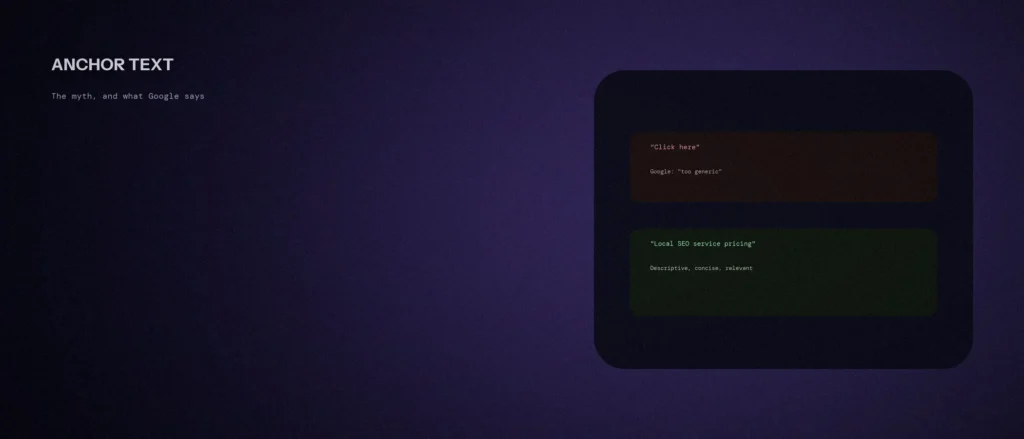
- Google says good anchor text is descriptive, reasonably concise, and relevant to the page it is on and the page it links to. It lists “Click here” and “Read more” as too generic.
- For image links, Google uses the alt text as anchor text, and an empty link is bad.
- For SEO, the real risk is link spam, which Google defines as links created primarily to manipulate rankings, such as buying or selling links, excessive link exchanges, and links with optimized anchor text in paid articles, guest posts or press releases distributed on other sites.
- On our own site, 1,281 body links across 132 pages had no “click here” or “read more” anchors, but a few template buttons reuse the same words for different pages.
Jump to a section:
- What Google says about anchor text
- The “over-optimization penalty” question
- The types of anchor text
- Where the real risk is
- Rules that hold up
- What we found on our own site
- How to audit your own anchor text
- A prompt to review your anchor text
- Questions about anchor text
What Google says about anchor text
Google’s link best practices page covers anchor text in four parts:
- Definition. Anchor text, also known as link text, is the visible text of a link. It tells people and Google something about the page you are linking to.
- The standard. Good anchor text is descriptive, reasonably concise, and relevant to the page it is on and the page it links to. It provides context for the link and sets the expectation for readers.
- The bad examples. Google marks “Click here”, “Read more”, “website” and “article” used as the link text as too generic.
- The test. Google’s tip is to try reading only the anchor text, out of context, and check whether it is specific enough to make sense by itself.
Three more details are easy to miss:
- Empty links are bad. A link with no text between the anchor tags gives Google nothing.
- Images need alt text. For an image that is a link, Google uses the alt attribute of the image as anchor text, so write descriptive alt text. An image link with empty alt text is a bad example.
- Check script-inserted text. If you use JavaScript to insert anchor text, Google says to use the URL Inspection tool to make sure it is present in the rendered HTML.
The “over-optimization penalty” question
Anchor text is the clickable text of a link, and anchor text optimization is the practice of choosing it carefully. Done for readers, it helps users and search engines understand your pages. Done as link building by the thousand, it becomes a risk, and that difference is the whole story.
Nothing on the link best practices page or the spam policies page uses the term “over-optimization penalty”. It is a phrase the SEO community uses. The worry behind it is not silly, but it is easy to apply to the wrong thing.
Google’s guidance for your own internal links is simply to be descriptive and relevant. Writing “Local SEO service pricing” to link to a pricing page is exactly what the page asks for. Making anchors deliberately vague to “play safe”, for example “click here”, works against the guidance.
We would not claim that no anchor pattern could ever look unnatural. We can say that Google’s published spam example is about links created to manipulate rankings, not about a business naming its own pages clearly.
The types of anchor text, and which to use
SEO writers use a few labels for anchor text. They are industry terms, not Google terms, but they help when you audit your links, because each type does a different job for the reader and for search engines.
| Type | Example | When it fits |
|---|---|---|
| Exact match | “local SEO services” | When the linked page is exactly that. Use it sparingly and only where it reads naturally |
| Partial match | “our guide to local SEO pricing” | The everyday choice: it contains the target keyword inside natural words |
| Branded | “Zunelo’s pricing page” | Links to a company or a source by name |
| Descriptive phrase | “how to read a Core Web Vitals report” | Best for blog-to-blog links, since it tells the reader what they will get |
| Generic | “click here”, “read more” | Avoid. Google lists these as too generic |
| Bare address | “https://example.com/page” | Fine for citing a source, poor as a main link |
| Image link | A logo or photo that is a link | Needs descriptive alt text, which Google uses as the anchor text |
A natural link profile, meaning the mix of anchors pointing at your pages, is mostly partial match, descriptive and branded, with exact match now and then. That mix happens by itself when you write for readers. You do not need to engineer it, and building a link profile on purpose with matching keyword anchors is what the spam policies describe as manipulation when it is done through paid or exchanged links.
Where the real risk is
Google’s spam policies define link spam as the practice of creating links to or from a site primarily for the purpose of manipulating search rankings. Its examples include:
- Buying or selling links for ranking purposes, including exchanging money, goods or services for links.
- Excessive link exchanges, such as “link to me and I’ll link to you”, or partner pages exclusively for the sake of cross-linking.
- Using automated programs or services to create links to your site.
- Advertorials or native advertising where payment is received for articles that include links that pass ranking credit, or links with optimized anchor text in articles, guest posts or press releases distributed on other sites.
- Low-quality directory or bookmark site links.
Notice what is on that list: manipulation at scale, usually on other people’s sites. None of it describes writing sensible internal links. On the link best practices page, Google also says to use nofollow only when you do not trust the source, to qualify paid links with sponsored or nofollow, and to add ugc or nofollow to links users can insert on your site.
Rules that hold up
Good anchor text helps the user experience first, because a reader decides whether to click from the words alone. It helps search engines second, and it is a relevance signal rather than a trick. These rules work for internal and external links alike. In WordPress, the anchor text is the text you select before you add the link in the editor, so you control it every time.
| Rule | Source |
|---|---|
| Describe the destination, not the action. “Local SEO pricing” beats “click here” | Google’s standard: descriptive and relevant |
| Keep it short. A few words is usually enough, and a whole sentence is awkward | Google says reasonably concise |
| Read the anchor out of context and check it makes sense alone | Google’s own tip |
| Give image links descriptive alt text, and never leave a link empty | Google’s page |
| Use a variety of natural phrases for links to the same page across different posts | Our own habit, not a Google rule |
| Don’t use the same anchor text for two different destination pages | Our own rule, because it makes both links vague |
| Don’t force a keyword into a link where it does not fit | Our own advice, in the same spirit as Google’s standard |
What we found on our own site
We audited the internal links in the main content of every page and post in our sitemap on 11 October 2026, using the local copy of zunelo.in. We left out the header and footer, so that the numbers describe what a reader meets in the body. Here is what we found:
| What we measured | Result |
|---|---|
| Pages checked | 132 |
| Internal links in main content | 1,281 |
| Links using “click here”, “read more”, “learn more” or similar | 0 |
| Icon or image links with no text | 283, and all 283 have an accessible name, such as an aria-label or image alt text |
| Anchor texts that point to more than one different page | 4 |
| Anchors longer than 8 words | 26 |
The four repeated anchors were not copy-and-paste habits. Two were template buttons on service cards, “Explore” with an arrow, used for 12 different pages, and “View the service” with an arrow, used for 5. The other two were plain phrases, “local seo” and “google ads”, each used for two or three different pages. A card button sits beside a heading that names the page, so it is not empty, but read out of context, “Explore” says nothing. That fails Google’s own out-of-context test, so we changed the buttons. Each one now carries the card’s heading as hidden text, so read out of context it says “Explore SEO services Bangalore” and not just “Explore”. The visible label is still “Explore” with an arrow. The long anchors are the next thing to shorten.
The point is not that our site is perfect. It is that a check like this takes an hour and finds real things.
How to audit your own anchor text
- List your internal links. A crawler such as the free version of Screaming Frog can export every link with its anchor text and destination.
- Sort by anchor text. Look for generic phrases, empty links and image links with no alt text.
- Find anchors used for several destinations. The same words pointing at different pages is a sign the words are too vague.
- Read the worst offenders out of context. Apply Google’s test to each.
- Fix the highest-value pages first. Replace vague links with a relevant, descriptive phrase, and optimize the linked page’s title and heading to match what the anchor promises. Start with your main service pages and your most-read posts.
- Check external links. Make sure paid or user-submitted links carry the right attribute.
A prompt to review your anchor text
An AI tool is quick at spotting weak anchors in a list. It cannot know what each page is about unless you tell it, so give it a real export.
Act as a careful editor reviewing internal link anchor text against Google’s link best practices. I will paste an export of my links.
My details:
– My site and what it does: [one line]
– My links, one per line, as “page it appears on | anchor text | destination address | what the destination page is about in a few words”: [paste]Please do the following:
1. List every anchor that is generic, such as “click here”, “read more”, “learn more” or “explore”, or that is empty.
2. List every anchor text that points to more than one different destination.
3. For each problem, suggest a descriptive replacement of 2 to 6 words, using only what the destination is about.
4. Tell me which items you could not judge because the destination was unclear.Rules:
– Use only the information I gave you. Do not guess what a page is about.
– Do not suggest repeating the same exact phrase for every link to one page.
– Keep suggestions natural and short.
– Write in plain, simple English.
Read each suggested anchor out of context before you use it, as Google recommends. If it does not make sense alone, keep refining it.
Questions about anchor text
What is anchor text?
It is the visible text of a link. Google says it tells people and Google something about the page you are linking to, which is why it should describe the destination.
Does Google penalize keyword-rich anchor text?
Google’s pages we checked do not use an “over-optimization penalty” term. Its spam policies list link spam, including links with optimized anchor text in paid articles, guest posts or press releases on other sites. Descriptive anchors on your own pages are what its guidance asks for.
Is “click here” bad for SEO?
Google lists “Click here” and “Read more” as too generic. It also fails the out-of-context test and is poor for people using screen readers. Describe the destination instead.
How long should anchor text be?
Google says reasonably concise. Two to six words is a good working range in our experience, which is our own advice, and not a Google rule.
How should I write anchor text for an image link?
Google uses the alt attribute of the image as the anchor text, so write descriptive alt text. An image link with empty alt text and no other text is a bad example on Google’s page.
Can I use the same anchor text for several links to one page?
You can, but varied natural phrases across different posts read better. Using the same anchor for two different destination pages is worth avoiding, because it makes both links vague.
Should I add nofollow to my internal links?
No. Google’s page says to use nofollow only when you do not trust the source, and not for every link. For paid links it says to use sponsored or nofollow, and for user-added links, ugc or nofollow.
Where this matters
Write anchors that describe where the link goes, keep them short, and make sure every link has a name. The spam risk is about buying, swapping and mass-producing links, and not about naming your own pages clearly.
If you would like your internal links reviewed, see our SEO services, or send us your website address and we will tell you what we see.