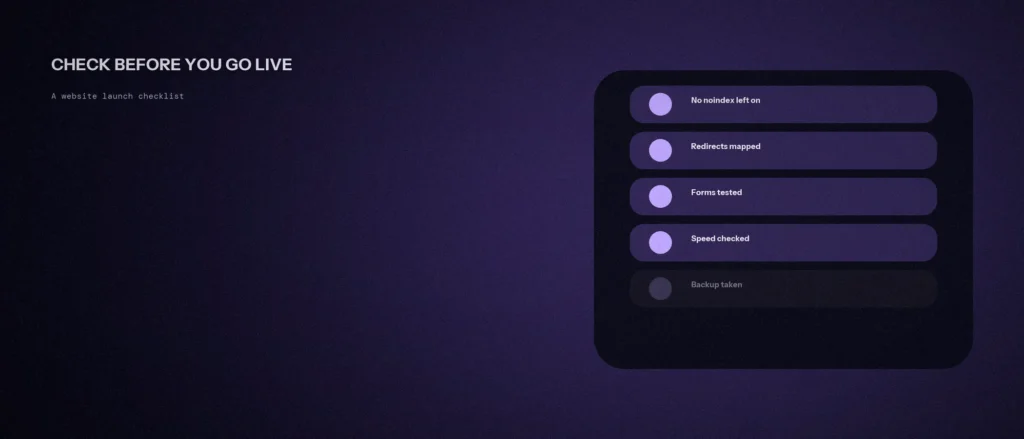
Most website launches don’t fail because of the design. They fail because of something small nobody checked: a staging setting left switched on, a form that sends enquiries into the void, a page whose old address now shows an error. Each is easy to fix before launch and painful after.
This website launch checklist covers what to check before you go live, with the search-related items backed by Google’s own documentation.
Quick summary, if you’re short on time:
- Check that no page still carries a
noindextag from staging. Google says that tag stops a page from being indexed. - Don’t rely on robots.txt to hide pages. Google says a crawler blocked by robots.txt “will never see the noindex rule.”
- If any address changes, set up permanent redirects. Google recommends them “whenever possible” for changed URLs.
- Test speed against Google’s Core Web Vitals targets: LCP within 2.5 seconds, INP of 200 milliseconds or less, and CLS of 0.1 or less.
- Submit a real enquiry through every form, and confirm it arrives and gets tracked.
Jump to a section:
- Search visibility: the staging leftovers
- URLs and redirects
- Speed and stability
- Forms, tracking and contact details
- Content and trust checks
- A prompt to build your own launch checklist
- Questions worth answering directly
Search visibility: the staging leftovers
Staging sites are usually told to stay out of search results, and that instruction can easily travel to the live site. Google’s noindex documentation explains that a robots meta tag with noindex stops a page being indexed, and the same can be done with an X-Robots-Tag: noindex HTTP header. A page carrying either one after launch won’t show up in Google.
Check the page source of your main pages for a noindex tag, and check your server settings for the header version. Also open /robots.txt and make sure it isn’t blocking the whole site.
One trap is worth knowing. Blocking a page in robots.txt is not the same as noindex, and mixing them backfires. Google says the page “must not be blocked by a robots.txt file” for noindex to work, because otherwise “the crawler will never see the noindex rule, and the page can still appear in search results, for example if other pages link to it.”
Also confirm each page has one canonical address and that an XML sitemap lists the pages you want indexed. This is part of the groundwork covered in our post on a search-ready website foundation.
URLs and redirects
If you’re replacing an old site, list every old address that gets traffic or links, and map each one to its new equivalent. Google’s redirect documentation says “if you need to change the URL of a page as it is shown in search engine results, we recommend that you use a permanent server-side redirect whenever possible.” It also explains that Google uses a permanent redirect as a signal that the new address should be the canonical one.
Then click through the map. Every old address should land on a relevant new page in one step, not a chain of redirects and not the homepage by default.
Speed and stability
Google’s web.dev guidance sets three targets for a good experience: Largest Contentful Paint “within 2.5 seconds,” Interaction to Next Paint of “200 milliseconds or less,” and Cumulative Layout Shift of “0.1 or less.” It recommends measuring at the 75th percentile of page loads, across mobile and desktop.
Run your key pages through a speed test before launch, on a phone-sized setting as well as desktop. Heavy images and third-party scripts are the usual culprits, and we cover the difference between size and speed in our post on page speed versus page weight. One caution: a brand-new site often has no real-user data yet, so a lab test is your best early signal, and the real numbers arrive after visitors do.
Forms, tracking and contact details
- Submit every form yourself. Use a real email address, and confirm the message reaches the right inbox, not spam.
- Check the confirmation. The visitor should see a clear thank-you message, and you should get a notification.
- Confirm tracking fires. Analytics and any conversion tracking should record the test submission.
- Verify phone, email and address. Click every phone number and email link, and match every detail to your Google Business Profile.
- Test on a real phone. Buttons, menus and forms should all work with a thumb.
Content and trust checks
- Search for placeholder text. Look for “lorem ipsum,” sample names and dummy images.
- Click every link. Menu, footer, buttons and in-text links should all go somewhere real.
- Check page titles and descriptions. Each page should have its own, not a shared default.
- Add the basics. Privacy policy, terms if you need them, and a working contact page.
- Keep a backup. Take a full backup right before the switch, so you can roll back quickly.
A prompt to build your own launch checklist
Every site has its own risks. The prompt below asks an AI tool to build a checklist for yours. Fill in your details, then tick each item by hand before you go live.
Act as a website launch checker. Build me a pre-launch checklist.
My website:
– Platform: [for example WordPress]
– Type of site: [service business, shop, blog]
– Is it a new site or a replacement for an old one: [describe]
– Forms, payment or booking tools I use: [list]
– Whether the address of any page will change: [yes or no]Please do the following:
1. Make a checklist grouped by search visibility, redirects, speed, forms and tracking, and content.
2. Mark the 5 items that could do the most damage if missed.
3. Tell me how to test each of those 5.Rules:
– Do not invent setting names.
– Keep every item short and checkable.
– Tell me where I need a developer.
Run through the list on the live site right after launch, and again a week later. Some problems only show once real visitors arrive.
Questions worth answering directly
What should I check first before launching a website?
Start with anything that could hide the site from search: a noindex tag or header left over from staging, and a robots.txt file that blocks everything. Then test your forms, since a broken enquiry form costs you leads from day one.
Does blocking a page in robots.txt keep it out of Google?
Not reliably. Google says a page blocked by robots.txt can still appear in search results if other pages link to it, and that the crawler will never see a noindex rule on a blocked page. Use noindex on a page that’s accessible to crawlers instead.
Do I need redirects if my page addresses change?
Yes. Google recommends permanent server-side redirects whenever possible when a page’s address changes, and uses them as a signal that the new address should be the canonical one. Map each old address to its closest new page.
What are the Core Web Vitals targets a new site should meet?
Per web.dev: Largest Contentful Paint within 2.5 seconds, Interaction to Next Paint of 200 milliseconds or less, and Cumulative Layout Shift of 0.1 or less, measured at the 75th percentile of page loads.
Should I keep checking things after the site goes live?
Yes. Re-test your forms in the first few days, and watch the indexing and performance reports in Google Search Console over the following weeks. Some problems, like a stray noindex tag, only show up once the live site is crawled.
Is a lab speed test enough before launch?
It’s the best early signal, but it isn’t the same as real-visitor data. A new site often has none yet, so run tests on mobile and desktop now, and check real-user results once visitors arrive.
Where this actually matters
Launch checks are dull work, and that’s why they get skipped. But the problems they catch, a hidden site, a dead form, a broken old address, are the ones that cost the most when found late. An hour before launch is far cheaper than a month after it.
Want a second pair of eyes before you go live? We run a full pre-launch check as part of every website development project we build.