Open Google Maps and search for a business near you. Three results sit at the top of the local search results, and most people never scroll past them. If your business is not one of the three, you are missing calls and visits that are already looking for you.
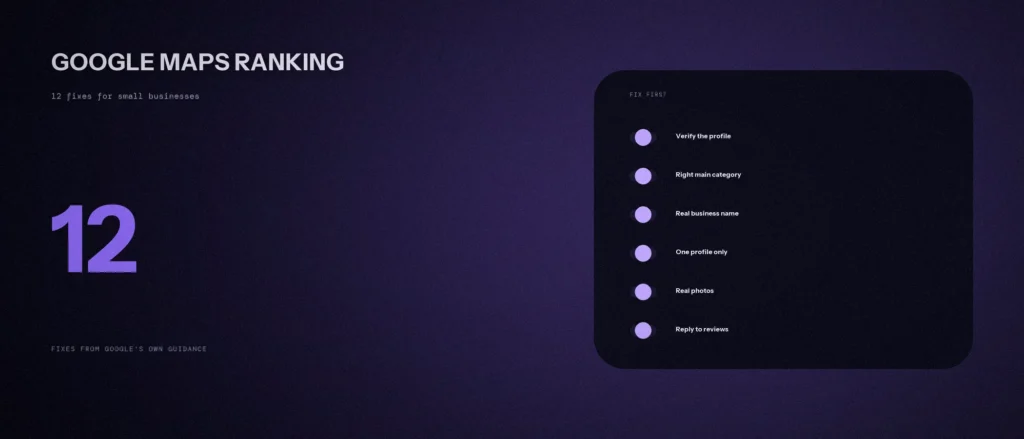
This post shows how to rank on Google Maps with 12 fixes a small business can make without a developer. Each fix comes from Google’s own help pages for Business Profiles, and we checked every one on 1 October 2026. There are no tricks here. There is also no way to pay Google for a better spot, and we will say that clearly, because some people will tell you otherwise.
Quick summary, if you’re short on time:
- Google Maps ranks businesses mainly on three ranking factors: relevance, distance and prominence. You can improve relevance and prominence. You cannot change where your customer is standing.
- Fixes 1 to 5 get your Google Business Profile right: verify it, fill it in, pick the right category, use your real name, and keep one profile.
- Fixes 6 to 8 show what you do: a useful description, real photos, and a phone number and website that match your business.
- Fixes 9 to 11 build trust: ask for reviews the honest way, reply to them, and earn links from other real websites.
- Fix 12 is checking your results, so you stop guessing.
Jump to a section:
- How ranking works in one minute
- All 12 fixes on one page
- Fixes 1 to 5: get your profile right
- Fixes 6 to 8: show what you do
- Fixes 9 to 11: reviews and trust
- Fix 12: check how you are doing
- What to avoid
- A prompt to review your own profile
- Questions about Google Maps SEO
How Google Maps ranking works in one minute
When someone searches for a plumber or a dentist near them, Google shows local search results in Maps and in Google search. The three businesses at the top are often called the local pack. Google says these results are mainly based on three ranking factors, as set out in its local ranking tips: relevance, distance and prominence.
- Relevance is how well your Business Profile matches what the person typed. Complete and detailed information helps Google match you to the right searches.
- Distance is how far your business is from the person searching. If they do not share their location, Google uses what it knows about where they are.
- Prominence is how well known your business is. Google says this is based on things like how many websites link to your business and how many reviews you have. More reviews and good ratings can help.
Google also says there is no way to request or pay for a better local ranking. If an agency or a freelancer promises you the number one spot for a fee, be careful. We cover that in the “what to avoid” section below. If you want the full picture first, read how relevance, distance and prominence work, then come back to the fixes.
Distance is the one factor you cannot fix. A customer standing near a competitor will often see that competitor first. That is why the fixes below focus on relevance and prominence, where you do have control.
All 12 fixes on one page
| # | Fix | What to do | Time |
|---|---|---|---|
| 1 | Verify your profile | Prove you are authorized to represent the business | 10 minutes, plus waiting |
| 2 | Fill in every detail | Address, hours, special hours, attributes | 30 minutes |
| 3 | Choose the right category | Pick the fewest categories that describe your core business | 10 minutes |
| 4 | Use your real name | No keywords, hours, phone numbers or taglines | 5 minutes |
| 5 | Keep one profile | One profile per location, with a real address or a clear service area | 20 minutes |
| 6 | Write a useful description | Say what you offer and who you serve, with no offers or links | 20 minutes |
| 7 | Add real photos and videos | Show the place, the team and the work | 1 hour |
| 8 | Match your phone and website | A local number and a site that fits this location | 15 minutes |
| 9 | Ask for reviews the right way | Share your review link or QR code, with no rewards | Ongoing |
| 10 | Reply to reviews | Short, honest, not promotional | 10 minutes a week |
| 11 | Build prominence | Earn real links and mentions from other websites | Ongoing |
| 12 | Check your results | Use Google’s profile insights and your own searches | 15 minutes a month |
Fixes 1 to 5: get your profile right
Most weak Google Maps results come from a weak or messy Business Profile. Before you optimize your Google Business Profile with photos and posts, fix the basics below. Your Google Maps listing is built from them.
1. Claim and verify your profile
Google says verifying tells it that you are authorized to represent the business, which makes it more likely to show up in search results. Photos and videos on your profile also only appear on Google after you verify. You also cannot reply to reviews until you do.
Search for your business name and city on Google Maps, claim the profile if it already exists, and follow the steps to verify.
2. Fill in every part of your profile
Google says businesses with complete and accurate business information are more likely to show up in local results. If your information is wrong, your profile may not show up for relevant searches in your area. Check each of these:
- Your full address, if customers can visit you.
- Your regular business hours, plus special hours for holidays and events.
- Your business category.
- Details like parking or Wi-Fi, which Google calls attributes.
Hours are easy to get wrong. A shop that closes on Sundays but shows as open can lose trust fast.
3. Choose the right main category
Your category tells Google what kind of business you are, so choose it with care. Google’s guideline is to choose the fewest categories it takes to describe your core business.
A common beginner mistake is adding every category that sounds close. A dental clinic should choose dental clinic first, not ten unrelated health categories. Look at the profiles of businesses ranking above you, and use the same main category if it truly describes what you do.
4. Use your real business name and nothing extra
Many small businesses add keywords, hoping to rank higher. Google does not allow this. The name should be the one you use in the real world: on your sign, your website and your stationery. Google says unnecessary information there is not permitted and could lead to your profile being suspended.
Google lists what must not appear in the name, including marketing taglines, business hours, phone numbers, website addresses, and store codes. So if your business is called Sharma Dental Clinic, enter that. Do not enter “Sharma Dental Clinic | Best Dentist in Indiranagar | Open Daily”. Put location and hours in the fields made for them.
5. Keep one profile and a real address or service area
Google says there should be only one profile per business, because duplicates cause problems on Maps and Search. Do not create more than one profile for each location, in one account or several.
If you have a shop or office customers visit, use that address. Google says a rented mailing address or virtual office where you do not work is not eligible. If you travel to customers, such as a plumber or a tutor, you are a service-area business. You should have one profile for your central location and a designated service area.
Search Google Maps for an old business listing under your name, such as one from a previous owner or an earlier address. Deal with any you find before you do anything else.
Fixes 6 to 8: show what you do
6. Write a business description that helps
The description is where you tell Google and customers what you offer, and a little about your history. Google asks you to be upfront and honest and to focus on what is relevant and useful.
Google’s rules for the description are clear. It must not focus on special promotions, prices or sales, so “Everything on sale, 50 percent off” is not allowed. It must not contain links of any type. It must not have gibberish, odd characters or low-quality text. Write two or three plain paragraphs in your normal voice: what you do, who you serve, and which area you cover. Natural local keywords, such as your area and your main service, belong here, but only in sentences a person would write.
7. Add real photos and videos
Photos help customers recognize your business, and Google says an exterior photo helps people recognize it when they visit. Add your logo, a cover photo, and photos of your team, your work and your products or services.
Photos appear on your profile in Google search and Maps, so quality matters. Google’s photo rules are simple:
- Use JPG or PNG, between 10 KB and 5 MB.
- Aim for 720 by 720 pixels. The minimum is 250 by 250.
- The photo must be in focus, well lit and not heavily edited. It should represent reality.
- Videos can be up to 30 seconds long and 75 MB, at 720p or higher.
Take the photos yourself on a phone. Real photos of your own place and people are better than stock images, and they set the right expectations for a visit.
8. Make your phone number and website match your business
Google asks for a phone number that connects to your individual business location. Where possible, use a local number and not a call-centre helpline. The number must be under your direct control.
The same goes for your website. Google says to provide a website that represents your individual business location. Make sure the business name, address and phone number on your site match the ones in your profile, letter for letter. Matching details are a clear signal to Google that both belong to one business. If your profile says “Sharma Dental Clinic” and your website says “Sharma Dentistry”, you create doubt for no reason.
Fixes 9 to 11: reviews and trust
These fixes build prominence, the factor where small businesses can win with steady effort.
9. Ask for reviews the right way
Google says reviews show next to your profile in Maps and Search, and that more reviews and positive ratings can help your local ranking. You are allowed to ask. Google suggests you remind customers to leave a review by sharing a Google link or a QR code that opens your review form.
Two rules matter here:
- Do not offer free or discounted goods or services in return for a review, or for changing or removing one. Google calls this fake and misleading content and strictly prohibits it.
- Customers must be signed in to a Google Account to leave a review. They do not need a Gmail address. Any email will do.
The best time to ask is right after a good experience. A short message with the link, sent the same day, works better than a general request weeks later.
10. Reply to your reviews
Google says replying shows customers you value their feedback. A few habits from Google’s own tips make replies better:
- Keep it short and simple. Long replies get skipped.
- Do not send the same thank you to everyone. Answer a question or add a useful detail.
- Be conversational, not promotional. Do not use a reply to push a discount.
- For negative reviews, be honest, never share the reviewer’s private details, and apologize when it is right to do so.
Google reviews every reply before it goes public. Most are checked within about 10 minutes, but some take up to 30 days. If a review breaks Google’s content policies, you can flag it for removal. A reply you disagree with is not a reason to flag it.
11. Build prominence with real links and mentions
Google says prominence is based partly on how many websites link to your business. That means links from real places can help: a local business association, a supplier or partner who lists you, a news story, or a community page that names you.
Start small. Make sure your own website links to your profile, and that your profile links back to your site. Then ask people you already work with to mention you honestly. Links from real sites are one way search engines learn that people know your business. Do not buy links. Prominence comes from being known by real people, and that takes time.
Fix 12: check how you are doing
Without checking, you are guessing. Google provides performance information for your Business Profile, so use it each month to see how people find you and what they do next.
You can also search for yourself, but be careful. Google shows different results to people in different places, so one search from your desk proves very little. Distance is part of the ranking, so a search from across the city will look different from one next to your shop. Check from a few places at different times, and write down what you see. If you want a deeper look at your own profile and your competitors’, ask us for a free audit.
What to avoid
These shortcuts can hurt more than they help, and Google’s own guidelines warn against them:
- Keywords in your name. This can lead to a suspended profile.
- Paying for reviews or giving rewards for them. Google prohibits it.
- A virtual office or a rented mailing address. It is not eligible for a profile.
- More than one profile for the same location. It causes problems on Maps and Search.
- Anyone who guarantees the number one spot. Google says you cannot request or pay for a better local ranking.
A prompt to review your own profile
An AI tool can help you spot gaps, as long as you give it your real profile details and check its advice against Google’s rules yourself.
Act as a local SEO reviewer. Review my Google Business Profile against 12 checks and tell me what to fix first.
My business type: [what you do]
My area: [city and neighbourhood]
My main category: [paste it]
My other categories: [paste them]
My business name as shown: [paste it]
My business description: [paste it]
My number of reviews and average rating: [paste them]
How often I reply to reviews: [never, sometimes, always]
My photos: [number and what they show]
Pages on my website that match my profile: [list them]Please do the following:
1. For each of these checks, say pass, fail or can’t tell: verified profile, complete details, right category, real business name, one profile, useful description, real photos, matching phone and website, review requests, review replies, links from other sites.
2. For each fail, give one specific fix using my real details.
3. List the three fixes to do first.Rules:
– Only use the information I gave you. Do not invent reviews, ratings or facts about my business.
– If something can’t be checked from what I pasted, say so instead of guessing.
– Do not suggest adding keywords to my business name or offering rewards for reviews, because Google does not allow either.
– Write in plain, simple English.
Questions about Google Maps SEO
How long does it take to rank higher on Google Maps?
Google’s help pages give no timeline, so nobody can promise one. Changes to your profile information can appear fairly quickly, but your ranking depends on competition, distance and how well known your business is. Reviews and links build slowly. Treat it as steady work over months, not a one-day fix.
Can I do Google Maps SEO myself?
Yes, most of it. Verifying your profile, filling in every field, choosing the right category, adding photos, asking for reviews and replying to them are all things you can do for free. Everything in this post works that way. The hard part is staying consistent every week, not knowing the steps.
Are Google Maps SEO services worth it?
It depends on your time and size. If you have one location and a few free hours a week, you can do most of it yourself. Paid help makes sense when you have several locations, a competitive area or no time. Be careful with anyone who guarantees a position. Google says there is no way to pay for a better local ranking, so a guarantee is a warning sign.
Can I rank in multiple locations on Google Maps?
Only where you really operate. Google allows one profile for each real location. A service business with several locations can have one profile per location, if each has its own service area and its own staff. Do not create extra profiles for places where you have no presence. A virtual office is not eligible.
How do I check my Google Maps ranking?
Use the performance information in your Business Profile for how people find you. For your own searches, check from a few locations at different times, because Google shows different results depending on where the searcher is. One search from your office does not tell you how a customer across town sees you.
Does adding a Google Map to my website help me rank?
Google does not list it in its tips for improving local ranking. Embedding a map on your contact page is still helpful for visitors, so add it for them. Do not expect it to move your ranking by itself.
Where this matters
You do not need all 12 fixes in one day. Start with the first three, which are verifying your profile, filling in every detail and choosing the right category. They cost nothing and take about an hour. Then add a review habit, because steady reviews and replies keep working long after the setup is done. Together these steps improve your Google Maps ranking and help local customers choose you.
If you want a second pair of eyes on your profile, send us your business name and area for a free audit. We will tell you what we see, with no promises about positions.