Type your business name into Google Business Profile setup and one of the first things it asks for is a category. Most people treat this like a formality. Pick something that sounds roughly right, move on to the photos and hours. That’s a mistake worth slowing down for. We touched on this briefly as one of five signals that move the local pack, but primary category deserves its own deep dive, because on its own it’s probably the single highest-leverage field on the entire profile.
What is a primary category on Google Business Profile?
Your primary category is the one category on your Google Business Profile that best describes what your business is. Google’s own category guidance says to pick a specific category, for example “Nail salon” instead of “Salon,” and to add other categories only for extra services you really offer. The rest of this guide explains why this one field carries so much weight.
Why this one field outweighs almost everything else
Your primary category tells Google, in the clearest possible terms, what kind of business you are and which searches you’re relevant for. It carries more weight in local ranking than your business description, your posts, or most of your other profile fields combined. Get it wrong, and you can do everything else right (great reviews, regular posts, accurate hours) and still struggle to show up for the searches that actually bring in customers.
The reason it matters this much is that Google leans on category as a strong, structured relevance signal, separate from anything it has to infer from unstructured text like your business description. A plumber whose primary category is literally “Plumber” is telling Google exactly what to match them against. A plumber whose primary category is the vaguer “Contractor” is asking Google to work harder to make that connection, and Google, like any matching system, rewards precision.
The mistake almost everyone makes
The instinct is to pick something broad, on the theory that a wider category catches more searches. It’s the opposite of how this actually works. A category that’s too broad dilutes your relevance for every specific search instead of strengthening your position for any of them. A business categorised as “Marketing Agency” competes against every kind of marketing business in a broad, crowded field. The same business categorised as “Digital Marketing Agency” competes in a narrower, more accurately matched field, and shows up more reliably for the searches that actually describe what they do.
Specificity beats breadth almost every time. Google Business Profile has thousands of category options, many of them quite narrow, and the temptation to go generic “just to be safe” is almost always the wrong call.
How to actually find the right one
Three checks, in order of usefulness:
- Search your main service in Google Maps and look at your top three competitors. Their category is visible on their profile. If three ranking competitors all use the same specific category, that’s a strong signal about what Google considers the right match for that search.
- Type your business type into the category field and read every suggestion carefully. Google Business Profile’s own autocomplete surfaces the categories that actually exist in its system, and it’s common to find a more precise option than the first one that comes to mind.
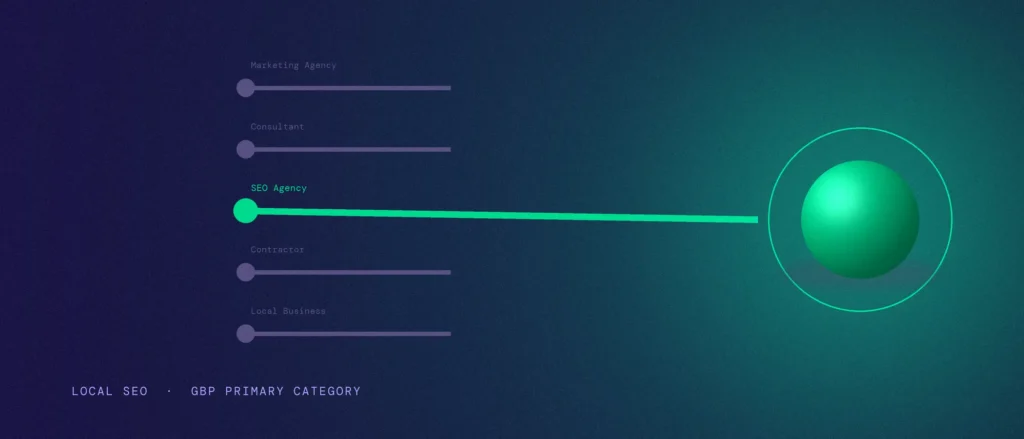
- Match it against what you’d say out loud. If someone asked what your business does, the plainest, most specific honest answer is usually close to the category you want. “We do SEO” points to “SEO Agency,” not “Marketing Agency” or, worse, “Consultant.”
Using AI to shortlist your categories
A large language model like ChatGPT or Claude can speed up the checks above, especially if you offer several services and aren’t sure how to split them into one primary category and a few honest secondary ones. It won’t replace checking against Google’s real list, but a well-built prompt gets you a ranked, reasoned shortlist instead of a single guess, which matters, because the difference between the first and second-best category is often exactly the nuance a one-line prompt misses.
A thin prompt like “what GBP category should I use” gets a thin answer: usually one confident-sounding suggestion with no reasoning and no alternatives to weigh. The version below forces the model to actually reason through the decision the way you would: rank multiple candidates, weigh them against real competitor context, separate primary from secondary, and flag its own uncertainty instead of hiding it.
“Act as a local SEO specialist helping me choose Google Business Profile categories.
Business context:
– What the business is: [describe it in one sentence, as you’d say it out loud]
– Primary service (the one that should drive the most enquiries): [specific service]
– Other real services offered: [list them]
– Service area / city: [location]
– Business model: [storefront customers visit / service-area business that travels to customers / both]
– 2–3 phrases a real customer would search to find this business: [phrases]
– Categories my top 2–3 competitors are using, if known: [list, or say ‘unknown’]Task:
1. Suggest 3 candidate primary categories, ranked best to worst. For each, explain in one sentence why it does or doesn’t precisely match the primary service and the search phrases above. Reject anything that’s broader than necessary.
2. Suggest up to 4 secondary categories, each mapped to one specific ‘other service’ listed above, not generic additions.
3. For every suggested category, state your confidence that this exact name exists in Google Business Profile’s real category list, and flag clearly which ones I must manually verify before using.
4. Give one final recommendation: the single best primary category, and the secondary list to pair with it.”
The output this produces is genuinely useful because it’s comparative and shows its reasoning. You can see why the model preferred one category over the next-best alternative, which is exactly the judgement call a thin one-line prompt skips past. But the verification step in task 3 still matters more than any part of the reasoning: AI models pattern-match plausible-sounding category names, they don’t query Google’s live taxonomy, so a suggestion can sound exactly right and still not exist as a real, selectable option. Paste every candidate, primary and secondary, into the actual category field in your GBP dashboard and confirm it appears before you save anything. If it doesn’t show up, fall back to the competitor-check and autocomplete methods above for that one category.
What secondary categories are actually for
Secondary categories exist to cover genuine additional services, not to hedge your primary choice. If you’re primarily an SEO agency but also offer Google Ads management, “Google Ads management” as a secondary category is fair. It’s a real, separate service you provide. Stacking unrelated categories hoping to catch more searches doesn’t work the way people hope; it can actually dilute your relevance rather than expand it, since Google is still weighing your primary category most heavily and a scattershot secondary list can muddy the overall signal.
What happens if you change it
This is the part that stops people from fixing an obviously wrong category: the fear that changing it will somehow reset rankings or hurt visibility. In practice, correcting a genuinely wrong category is far more likely to help than hurt. You’re moving toward better relevance, not away from it. There’s no evidence of a lasting ranking penalty simply for updating your category to something more accurate. The risk of staying miscategorised indefinitely is real and ongoing; the risk of fixing it is, at worst, a short adjustment period while Google re-evaluates the updated signal.
Where to check yours right now
Log into Google Business Profile, go to Business Information, and look at what’s actually listed as your primary category today. Compare it against what a customer would call you, and against what your top three ranking competitors are using. If there’s a gap between what you’re categorised as and what you actually do, that gap is costing you visibility on searches that should already be yours.
Category accuracy is one piece of a complete profile. Photos are another worth getting right.
Category accuracy is one of the first things we check, before touching reviews, posts or anything else, inside every Local SEO engagement, because every other local SEO effort works harder than it needs to if this one field is wrong from the start. Bangalore businesses can see this exact check applied through our Bangalore local SEO service.
Questions worth answering directly
Should I pick a broad or a specific primary category?
Specific. A category that is too broad dilutes your relevance for every specific search instead of strengthening it for any of them. The example in this guide: a business categorised as “Digital Marketing Agency” competes in a narrower, more accurately matched field than one categorised as “Marketing Agency.”
How do I find the right primary category?
Three checks, in order of usefulness. Look at the category on your top three competitors’ profiles in Google Maps. Type your business type into the category field and read every suggestion. Then match it against how you would describe your business out loud.
What are secondary categories actually for?
They cover genuine additional services, not a hedge on your primary choice. An SEO agency that also offers Google Ads management can fairly add “Google Ads management.” Stacking unrelated categories can dilute your relevance because Google still weighs the primary category most heavily.
Will changing my primary category hurt my rankings?
In practice, correcting a genuinely wrong category is far more likely to help than hurt, because you are moving toward better relevance. We know of no evidence of a lasting penalty for choosing a more accurate category. At worst, expect a short adjustment period while Google re-evaluates the updated signal.
Why does the primary category matter more than my description?
Google leans on category as a strong, structured relevance signal, separate from anything it has to infer from unstructured text like a business description. A plumber whose category is literally “Plumber” is telling Google exactly what to match them against.
Where do I check my current primary category?
Log into Google Business Profile, open Business Information, and see what is listed as your primary category. Compare it with what a customer would call you and with the categories your top three ranking competitors use. Any gap is costing you visibility on searches that should already be yours.